  1. Home
  2. Computing
  3. News

Don’t download the latest macOS Ventura update just yet

Add as a preferred source on Google
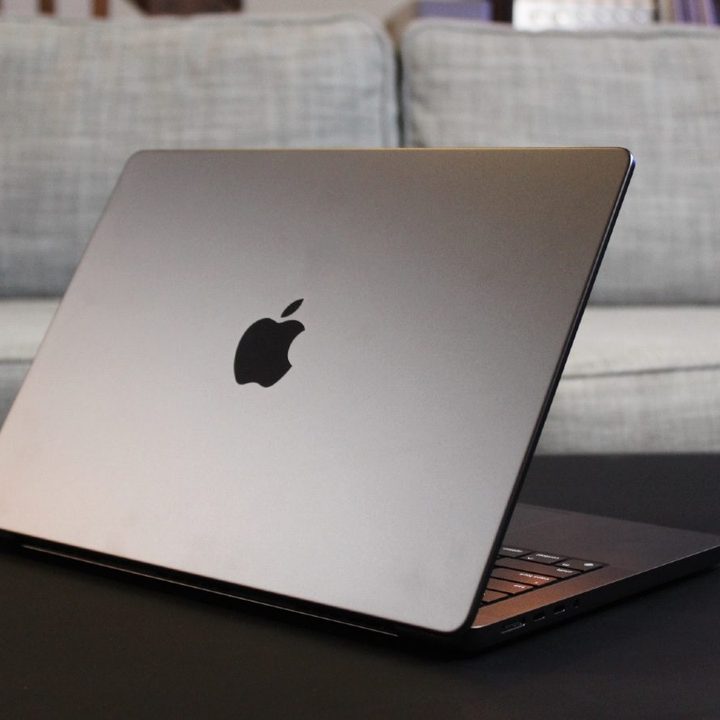
The 14-inch MacBook Pro with M3 Max chip seen from behind.
Luke Larsen / Digital Trends

We have a warning if your MacBook or other Mac machine is still running macOS Ventura. The latest macOS Ventura 13.6.6 update is bringing a lot of big bugs, and it is affecting the way that people are using their favorite Apple products, so you might want to hold off on downloading the update.

Originally released back on March 25, this problematic update came at the same time as macOS Sonoma 14.4.1, which patched issues with Java, USB hubs, and more. Unfortunately, though, macOS Ventura 13.6.6 is introducing some new issues of its own. Spotted by the folks at GottaBeMobile, Mac users have taken to Apple’s support forums to complain of everyday issues linked to this release that are breaking their Macs.

Recommended Videos

That includes issues not being able to send emails, Wi-Fi dropping out on certain 2017 MacBook Pro models, and not being able to log into Microsoft Teams. Some other issues with macOS Ventura 13.6.6 that are popping up include Touch ID not working on some Macs, and the Messages app not loading properly.

On an iMac, meanwhile, some users report that their external DVD drive is not recognized after updating to this release. Additional issues include not being able to drag apps to a second display, or not being able to back up with Time Machine.

Users in Apple’s Community Forums report that running Wi-Fi or Bluetooth on or off could resolve some of these problems — but take that with a fine grain of salt. It is shaping up as though if you’re running into these issues, you’ll have to wait a few weeks for Apple to push out another update, possibly later in May. Submitting feedback is critical though, so you might want to talk about your own experience in the forums to bring this to Apple’s attention. The more reports on the issues, the higher the chance a fix will be rushed.

Unlike on Windows, there’s no easy way to uninstall or revert to a previous security update on macOS. That’s why it’s always a good idea to keep a full backup of your Mac with Time Machine, so if an update were to go bad, you can restore from it.

It should be noted that while Ventura isn’t the latest version of macOS, it’s the last to support a number of Macs, such as the 12-inch MacBook and the 2016 iMac.

Arif Bacchus
Arif Bacchus is a native New Yorker and a fan of all things technology. Arif works as a freelance writer at Digital Trends…
Your hard drive is giving away your browsing habits and websites can see it
A new attack called FROST lets malicious websites spy on your open tabs and apps by tracking your SSD activity.
An SSD data port.

Your browsing habits may not be as private as you think, even with all the right precautions in place. According to Ars Technica, security researchers have uncovered a new attack technique that lets a malicious website figure out which other sites and apps you have open. You do not need to click anything, download anything, or grant any permission; just visiting the page is enough.

How can websites spy on your browsing activity through hard drive?

Read more
iOS 27 leak shows off Siri’s minimalist redesign and new tricks within a dedicated app
Bloomberg's iOS 27 leak reveals the most ambitious Siri redesign in the assistant's history.
Electronics, Mobile Phone, Phone

Apple’s biggest Siri overhaul in nearly 15 years is taking shape ahead of WWDC 2026 on June 8, 2026, and the first detailed look at what the revamped assistant might look like comes from Bloomberg. 

These aren’t official images or promotional materials, but renders based on the information that the outlet has collected from its sources. Furthermore, Apple often tests multiple designs and versions before releasing the final version of a product, so it could still differ. 

Read more
Qualcomm’s Snapdragon C chip eyes dirt-cheap laptops as MacBook Neo redraws budget lines
A $300 laptop that actually works? Qualcomm thinks it has the answer.
Qualcomm Snapdragon C

Budget laptops have always been a compromise. You either get a machine that struggles to keep up with your browser tabs or one that dies before lunch. And almost all of them feature a cheap plastic body. Qualcomm wants to change that with its new Snapdragon C Platform, a chip built specifically for entry-level laptops starting at $300.

Qualcomm says that the Snapdragon C is designed for students, families, and small businesses that need a reliable, everyday machine without breaking the bank. Devices powered by this chip will handle web browsing, video streaming, productivity apps, and video calls without a hitch. 

Read more