
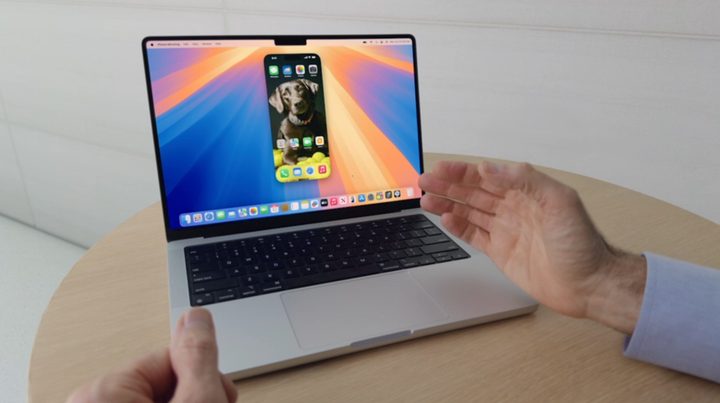

Apple just announced macOS 15 at WWDC 2024. Called macOS Sequoia, the updated operating system brings a suite of new features to Macs this fall. The key change, however, is a new Continuity feature that allows you to mirror your iPhone on your Mac, from the MacBook Air to the Mac Studio.
Although iPhone mirroring takes center stage, there are a ton of new features in MacOS 15. Here are all of them.
iPhone mirroring
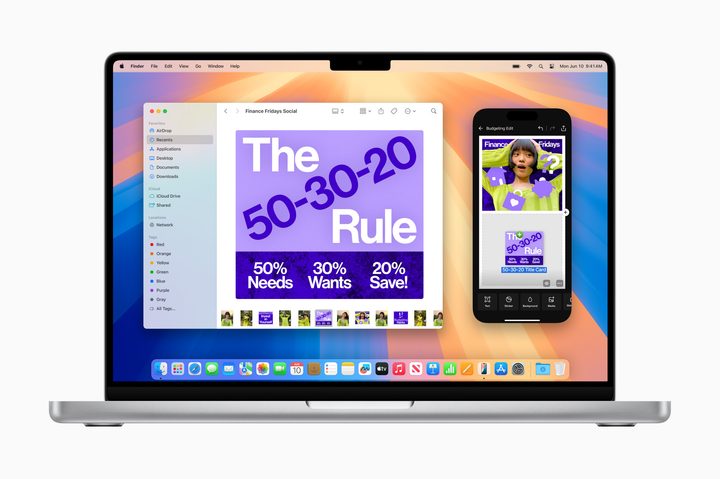
This isn’t just streaming your iPhone screen to your Mac. The feature allows you to open and use apps, enter text, and even get notifications on your desktop. Apple even says your iPhone’s audio will come through your Mac. It basically gives you full access to your iPhone without ever reaching in your pocket.
That’s impressive enough, but iPhone Mirroring goes further. You can leave your iPhone locked while still mirroring it on your Mac. Even if you’re not next to your iPhone, you’ll be able to access your apps and notifications without unlocking your device. Apple says it works with StandBy, as well, so you’ll be able to see details on your iPhone’s screen while getting the full app on your Mac.
One of the most useful features is the ability to drag and drop files between your iPhone and Mac, however. This works in both directions, and with your keyboard, trackpad, or mouse.
Window tiling
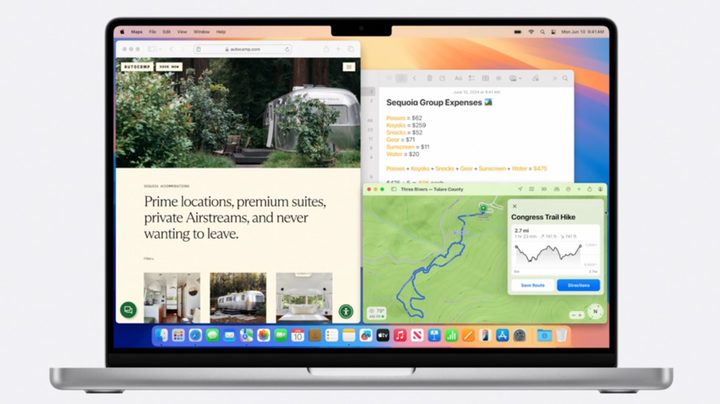
Although iPhone Mirroring is the biggest change in macOS 15, Apple has other features in the works. Borrowing from Windows 11, macOS 15 now includes window snapping. You can drag a window to a side of your screen and immediately snap it into place, allowing you to quickly pull up multiple windows at once. Apple is also adding new keyboard shortcuts to make organizing your windows even easier.
Presenter preview
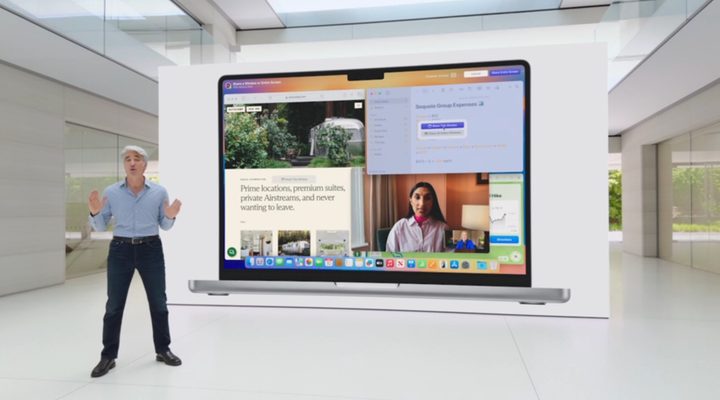
Apple has a couple of new features to help you at work, too. The Presenter preview allows you to see what you’re going to share on your screen before sharing it, ensuring you don’t accidently pull up the wrong window. Apple says this feature works with FaceTime and Zoom right now, but it hasn’t shared if it will come to apps like Microsoft Teams. In addition, you can now replace your background in calls on FaceTime and Zoom, directly through your Mac.
These backgrounds are built into macOS 15, and Apple says they include color gradients and system wallpapers. You’ll be able to upload your own photos to use, as well.
Passwords app
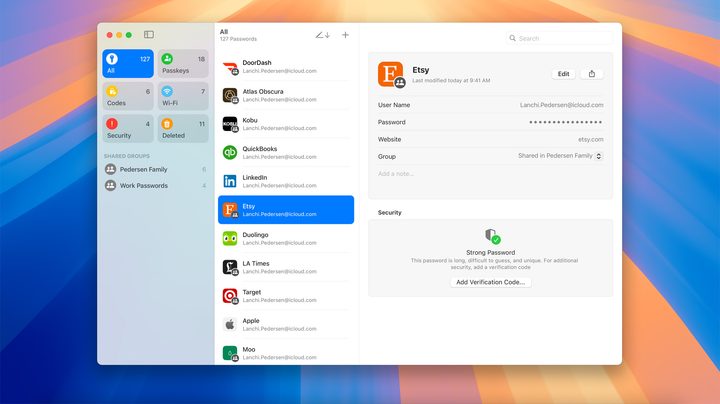
One of the biggest updates is the Passwords app, however. This is already available on multiple Apple devices, but the company is bringing it to Macs now. It will display passwords, verification codes, notes, and more, and sync across your other Apple devices. Just like you can on iPhone, the Passwords app will automatically pop up in a password field and automatically fill in your details.
The backbone of Passwords is Apple Keychain, and it syncs across your devices with iCloud. It’ll even work on Windows with the iCloud for Windows app.
Safari
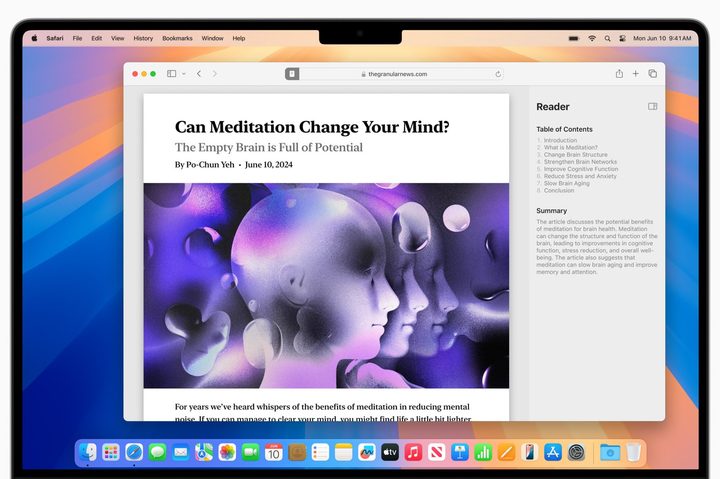
MacOS 15 comes with a new version of Safari that is packed with AI features. The new Highlights feature uses AI to pick out bits of information from your browsing and summarize them. It can take in directions, summaries, links, and more. Apple also updated the Reader tool, which now includes a streamlined view of an article, an AI-generated summary, and a table of contents.
Outside of AI, the updated Safari comes a picture-in-picture feature that automatically pulls videos up when you move to a different window. The player is fit with controls, as well, so you don’t need to switch your window back.
Gaming
Apple is bringing a suite of new games to Macs with macOS 15, as well as updating some gaming-specific features. Some new games include Frostpunk 2, Palworld, and RoboCop: Rogue City, all of which will use Apple’s MetalFX upscaling to improve performance. For more powerful Macs with the M3 family of chips, Apple revealed Control Ultimate Edition and Wuthering Waves, both of which will support ray tracing.
For macOS 15 specifically, Apple says that it’s made improvements to Game Mode which “unlock smoother frame rates.” It also tweaked power managed features to “boost performance across the Mac lineup.”
The most important announcement was the Game Porting Toolkit 2, however. The original Game Porting Toolkit is the main driving force behind the growing rate of games on Macs, and this new version adds some of the most-requested features by game developers, according to Apple. Hopefully that means we see even more games on Macs.


