
Ray tracing is a lighting technique that brings an extra level of realism to games. It emulates the way light reflects and refracts in the real world, providing a more believable environment than what’s typically seen using static lighting in more traditional games. But what is ray tracing, exactly? And more importantly, how does it work?
The best graphics cards can use ray tracing to enhance immersion, but not all GPUs can handle this technique. Read on to decide if ray tracing is essential to your gaming experience and if it justifies spending hundreds on an upgraded GPU.
Virtual photons
To understand just how ray tracing’s revolutionary lighting system works, we need to step back and understand how games previously rendered light, as well as what needs to be emulated for a photorealistic experience.
Games without ray tracing rely on static “baked-in” lighting. Developers place light sources within an environment that emits light evenly across any given view. Moreover, virtual models like NPCs and objects don’t contain any information about any other model, requiring the GPU to calculate light behavior during the rendering process. Surface textures can reflect light to mimic shininess, but only light emitted from a static source. Take this comparison, using reflections in GTA V’s graphic settings, as an example.

Overall, the GPU’s evolution has helped this process become more realistic in appearance over the years, but games still aren’t photorealistic in terms of real-world reflections, refractions, and general illumination. To accomplish this, the GPU needs the ability to trace virtual rays of light.
In the real world, visible light is a small part of the electromagnetic radiation family perceived by the human eye. It contains photons that behave both as a particle and as a wave. Photons have no real size or shape — they can only be created or destroyed.
That said, light could be identified as a stream of photons. The more photons you have, the brighter the perceived light. Reflection occurs when photons bounce off a surface. Refraction occurs when photons — which travel in a straight line — pass through a transparent substance and the line is redirected or “bent.” Destroyed photons can be perceived as “absorbed.”
Ray tracing in games attempts to emulate the way light works in the real world. It traces the path of simulated light by tracking millions of virtual photons. The brighter the light, the more virtual photons the GPU must calculate, and the more surfaces it will reflect, refract, and scatter off and from.

The process isn’t anything new. CGI has used ray tracing for decades, though the process required farms of computers in the early days to generate a full movie, given a single frame could take hours or even days to render. Now, home PCs can emulate ray-traced graphics in real-time, leveraging hardware acceleration and clever lighting tricks to limit the number of rays to a manageable number.
Here’s the real eye-opener: Like any movie or TV show, scenes in CGI animation are typically “shot” using different angles. For each frame, you can move a camera to capture the action, zoom in, zoom out, or pan an entire area. And like animation, you must manipulate everything on a frame-by-frame basis to emulate movement. Piece all the footage together, and you have a flowing story.
In games, you control a single camera that’s always in motion and always changing the viewpoint, especially in fast-paced games. In both CGI and ray-traced games, the GPU not only must calculate how light reflects and refracts in any given scene, but it must also calculate how it’s captured by the lens — your viewpoint. For games, that’s an enormous amount of computational work for a single PC or console.
Unfortunately, we still don’t have consumer-level PCs that can truly render ray-traced graphics at high framerates. Instead, we now have hardware that can cheat effectively.
Let’s get real
Ray tracing’s fundamental similarity to real life makes it an extremely realistic 3D rendering technique, even making blocky games like Minecraft look near photo-realistic in the right conditions. There’s just one problem: It’s extremely hard to simulate. Recreating the way light works in the real world is complicated and resource-intensive, requiring masses of computing power.
That’s why existing ray-tracing options in games, like Nvidia’s RTX-driven ray tracing, aren’t true to life. They’re not true ray tracing, whereby every point of light is simulated. Instead, the GPU “cheats” by using several smart approximations to deliver something close to the same visual effect but without being quite as taxing on the hardware.
Most ray tracing games now use a combination of traditional lighting techniques, typically called rasterization, and ray tracing on specific surfaces such as reflective puddles and metalwork. Battlefield V‘s ray tracing is a great example of that. You see the reflection of troops in water, the reflection of terrain on airplanes, and the reflection of explosions across a car’s paint. It’s possible to show reflections in modern 3D engines, but not at the level of detail shown in games like Battlefield V when ray tracing is enabled.
Ray tracing can also be leveraged for shadows to make them more dynamic and realistic looking. You’ll see that used to great effect in Shadow of the Tomb Raider.
Ray-traced lighting can create much more realistic shadows in dark and bright scenes, with softer edges and greater definition. Achieving that look without ray tracing is extraordinarily hard. Developers can only fake it through careful, controlled use of preset, static light sources. Placing all these “stage lights” takes a lot of time and effort — and even then, the result isn’t quite right.
Some games go the whole hog and use ray tracing for global illumination, effectively ray-tracing an entire scene. But that’s the most computationally expensive option and needs the most powerful of modern graphics cards to run effectively.
Because of that, half-measures like only ray-tracing shadows or reflective surfaces are popular. Other games leverage Nvidia technologies like denoising and Deep Learning Super Sampling (DLSS) to improve performance and cover up some of the visual hiccups that occur from rendering fewer rays than would be necessary to create a truly ray-traced scene. Those are still reserved for pre-rendered screenshots and movies, where high-powered servers can spend days rendering single frames.
The hardware behind the rays

To handle even these relatively modest implementations of ray tracing, Nvidia’s RTX 20-series graphics cards introduced hardware specifically built for ray tracing.
Now, all RTX cards support ray tracing, and the most recent RTX 40-series GPUs have yet another way to cheat performance. SER, or Shader Execution Reordering, is available on the RTX 4090 and RTX 4080, and Nvidia says it can boost performance by 25% in games with ray tracing. It works by reordering when the ray tracing instructions are processed by the GPU, optimizing the task for the computational power available.
Although the early days of ray tracing were rough, Nvidia’s recent cards have been much better performers. With SER in the next generation, along with DLSS 3, we may see ray tracing that doesn’t tank your frame rate. Nvidia’s new DLSS 3.5 promises to bolster ray tracing through Ray Reconstruction, as well.
Nvidia’s ray tracing method isn’t the only option available, though. There are also Reshade “path tracing” post-processing effects that deliver comparable visuals without anything like the same performance hit.
AMD has options for ray tracing now, too, which we’ll get to next.
You’ll still want a powerful graphics card for ray tracing no matter the implementation, but as the technique catches on with game developers, we may see a broader array of supporting hardware at much more affordable prices.
Although ray tracing is mostly focused on PCs, it’s starting to work its way into other devices. Various phones are capable of hardware-accelerated ray tracing, which has obvious benefits for mobile games.
What about AMD?
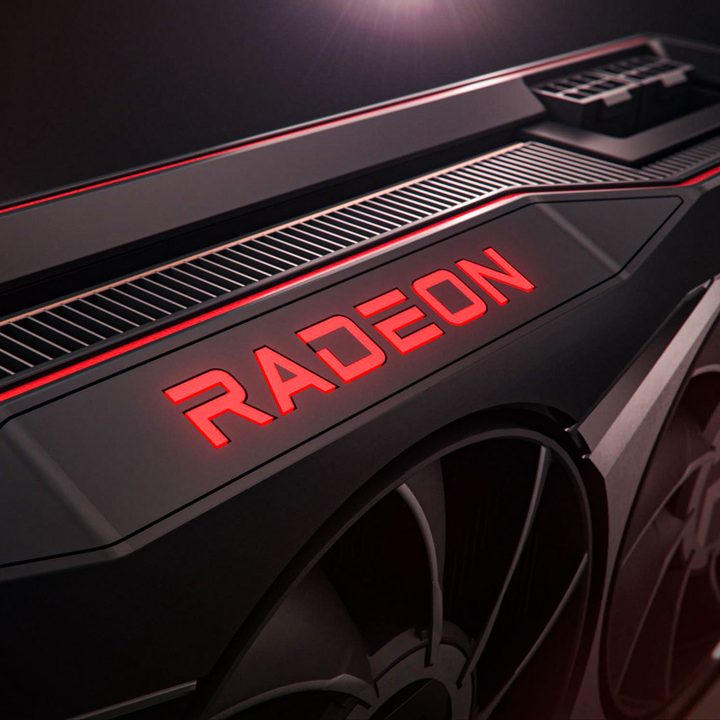
AMD has struggled over the past few years to deliver hardware-accelerated ray tracing, but that changed with the launch of the RX 6800, 6800 XT, and 6900 XT. These new cards feature DirectX 12 ray tracing support and deliver excellent performance, even if AMD isn’t quite on Nvidia’s level in the ray-tracing department (read our RX 6800 XT versus RTX 3080 and RX 6900 XT versus RTX 3090 comparisons for more).
That hardly comes as a surprise, considering the Big Navi architecture powering AMD’s RX 6000 cards is very much a first-generation of ray-tracing acceleration. It’s the same architecture that powers the visuals in the PlayStation 5 and Xbox Series X, catering to a lower tier of performance overall than Nvidia’s flagship cards. However, because ray tracing is a standout feature on next-gen consoles, we expect better support and optimizations moving forward. AMD FidelityFX Super Resolution (FSR) is available now for gaming PCs and Microsoft Xbox Series X.
How can you see ray tracing at home?

You’ll need a recent — and expensive — graphics card to see ray tracing at home. Hardware-accelerated ray tracing is only available on Nvidia RTX GPUs or on AMD’s RX 6000-series GPUs. GTX 10-series and 16-series cards support ray tracing but lack the RT cores to make it comfortably playable.
If you expect to play at resolutions above 1080p and with frame rates of 60 fps or more, your best bet is to splurge for a top-of-the-line graphics card. At 4K, the RTX 3080 and RX 6800 XT are the standout cards, but you can get by with an RTX 3070 or RX 6800 if you’re willing to move to 1440p in certain titles. Naturally, the latest graphics cards — such as those in the Nvidia RTX 50-series — will deliver the best ray tracing results.
While still limited, the list of PC games that support ray tracing is growing. Top examples of ray tracing include early RTX demos, like Battlefield V, Shadow of the Tomb Raider, and Metro Exodus. More recent games like Control and MechWarrior 5: Mercenaries also look compelling. Stay in the Light is an indie horror game built using ray-traced shadows and reflections. The remastered Quake II with RTX ray tracing is another fantastic example.
There are fewer ray tracing games on the market, but the industry grows. As the PlayStation 5 and Xbox Series X begin advertising ray tracing, competitors will soon follow. The multi-platform game Watch Dogs 2 is different from the new Watch Dogs: Legion, as the new game has initiated ray tracing to work on consoles and computers. Try using UL Benchmark’s Port Royal ray tracing to determine if your PC will work with ray tracing.
However, it’s not all about ray tracing. Another technique, path tracing, is used to create dynamic lighting to make games seem more realistic. But how do ray tracing and path tracing compare?


