
It’s that time of year again, and Microsoft is making various announcements regarding Copilot at its annual Build developer conference. As expected, AI is a massive part of what’s being said, just like last year.
Perhaps the biggest announcement in that regard was that GPT-4o was already live in Azure AI and would soon be coming to Copilot. It was mentioned as part of the Copilot+ press event yesterday, but not much information was provided, aside from the Minecraft tutorial demo.
Beyond that, Microsoft was focused on giving developers and users the tools to make custom Copilots suited for individual organizations and companies. This is not dissimilar to what Google announced at I/O last week with AI Teammates, but with far more advanced tools for developers.
The simplest way these custom Copilots can be created is in SharePoint with just a few clicks. that it claims will help you work faster by having AI do all the research to get the information you need faster. The Copilots will answer any questions based on the information they find on the SharePoint site.
The next tier is creating Copilots using Copilot Studio, which will let these AI agents go beyond just answering questions and begin to do work on your behalf. These independently working AI agents can be given tasks to work across an organization or business, having access to the entire suite of Microsoft 365 apps.
If you can’t wait to try it out, you can access it through the Early Access Program. Microsoft says the preview will be ready to use later this year but did not give a specific date.
The news doesn’t end there. Microsoft wants to enhance Copilot with extensions that will make new actions possible and give you helpful information for the assignment you’re working on. If you’re a developer, you can design Copilot extensions using Copilot Studio or Teams Toolkit for Visual Studio Code.
You can preview Copilot extensions from apps such as Priority Matrix, Jira, and Mural for Microsoft 365 and from company-developed line of business Copilot extensions. IT admins can manage and control access to the extensions through the Microsoft 365 admin center.
Microsoft also confirms that developers can easily add plug-ins to their Copilot extensions from their API endpoints using Teams Toolkit for Visual Studio Code. They can also use Microsoft’s new user experience features, such as handoffs (currently in preview) to a different AI assistant.
Last but not least, Microsoft presents a new AI assistant called a Team Copilot. This new tool also aims to save teams time by doing tasks that are too time-consuming. The Team Copilot will be available later this year, but Microsoft has not mentioned an exact date. If you want to access the preview, you’ll need a Copilot for Microsoft 365 license.
Unless Microsoft decides to make any last-minute changes, you can use features such as Product Manager that’ll create and designate tasks, keep track of deadlines, and alert you if your input is needed on anything using Loop. The Group Moderator feature will summarize long Teams chats, but we’ll see if it doesn’t leave out any important information.
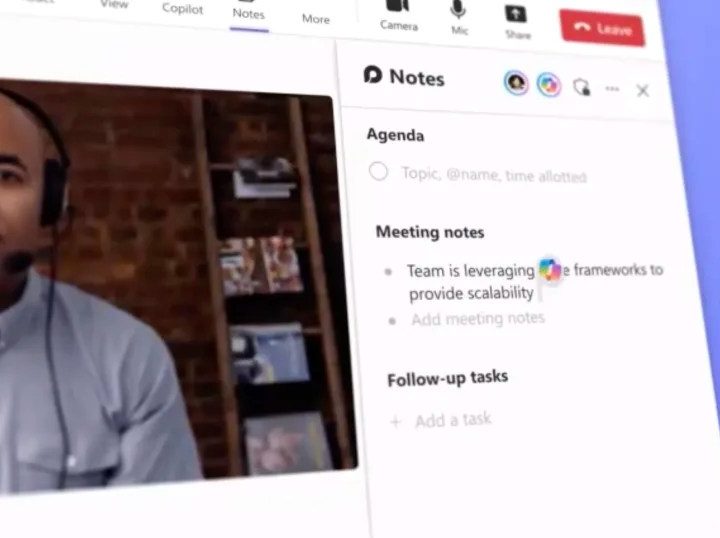
Lastly, there is the Meeting Facilitator, which takes charge of meeting agendas and taking notes, with ad-hoc meeting support from Team Rooms.


