
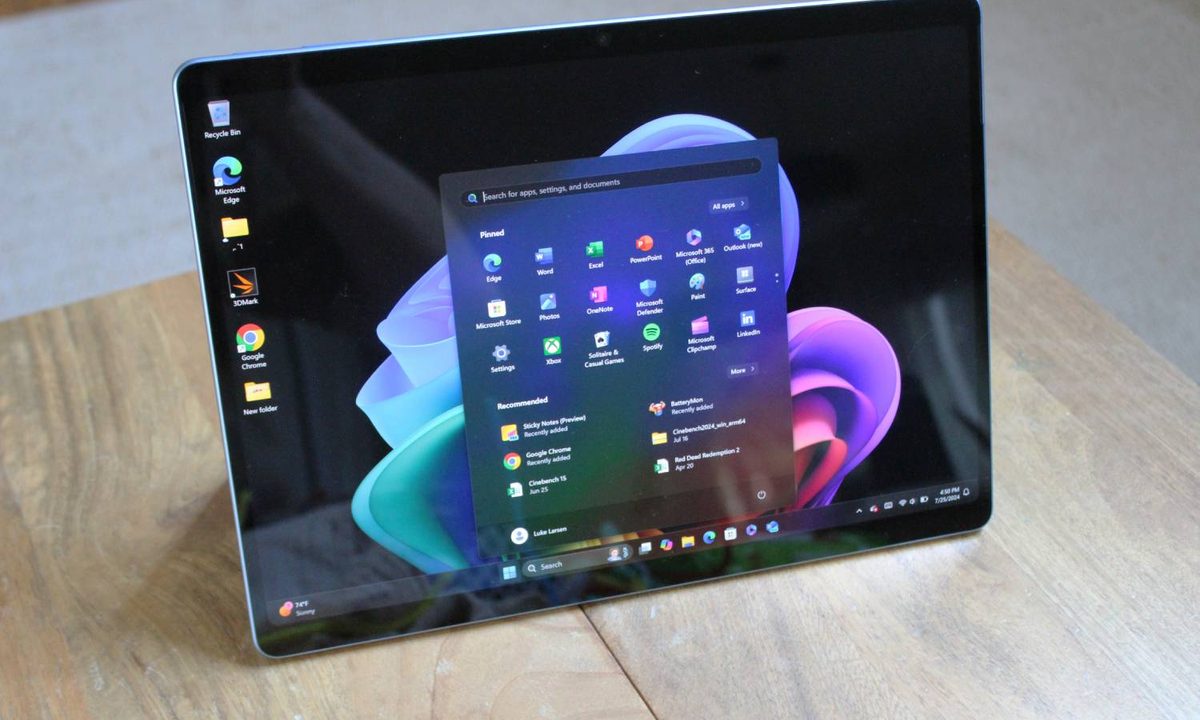
Microsoft’s Copilot+ PC initiative has been a smash hit, with many of them landing among the best laptops, but not for the AI hardware inside. Now, finally, Microsoft is putting the neural processing unit (NPU) inside Copilot+ PCs to good use. Starting today and going throughout the next two months, Microsoft will begin rolling out the 24H2 update for all Windows 11 PCs, and in the process, unlock several features for Copilot+ PCs, including the highly controversial Recall.
Recall is definitely the star of the show here, which will start showing up on Copilot+ laptops with a Snapdragon X chipset throughout October. Last week, Microsoft laid the groundwork for the release of Recall, detailing the security architecture of the feature and addressing some major criticisms of it. Now, for example, Recall is turned off instead of on by default. Microsoft is also allowing users to filter websites and giving users more control over their snapshots, including deleting them all.
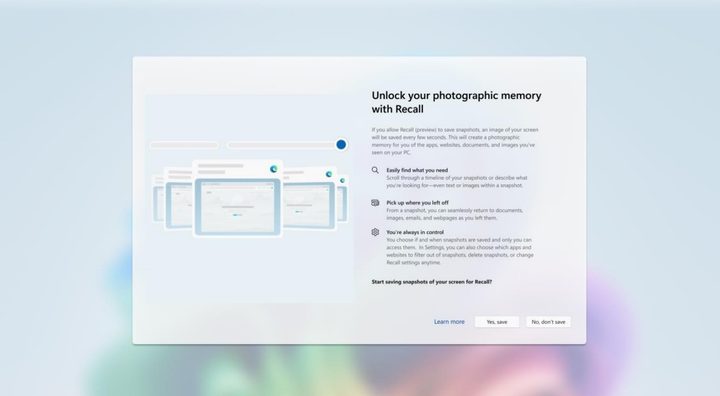
Although Snapdragon X laptops are getting the feature first, Microsoft reiterated that Intel- and AMD-based Copilot+ PCs like the Asus Zenbook S 16 will get Recall (and other Copilot+ features) starting in November. Microsoft previously announced Copilot+ availability for these PCs, though it still hasn’t given a firm date as to when the free Windows updates will start rolling out.
New features in Paint and Photos

We’ll finally have the base features of Copilot+ PCs all together, but Microsoft is already pushing ahead. Starting off, Microsoft is adding more features to its Photos and Paint apps. In Photos, you’ll now be able to use AI-powered super resolution to increase the resolution of low-quality images. This all happens on the NPU in a matter of seconds, similar to AI-powered upscaling apps like the open-source Upscayl.
In Paint, Microsoft is adding generative fill and erase. This allows you to draw on an image to delete distracting objects, or add new objects based on a prompt. This has been one of the biggest additions to Photoshop over the past several months, and now it’s available through an app included with every Windows 11 installation.
AI-powered Windows search
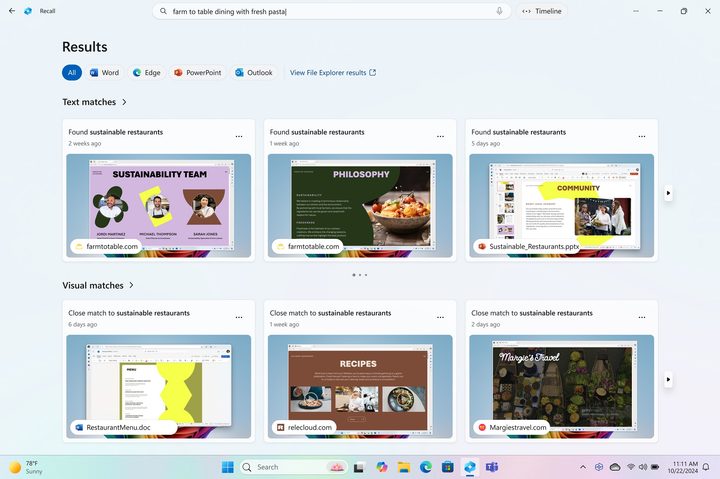
These new apps are ready to go, but Microsoft has a couple of other Copilot+ features it’s still working on. For starters, there’s an improved Windows search coming to Copilot+ PCs. Initially, it will only work in File Explorer, and it allows you to search up files by describing them rather than matching their file name. For instance, you can search for photos that have a particular subject — Microsoft used barbecue as an example — even if the file name doesn’t include those details.
Microsoft says it’s expanding this AI-powered searching to the Settings app and the general Windows search “over the coming months.” With it, you’ll be able to search for settings and files by describing them. Microsoft provided the example of pairing your headphones. Instead of searching for Bluetooth settings, you’ll be able to search for “pair my headphones,” and the AI-powered search will pull up your Bluetooth settings.
Click to Do

Finally, Microsoft is introducing a new feature into a preview state called Click to Do. You can access it on Copilot+ PCs by holding the Windows key and clicking with your mouse anywhere on your screen. The NPU analyzes what’s on your screen and provides context-aware actions in a menu. For instance, if you click on an image, you’ll see an option to search Bing for the image or remove an object with Paint. And if you click on text, you’ll see options to summarize or open a word processor.
Microsoft says the actions in Click to Do expand even further, allowing you to send an email, open a website, search the internet, and more from the Click to Do menu. Given that this feature is a preview, you shouldn’t expect a ton of options out of the gate. Microsoft says it will be adding more actions over the next few months with a “clear focus on enhancing productivity.”
Recall is rolling out to Copilot+ PCs now, but Microsoft says the additional Copilot+ features will come to Windows Insiders first, starting in November. If you want to be among the first to try out the new features, make sure to read our guide on how to become a Windows Insider, as well as our roundup of the best Copilot+ laptops. In addition to the Copilot+ news, Microsoft announced several features coming to Copilot app more broadly.


