  1. Home
  2. Computing
  3. Legacy Archives

Microsoft reminds Windows XP users that extended support will end in T-minus 1 year

Add as a preferred source on Google
microsoft-windows-xp-broken-glass
Image used with permission by copyright holder

Microsoft would like to remind you that exactly one year from now, on April 8, 2014, the company will stop supporting Windows XP entirely. A couple of posts on the Windows Springboard Series and the Windows for your Business blogs explain what “end of support” means, while also promoting Windows 7 and Windows 8. Windows XP’s user shares quickly dropped below 50 percent less than a month after Microsoft announced in July 2011 that support for the OS will stop in 2014. But more recently, analytics company Net Applications revealed that decline in usage of Windows XP has stalled, indicating that there are still a lot of people and businesses using the old operating system.

Full mainstream support for Windows XP ended back in April 2009. Microsoft currently provides extended support for business users, and rolls out security updates for everyone – business user or otherwise. However, both of these services will cease completely next year. “After April 8, 2014, there will be no new security updates, non-security hotfixes, free or paid assisted support options or online technical content updates,” Stephen L. Rose, Microsoft’s senior product marketing manager for Windows Commercial, wrote on the Springboard blog. “Running Windows XP SP3 and Office 2003 in your environment after their end of support date may expose your company to potential risks.” These risks, according to Rose, include security vulnerabilities and the lack of software and hardware compatibility over time. Despite the lack of updates, note that you can choose to continue using Windows XP, as the system itself will continue to be functional beyond April 8 next year.

Recommended Videos

Rose warns that you won’t be able to update from Windows XP to Windows 8 directly. To be able to make the jump, you need a clean install, which means you need to back up and copy your data over to the new system and reinstall all your old applications. Check out Rose’s entire post that links to Microsoft’s migration guides and other helpful tools to make the switch easier for you.

Mariella Moon
Mariella loves working on both helpful and awe-inspiring science and technology stories. When she's not at her desk writing…
Microsoft is retiring the Together Mode in Teams in favor of something cleaner and simpler
Teams is retiring Together Mode for layouts people may actually use
Computer, Electronics, Laptop

Microsoft Teams is retiring one of its more recognizable meeting features, and it might be for the best. The company announced that Together Mode is going away in Teams as Microsoft is shooting towards a simpler set of meeting layouts.

To recall, Together Mode was introduced during the pandemic-era video call boom, placing participants inside shared virtual environments such as auditoriums or classrooms. It was a cute idea at the time, but it never became the everyday meeting view for most people.

Read more
Experts are worried that smarter AI gets, the dumber we might become
Experts say chatbots can help research, but leaning on them too hard risks outsourcing the work that builds intelligence
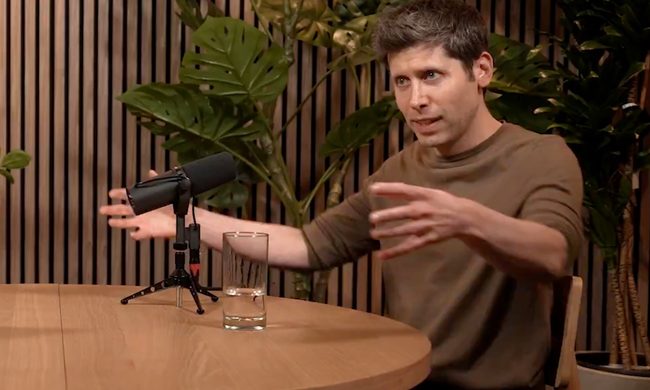
OpenAI CEO Sam Altman during the Uncapped podcast in June 2025.

AI can now answer questions so quickly that the search itself can feel optional. That convenience worries the Royal Observatory Greenwich, which has warned that instant AI answers can weaken the curiosity, scrutiny, and source-checking behind real knowledge.

The risk hides inside the usefulness. Chatbots can help people test ideas, move faster, and find new angles, but a finished response can also cut users off from the messy trail that makes learning stick. When that happens, information arrives without the struggle that turns it into judgment.

Read more
Miss the old PC days? This website lets you experience Wikipedia like it’s Windows XP
This XP-style Wikipedia explorer turns online research into a nostalgia trip, while showing how much browsing changes when search takes a back seat
File, Webpage, Person

Wikipedia has an unofficial new front door, and it looks like a desktop from a very specific era of family PCs, school labs, and chunky blue title bars.

Developer Sami Smith has built a browser-based Windows XP Wikipedia explorer that turns categories into folders and articles into documents. It’s playful, slightly inefficient, and more interesting than another AI search box bolted onto the web.

Read more