
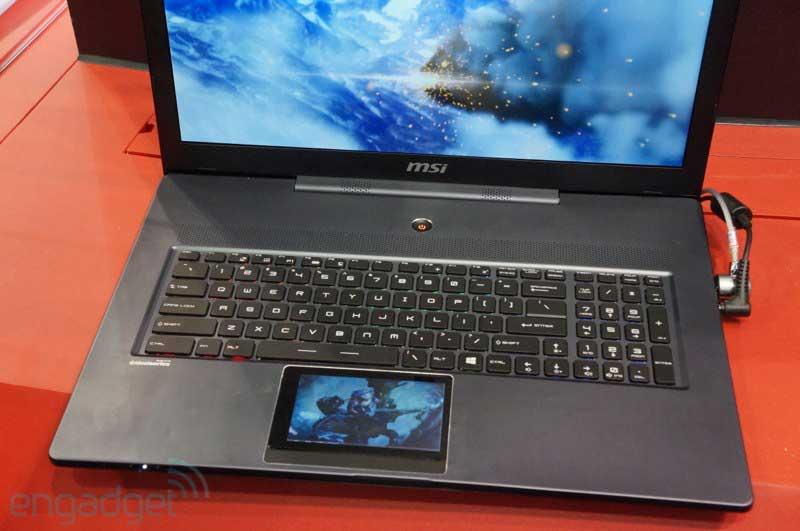
Go, go gadget touchpad! At Computex in Taipai, Taiwan, MSI showed off a concept gaming notebook with a touchpad that functions as a separate touchscreen display. The 17.3-inch display on the MSI GS70 Stealth concept gaming rig is not a touchscreen; instead, it’s a touchscreen display takes the place of a traditional trackpad.
 Engadget got a hands-on look at the GS70 Stealth concept laptop, but, unfortunately, the mini-touchscreen wasn’t fully operational, though it was displaying a video sequence. Windows 8 is often easier to navigate with a touchscreen and the GS70 prototype gives gamers the best of both worlds by maintaining a full HD gaming display plus an extra display for when a quick swipe of a finger works better than a mouse. We imagine the extra display could be useful for chatting with buddies while playing, adjusting game controls on the fly, or even surfing the Web for Halo tips and tricks while still staying immersed in the game.
Though the GS70 Stealth is currently just a concept machine, MSI is releasing a version of the GS70 with a traditional touchpad in August. Like the prototype, this 17.3-inch machine is completely clad in aluminum instead of plastic, and features MSI’s Steel Series full color backlit keyboard. The full 1920 x 1080 HD display will be anti-glare and the whole package will weigh 8.6 pounds. Of course, the GS70 will be powered by Intel’s Haswell processors, the fourth generation of the company’s Core series of chips. The MSI GS70 will be available in August, and, while a price hasn’t officially been announced yet, current speculation puts it around $,1600.


