  1. Home
  2. Computing
  3. Legacy Archives

Some new Mac users can’t reinstall Mountain Lion (and how to fix it)

Add as a preferred source on Google
mm-imac-mountain-lion
Image used with permission by copyright holder

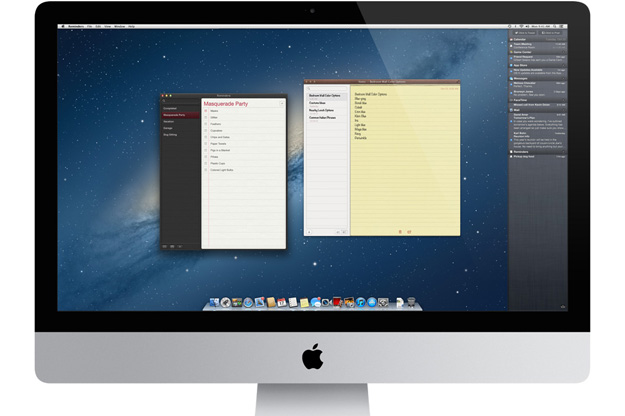
New Mac computers are causing problems for some users who tried to reinstall OS X or restore their computers from a back up. The problem stems from a permissions issue that occurs when the Mountain Lion installer is downloaded and ran on the computer. Permissions actually determine what is allowed to run on your computer and can be controlled by the user to a certain extent. When the error occurs, the computer has a compatibility error that stops the installation. 

Instead of normally installing, users see a warning that says the computer is incompatible with Mountain Lion, and the only option available is to click “OK” and cancel the installation. The affected systems may also have issues restoring from Time Machine backups. CNET reported that users could see a message saying that “the system could not add a recovery system to the destination disk.”

Recommended Videos

It seems a bit odd that computers running OS X Mountain Lion wouldn’t be able to reinstall the OS since the computer is already running the operating system. The problem seems to be a compatibility issue with the Mountain Lion installer available in the App Store. OS X installer programs have a list of compatible systems on which it can be installed. The Mountain Lion installer available in the App Store is a later version and is older than the operating system currently installed into the computer, which is causing errors when your try to download and install Mountain Lion from the App Store. 

Fixes

According to CNET, there may be a few ways to reinstall OS X on your new Mac computer. The first one involves repairing the installation volume’s permissions using Disk Utility. MacTrast claims the fix is to simply repair the permissions on the Recovery HD partition itself, which is a mounted volume stored in a read-only disk image that can’t be modified. So, unfortunately, the furthest you can get when you try to repair your computer’s permissions is the boot drive. 

Another fix is to bypass the internal boot volume completely. To do that, simply hold Command-Option-R to force OS X to bring up Internet Recovery tools (you’ll see the spinning globe icon when they are downloading). Then, using Disk Utility within the Internet Recovery tools, partition and format the drive, then install a copy of OS X Mountain Lion. 

Lastly, if you’re still having issues, a secondary USB or FireWire hard drive may be the answer. Attach the secondary hard drive, and boot to the recovery tools and install OS X to this drive after partitioning and formatting it. Then, boot to the secondary hard drive by holding the Option key when your computer is starting up. Before you try any of these fixes, make sure you back up your system!

Ian Kar
Former Contributor
Ian Kar writes mostly about technology and entertainment news. He loves writing about Apple products, rumors about gadgets…
Topics
AI is entering the Skynet debate moment in the social media hype circles
AI might end the world - but first, it’ll trend on social media
Representative Image

A growing wave of online voices warning about the dangers of artificial intelligence—often dubbed “AI doom influencers” - is reshaping how the public and policymakers view the technology. According to a report by The Washington Post, these influencers, including researchers, tech leaders, and content creators, are increasingly highlighting worst-case scenarios, from mass job loss to existential risks posed by advanced AI systems.

While critics argue that some of this messaging borders on alarmism, the conversation is no longer confined to speculation. Real-world developments in AI are beginning to mirror some of the concerns being raised, blurring the line between hype and legitimate risk.

Read more
You won’t believe it, but Motorola actually makes a terrific head-turner of a laptop
Motorola’s Moto Book 60 Pro is surprisingly stylish, and the pricing makes it even better
Moto Book 60 Pro in PANTONE Bronze Green

Motorola is not the name I expect to see on a genuinely good laptop. A stylish phone? Sure. A foldable with some personality? Absolutely. But a thin-and-light notebook that actually feels well judged on both design and value was a genuine surprise. And yet, the Moto Book 60 Pro is one of the more quietly impressive laptops in its segment.

With the broader laptop market being in a mess, Motorola's laptops feel refreshing. It is capable, attractive, and still approachable at a time when pricing elsewhere has become increasingly rough.

Read more
Zoom will now check if you are a human or an AI imposter during video meetings
Biometric badges, iris scans, and AI bouncers: welcome to the future of your Monday morning standup.
Zoom face scan technology.

Zoom video calls just got a new kind of awkward small feature. The platform will now ask you whether you’re human. It has partnered with World, Sam Altman’s iris-scanning identity company (previously known as Worldcoin), to add real-time human verification inside meetings. 

The feature, launched on April 17, 2026, is a part of World’s ID 4.0 rollout. It lets hosts confirm that every face on the call belongs to a real person, not an AI-generated imposter. 

Read more