
Because of what SSDs are, solid-state drives (SSDs) are a core component of any modern PC, whether it’s a traditional SATA SSD or a more modern NVMe drive. Knowing the difference between these two types of SSD is important, too, as they can have a dramatic effect on your system’s cost, size, and performance.
All SSDs are faster than traditional hard drives, but there are some differences between NVMe SSDs and their SATA counterparts. Below, we’ll go over what NVMe, SATA, and M.2 mean in SSDs, how they compare to each other, and which one you should pick to make sure you’re getting the best SSD.
NVMe vs. M.2 vs. SATA SSD
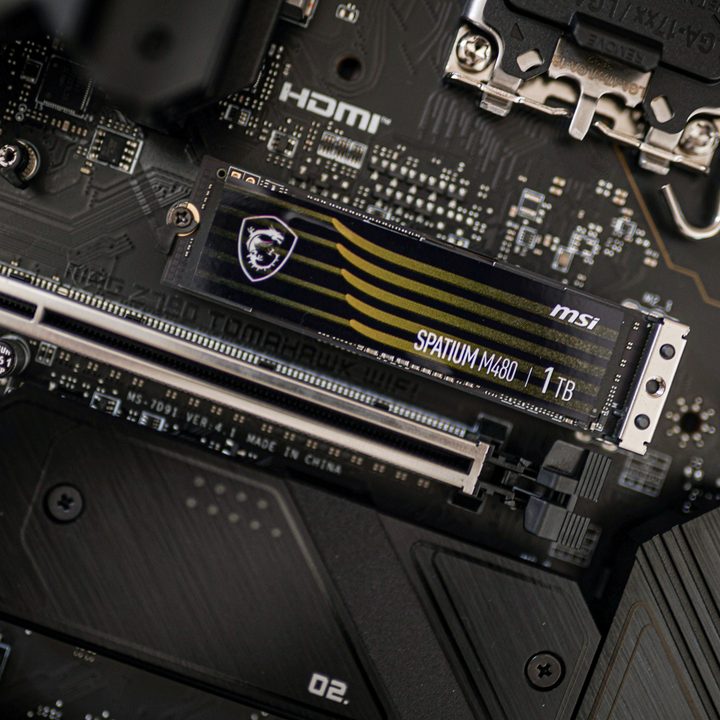
SSD is the broad category of data storage medium that uses integrated circuits and flash memory to store data. SSDs are connected to your system or the motherboard using a physical interface, which is usually SATA or PCIe bus. SATA drives are the larger, 2.5-inch drives that most resemble classic laptop hard drives.
NVMe or Non-Volatile Memory Host Express, on the other hand, is the logical interface specification that is used to access a computer’s non-volatile storage media at high speeds. NVMe is primarily seen on PCIe-based SSDs that are built in the M.2 size. Those are the stick drives that are a few inches long and around an inch wide.
This brings us to what M.2 is — it’s a form factor and not so much a data interface. M.2 SSDs are much more common in NVMe SSDs, but also appear in SATA form. That’s why when shopping, you may encounter an M.2 SSD listed in the specs, but that alone is not enough to determine whether it’ll be the fastest type of solid-state drive or not.
Between NVMe and SATA, NVMe SSDs are always much faster. We go into more detail about this (and everything else you need to know) in our SSD buying guide.
Connector and size

The first iteration of SSDs launched with the SATA interface. This included a small L-shaped connector to transfer data and a similar larger connector for power delivery.
Modern SSDs, however, have now moved to the PCIe interface that has a simple connector allowing it to easily slot into the motherboard without the need for any cables. While the early versions of PCIe SSDs launched as add-on cards, almost like a tiny graphics card, the arrival of the M.2 form factor completely changed the game. M.2 today is utilized by both SATA and PCIe SSDs with at least one or two dedicated slots available on most motherboards.
M.2 drives are also much smaller than 2.5-inch SATA SSDs, almost like a strip of gum, having a flat profile that simply sits on top of the motherboard. Since the NVMe interface is highly efficient with PCIe, you are primarily going to find NVMe on SSDs that have the M.2 form factor in modern PCs, especially in the best laptops.
Performance

There is a huge difference in terms of raw performance when comparing a standard SSD with SATA protocol and an SSD that uses NVMe. Modern SATA SSDs can reach a maximum possible data transfer speed of up to 550MB/s. In the real world, not all SSDs can reach these speeds, but there are a few drives on the market that manage to offer speeds that are at least closer to the claims.
NVMe-based M.2 SSDs, however, can go far faster. The speed usually depends on the generation of PCI Express used in that particular SSD, although even within the same generation, the drives can be faster or slower. Unsurprisingly, the faster options are also much more expensive.
NVMe M.2 SSDs using PCIe Gen 4.0 can achieve read/write speeds exceeding 7,500MB/s. Meanwhile, PCIe 5.0 SSDs can double that, reaching 14,500MB/s and beyond. In the real world, you won’t see those kinds of numbers reached unless you are doing very sustained read and write tasks, with more general usage seeing lower numbers.
Even then, though, they are far faster than SATA SSDs, and when they can be taken advantage of, that can result in a much snappier experience. Unfortunately, many applications, including games, can’t really make the most of these drives just yet, so you’d only see some games load a few seconds quicker, and Windows doesn’t boot much faster on an NVMe drive than it does on a traditional SATA SSD.
One downside of all that speed, though, is that NVMe SSDs tend to draw a lot of power and can hit high temperatures under heavy loads. In rare cases, these drives can overheat, leading to a drop in performance. To deal with the heat, certain manufacturers have now started shipping NVMe drives with their own dedicated heatsinks — that’s considered mandatory for adding a secondary SSD in the PlayStation 5.
Even if your computer only supports PCIe 3.0 or 4.0, you can still install a PCIe 5.0 SSD in it — it’ll just run at the maximum speed available to your PC.
Cost
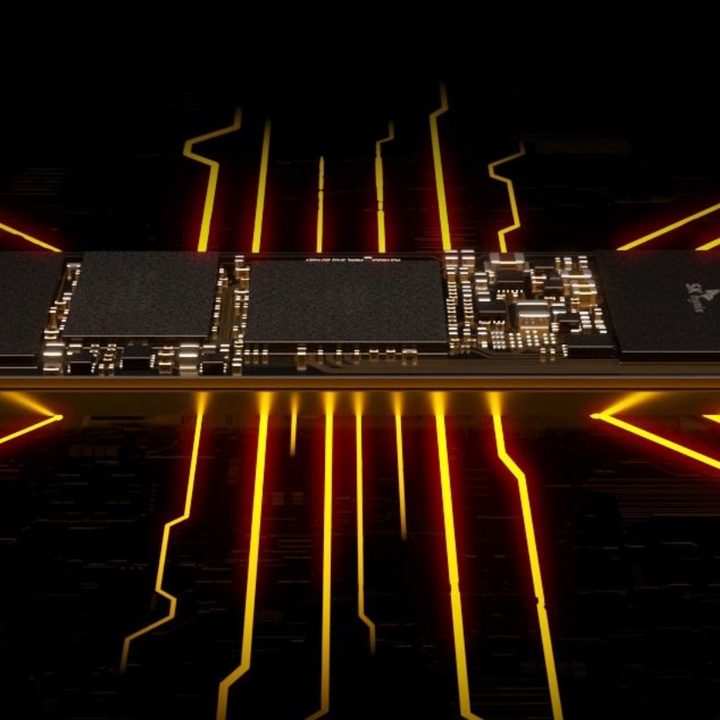
Considering the fact that they are smaller and faster, NVMe-based SSDs launched at a more expensive price tag compared to 2.5-inch SSDs with SATA interface. However, things have changed. These days, as SATA SSDs are slowly becoming a thing of the past, they often have the same price as their NVMe counterparts.
If your PC supports it, thanks to the price drops and much better performance, M.2 NVMe SSDs are always the way to go. If you’re not sure what NVMe is, think of it this way, as the future of speedy storage. If you are planning to upgrade your storage, it is highly recommended that you go for an NVMe SSD, with only the largest of capacities of SATA SSD being really worth it on a cost-per-gigabyte basis.


