
This content was produced in partnership with OBSBOT.
Webcams are a big deal these days. With remote work, livestreaming, and online teaching becoming more and more central to everyday life, it’s essential to have a webcam that’s not only reliable but also one that can provide a high-quality image or resolution. Most webcams offer low-quality video, poor audio, and static framing, often randomly cutting off your head or face. That’s not so with OBSBOT’s incredibly petite yet equally impressive Tiny 4K webcam. It’s equipped with AI-powered framing and autofocus features to offer next-generation, enhanced tracking — it locks onto a person and follows them no matter where they go in the frame. The movement tracking is incredibly helpful, especially if you have to get up and move during a presentation or video conference with colleagues. But that’s not all that’s unique about it. Also impressive are its gesture-based controls, powerful dual omnidirectional microphones, and 2-axis gimbal system. You can check it out for yourself below, or keep reading for a deep dive into all that it has to offer.
Get up and move: 4K Ultra-HD, AI Autofocus, and AI Auto Tracking
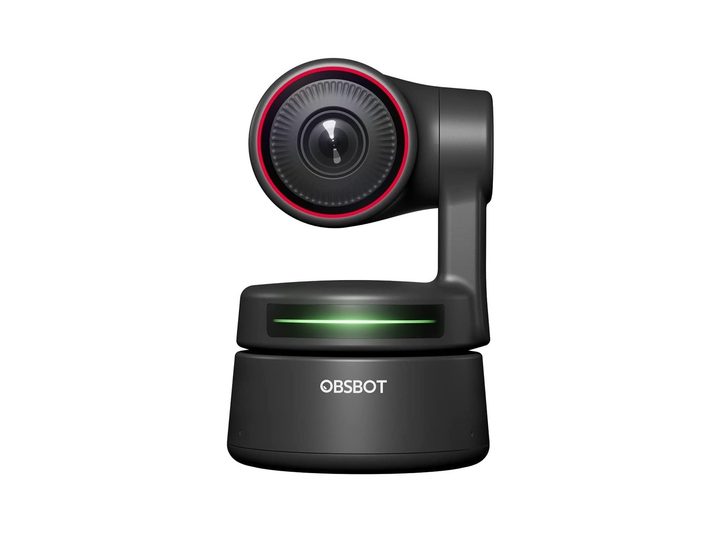
Thanks to the OBSBOT Tiny 4K webcam, your students, colleagues, or family will receive a crystal clear picture of you at all times. That’s because it’s equipped with a 2.8-inch Sony image sensor and 4K lens, capable of producing an ultra-HD image or stream — at 30 frames per second (fps) in 4K resolution, and 60 fps in 1080P. That’s important whether you’re livestreaming for viewers during a gaming session, or joing a live work conference from your home office. Low-light correction keeps the picture bright and vivid even in a dark room or environment. It also provides a better picture overall for everyone, reducing some of the contrast and darkness issues you normally see with webcams.
While it mounts to the top of a monitor like any other webcam, the Tiny 4K has a two-axis gimbal and AI-powered functionality. The AI autofocus and tracking means the camera will follow you, keeping you in the frame, while you move about the room. This is excellent for teachers or presenters who aren’t sitting and like to give a genuine in-person-like experience to their viewers. If you are sitting still, it works just as well to keep you in the center of the frame. There are tracking modes available to configure the camera for different situations, too. Motion mode, for example, moves at a faster rate to capture you moving around without sacrificing image quality. Headroom mode is another option, giving you extra space above your head that prevents you from being cut off in frame, which happens often with static webcams. This ensures there’s a more formal and professional feel to the whole experience.
Stay hands-free: Gesture controls, and more
As a teacher or presenter, it can be frustrating trying to adjust the camera and viewing angles on a livestream. Tiny 4K’s gesture controls mean you don’t have to fiddle with the keyboard, mouse, or camera to change basic settings. There are two controls available, each with its own gesture, to lock or unlock targets and to zoom in or out. Teachers will love this option especially, because they can keep their hands free during a lesson, using gestures to adjust the visual presentation.
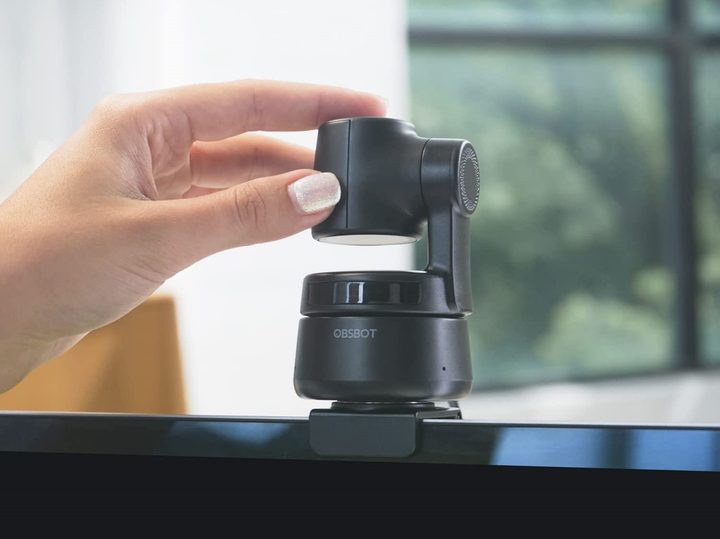
After a call or presentation has wrapped up, you can tilt the camera down to activate a privacy mode, and there’s also an integrated switch to power it down easily without unplugging it. That’s a lot better than makeshift covers you’d have to use with alternate webcams, and you never have to worry about someone seeing something they shouldn’t — the camera is aimed down. After your conference call, tilt it down and then you’re free to loosen your tie, and maybe even your belt. If you don’t tilt it down, or forget, the device will automatically enter Sleep Mode after 30 seconds. If you want to change that detection time, you can set it manually in the device settings too.
All of these features combine to provide a robust and versatile option for game-streamers, as well. Your viewers will benefit from the UHD video, you’ll always stay in focus thanks to the AI, and you can interact with the camera with a quick gesture — to do something like getting a closer look at your zany facial expression.
Let your voice carry: Excellent audio quality
So many webcams lack decent audio support, but the OBSBOT Tiny 4K has dual-omnidirectional microphones with noise reduction technology. It can pick up your voice, nice and clear, within a range of 3 meters, almost 10 feet away. There’s no need to plug in third-party microphones or headsets just to get a good recording of your voice, or to properly communicate with your viewers. If you’re giving a presentation, and you’re some distance away from the webcam and its microphones, your commentary will still be picked up. Even if you’re not doing anything on video or stream, you can still use the microphone as you would any other. You won’t have any more awkward conversations with your co-workers because they can’t hear you either.
Having the OBSBOT Tiny 4K installed and connected already gets you excellent quality video and sound. There’s nothing more to it. TinyCam is the application you’ll use, on Windows and macOS, to change the settings, which also offers a few extra configuration options.
You’ll look great, sound great, and it’s easy to use, especially thanks to its plug-and-play support. Just connect it to your computer of choice and you’re good to go, no special applications required. It’s ideal for nearly any use or occasion from livestreaming your favorite games with an audience to conference calls with your colleagues.
If all of this sounds great to you, then you can grab the Tiny 4K for $269 at it’s normal price. But from 7 to 17 July, receive up to 35% off the entire Obsbot product line, including the tiny4k, on Amazon and the official Obsbot store.



