
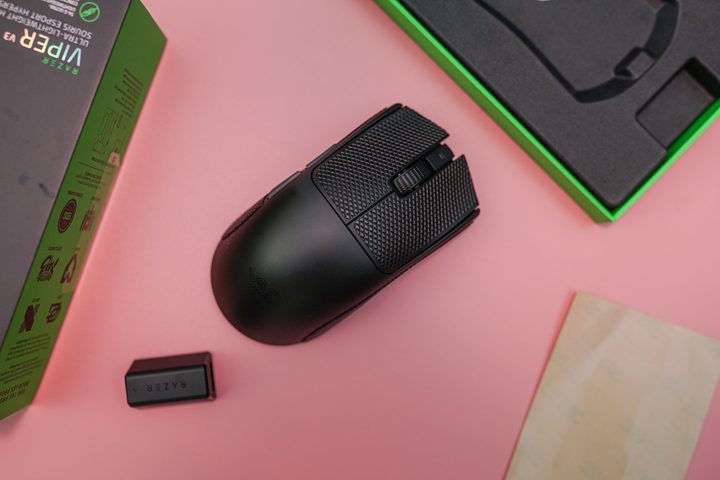
The Razer Viper has been one of the best gaming mice you can buy since its inception, and last year’s Viper V3 was no exception. Just a few months after introducing the mouse, Razer is taking another swing at the design with the Viper V3 Pro. It promises the same excellent shape, high-performance sensor, and esports-level accuracy, but with a slew of additional features that build on the original design.
I’ve been testing out the Viper V3 Pro for a few days now. There are enough changes here to warrant a new entry into Razer’s growing lineup of competitive gaming mice, and they not only make the mouse more performant, but also more comfortable to use. The $160 price tag is tough to stomach considering Razer’s mainstream focus with the original Viper V3. But if you have the cash to spare, this Pro update is worth every penny.
Going for HyperSpeed

One key element of the Viper V3 Pro is a wireless 8,000Hz polling rate. The polling rate is how quickly your mouse sends data to your PC — a higher polling rate means more precise mouse movements. Diminishing returns apply, but Razer is currently the only brand that can do an 8,000Hz polling rate without a cable. With it, you go from a 1-millisecond delay with a typical 1,000Hz polling rate down to 0.125ms.
The closest competition of the Viper V3 Pro, Logitech’s G Pro X 2 Superlight, has a wireless polling rate of up to 4,000Hz. There are plenty of wired options that achieve 8,000Hz, but for that true wireless experience, Razer’s competitive mice like the Viper V3 Pro are the only way to go.
It’s just not always relevant. If you’re trying to squeeze every drop of performance out of your gaming setup, 8,000Hz is better than 4,000Hz, and either of them is much better than 1,000Hz. It won’t suddenly make you a better gamer, though. For the Viper V3 Pro, it’s a nice-to-have feature more than anything. Thankfully, through Razer Synapse, you can automatically switch between polling rates when you launch a game, saving your mouse’s battery life.
In addition to the polling rate, Razer is using its Focus Pro 35K optical sensor, with support for five onboard DPI profiles. You also get Razer’s optical switches, which it claims have an actuation of just 0.2ms with no debounce delay (that’s the delay when the switch returns after being pressed). The 8,000Hz polling rate won’t always make a difference, but it’s clear how performant this package of features is for competitive gamers when put together.
A slew of useful updates
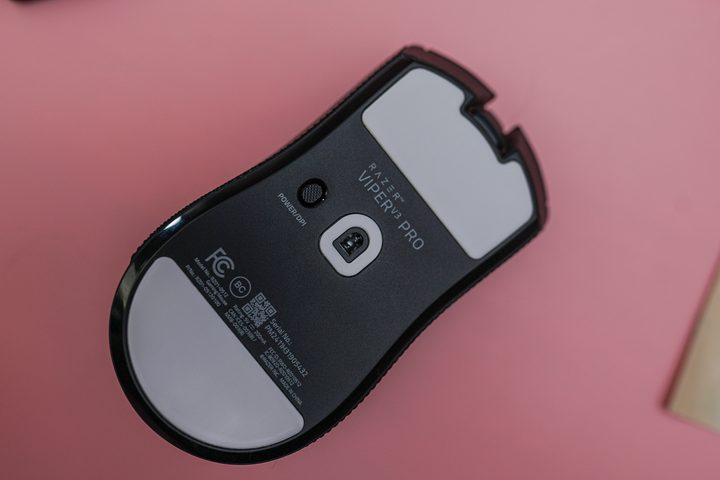
The polling rate will make your inputs smoother, but Razer focused on making the feel of the mouse smoother, too. That comes down to the feet. Compared to the original Viper V3, the new Pro version uses two much larger pads on the bottom of the mouse. They’re similar to the feet you’ll find on the Logitech G Pro X 2 Superlight, with one on the top and bottom of the mouse to minimize friction. And they work really well.
It was the first thing I noticed when taking the Viper V3 Pro out of the box. I had been using Logitech’s mouse, which is very smooth, but the Viper V3 Pro glided across my mouse pad in a way I didn’t expect. There’s virtually no friction here — so much so that you can barely hear the mouse moving back and forth across your mouse pad.
Feet aren’t the only difference between the Viper V3 and the new Pro version. As mentioned, you get the 8,000Hz wireless polling rate, which is available on both the base and Pro version. However, for the original Viper V3 Pro, you would need to purchase a $120 bundle with Razer’s special HyperSpeed dongle. Here, it’s already included.
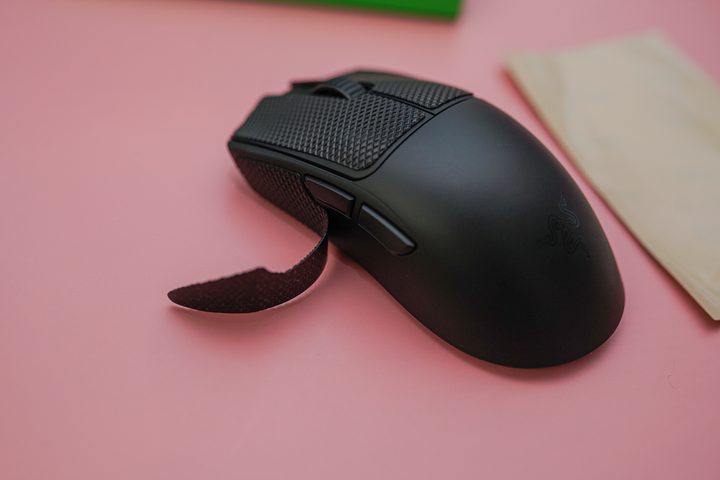
Razer also includes some precut grip tape for the Viper V3 Pro. You can throw this on the sides or the left and right buttons to give you a little more grip when flicking your mouse around. The textured feel is comfortable enough, though I don’t see myself using the tape much. The best use case is for those who flick a lot with a claw grip, as it provides more stability as you pick the mouse up in motion.
Another key difference is weight. The Viper V3 Pro comes in at only 54 grams. The original was only 59 grams, but when you added the AA battery to use the mouse wirelessly, that jumped to 82 grams. Razer was not only able to shave some weight for the Viper V3 Pro, but also maintain that lower weight with a rechargeable internal battery.
A great (expensive) gaming mouse
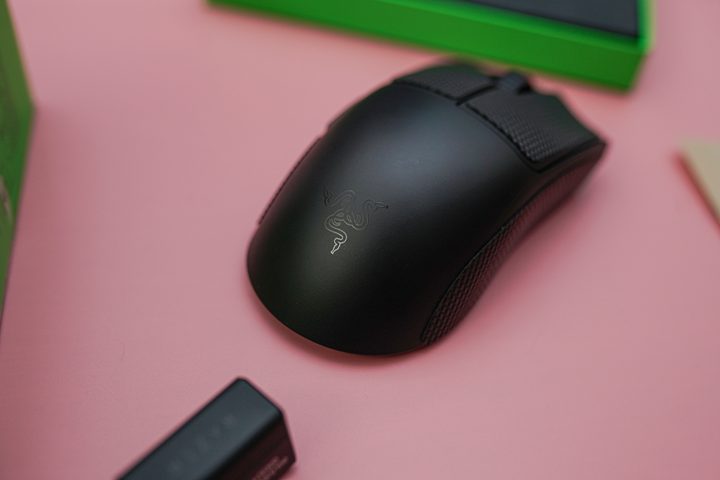
I’m already in love with the Viper V3 Pro after my short time with it. The only caveat is the price. The mouse clocks in at $160. That’s the same price as the Logitech G Pro X 2 Superlight, and it’s cheaper than buying the original Viper V3 and the aforementioned HyperSpeed bundle. But it’s still a lot of money to spend on a mouse.
It would’ve been great to see Razer update the original design with the new feet and rechargeable battery, even if those extras came at a slight premium. As it stands now, a good chunk of the price is going to the HyperSpeed dongle, even if you don’t need the 8,000Hz polling rate.
Even with that caveat, the Viper V3 Pro managed to impress me almost immediately. My main hope is that Razer applies some of the changes it made for this mouse to its more inexpensive options.
Buy at Amazon


