  1. Home
  2. Computing
  3. Phones
  4. News

Samsung’s new display tech can switch between 2D/3D on OLED panels, no glasses needed

Samsung's 2D/3D metalens doesn't just enable 3D viewing without glasses; it makes it practical, wide-angle, and compatible with the OLED displays already in your phone.

Add as a preferred source on Google
Samsung new 2D/3D technology.
Samsung

Samsung Research, along with South Korea’s POSTECH, has published a paper in the journal Nature about a breakthrough in display technology. The company is working on a switchable 2D/3D system that works without glasses and eye-tracking hardware. 

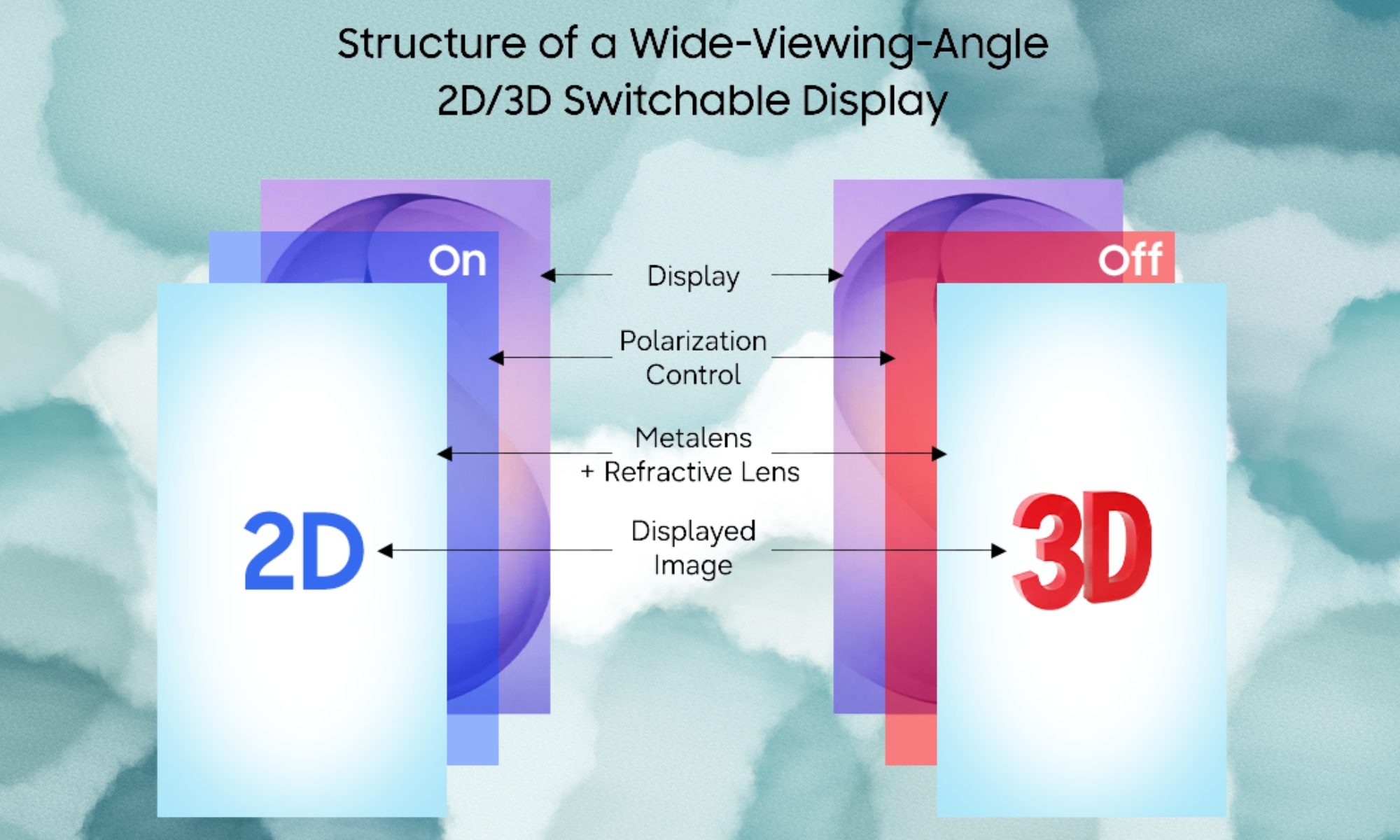
The system doesn’t even add meaningful bulk to a display. It is built around what is called a Metasurface Lenticular Lens, an ultra-thin optical layer that’s just 1.2mm thick, made up of nanoscale structures that control how light behaves, and, in the process, how we perceive the light being emitted by the display. 
How does the technology actually work?

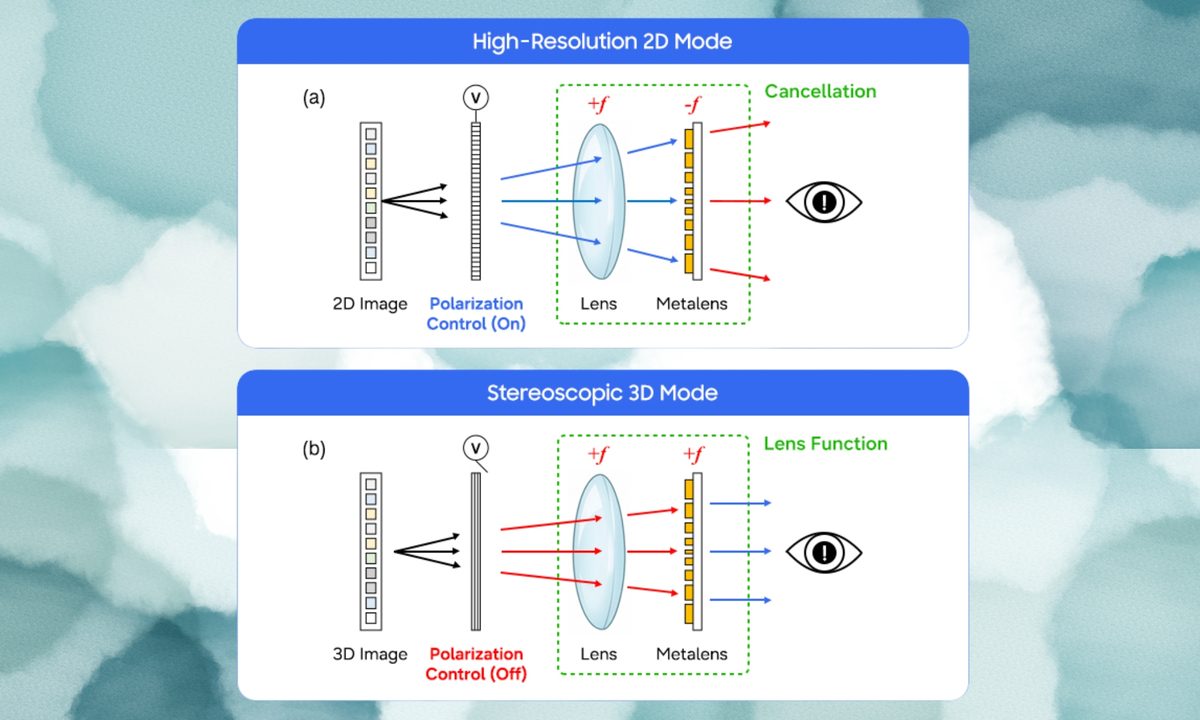
Using voltage control, the lens toggles between two modes, based on the polarisation of light. In 2D mode, the lens acts as a concave element, allowing light to pass through for a sharp, high-resolution flat or two-dimensional image, which is what we see on screens all around us, on our smartphones, laptops, regular TVs, etc. 

Recommended Videos

It is in this mode that the image will be ideal for reading, browsing, or other everyday tasks. However, when you flip it to 3D mode, the same lens turns convex, bending light to create depth and stereoscopic perspective without requiring any glasses. 

It’s worth mentioning that this is the first meta-optical system that can switch from 2D to 3D in a single device using only voltage control. 

Why does this matter so much?

The team has come up with a large-area metalens (50x50mm) and tested it on OLED panels, which, you must already know, is the same panel technology that is used on most smartphones today (and even on some TVs and laptops). 

Previously, glasses-free 3D displays suffered from a narrow viewing angle of only around 15°, implying that you had to sit perfectly straight to maintain the 3D effect. However, Samsung’s technology delivers a 100° viewing angle, which is more than six times wider. 

This should allow not just one but multiple people to experience 3D content simultaneously, and that too, from different positions. The applications of this technology could span tablets, augmented reality, medical imaging, and everyday smartphone or television units. 
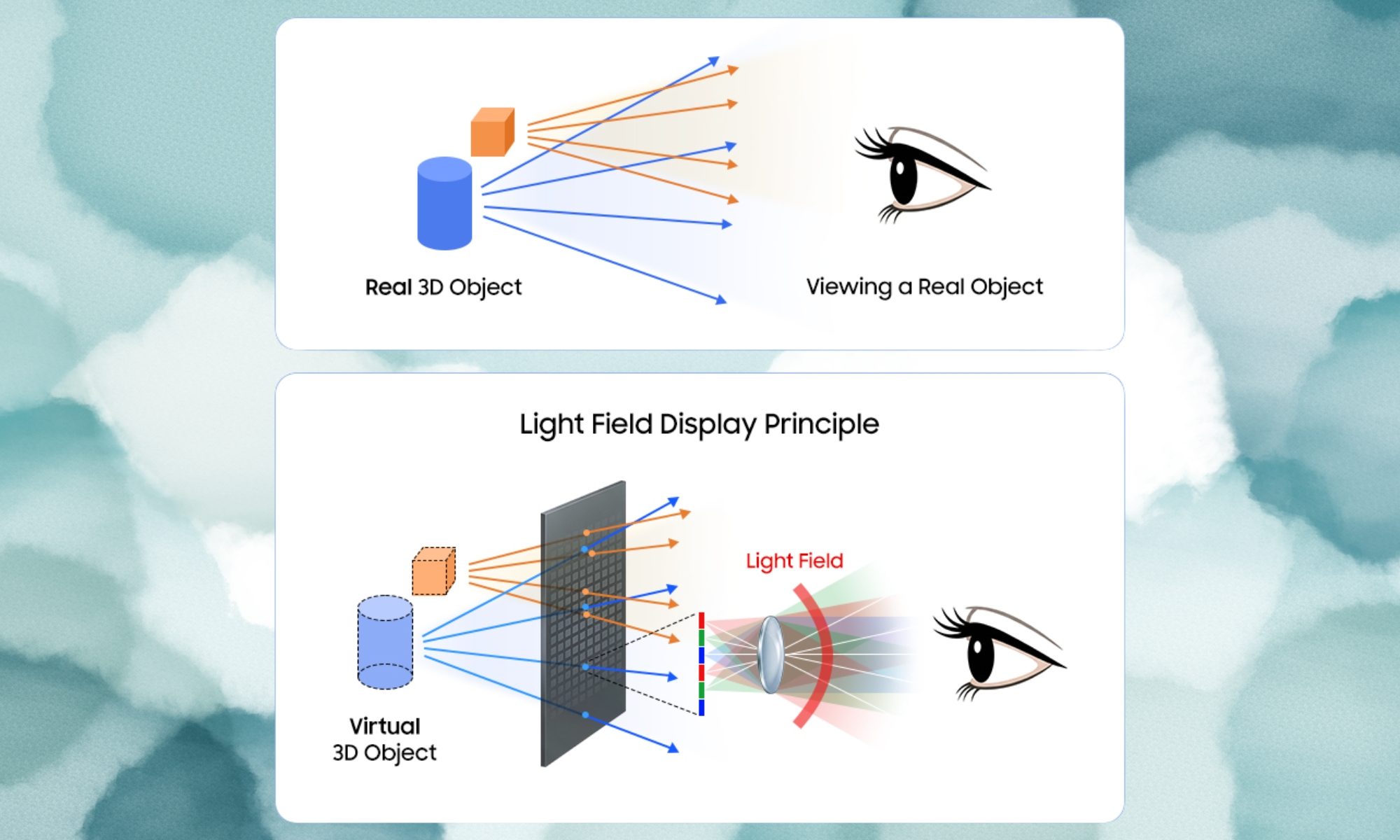
Keep in mind that there’s no product launch tied to this announcement (yet). However, that doesn’t take away from the fact that the glasses-free 3D mechanism, tested on OLED panels, with a wider viewing angle, is a breakthrough advancement in display technology. 

Shikhar Mehrotra
For more than five years, Shikhar has consistently simplified developments in the field of consumer tech and presented them…
Qualcomm reveals flagship XR processor and new framework for AI glasses
Accessories, Glasses, Sunglasses

Qualcomm is laying the groundwork for the next generation of XR hardware with two announcements that target both the brains inside future headsets and the tools needed to build them.

At Augmented World Expo 2026, the company unveiled Snapdragon Reality Elite, its new flagship XR platform designed for devices running Android XR and other mixed-reality experiences. Qualcomm also introduced Snapdragon START, a new initiative aimed at helping brands bring AI-powered smart glasses and wearable devices to market more quickly.

Read more
Google releases Android 17 for Pixel phones
Gemini Intelligence arrives later this year for selected devices.
Electronics, Mobile Phone, Phone

After months of rumors and two keynote events in May 2026, Google has finally released Android 17, the stable version. It's rolling out to eligible Pixel devices today, including models in the Pixel 6 lineup, all the way to the latest Pixel 10 series.

The stable build contains plenty of features showcased at The Android Show and Google I/O, but if you were hoping to get your hands on Gemini Intelligence, that will ship later this summer to “select advanced devices.” With that out of the way, here’s what Android 17 offers at launch.

Read more
Microsoft’s new Surface Pro 12 is its best 2-in-1 PC yet, but also its most expensive
The best Surface Pro yet comes with the highest asking price yet.
Computer, Electronics, Laptop

Microsoft just announced what is arguably its best Surface Pro yet. The 12th Edition of the Surface Pro 13-inch brings meaningful upgrades across the board, including both CPU and GPU performance, and, at the same time, the battery life. 

All the upgrades surely make it an easy recommendation for someone looking for a capable 2-in-1 laptop that functions as a tablet when required, but allows you to attach a keyboard for getting things done even faster. There is just one thing standing in the way, and that involves your wallet. 

Read more