1. Home
  2. Computing
  3. Legacy Archives

Sony’s new T14 and T15 VAIO Ultrabooks are living large with bigger touchscreens

Add as a preferred source on Google
sony-vaio-t15_dt
Image used with permission by copyright holder

Check out our review of the Sony VAIO T14 Touch ultrabook.

Ultrabooks are ultra slim, ultra lightweight, and known for their easy portability. As a result, most of them feature screens in the 11- to 13-inch range. Sony’s decided that it’s time for a change. At CES this year, the company announced two new Ultrabooks sporting 14- and 15.5-inch screens, the VAIO T series 14 and the VAIO T series 15. At that time, we heard they’d be available in the spring, but it looks like these VAIOs are early. Both Ultrabooks are available to order now. 

Recommended Videos

Starting at $950, The VAIO T series 15 features a full 1920 x 1080 HD touchscreen for both excellent Netflix viewing and a solid Windows 8 touch experience. The VAIO T series 14 features a lower 1366 x 768 resolution, and the 14-inch display is available with or without a touchscreen. The T series 14 starts at $900. Both starting configurations come with a Core i5 processor. Of course, they can be upgraded to i7 processors for those willing to shell out the dough. 

Both Ultrabooks are available with a dual drive option that pairs a fast solid-state drive with a larger traditional hard drive. The 24GB SSD handles the operating system, and the traditional hard drive holds photos, videos, music, documents and other programs. But, if speed is super important to you, you’ll want to upgrade from a regular hard drive to a larger SSD. Sony has 512GB and 1TB sizes available as options on the T series. 

Sony is marketing these big screen Ultrabooks to students and professionals, which may help explain why both models come equipped with a CD/DVD drive. Once a standard part of every computer, the drives are becoming more of a rarity as laptops grow thinner. The laptops also include up to 8GB of RAM, a webcam, USB 3.0 ports, HDMI, and an SD card reader. Both are available worldwide starting today.

Meghan McDonough
Former Contributor
Meghan J. McDonough is a Chicago-based purveyor of consumer technology and music. She previously wrote for LAPTOP Magazine…
Topics
Microsoft is retiring the Together Mode in Teams in favor of something cleaner and simpler
Teams is retiring Together Mode for layouts people may actually use
Computer, Electronics, Laptop

Microsoft Teams is retiring one of its more recognizable meeting features, and it might be for the best. The company announced that Together Mode is going away in Teams as Microsoft is shooting towards a simpler set of meeting layouts.

To recall, Together Mode was introduced during the pandemic-era video call boom, placing participants inside shared virtual environments such as auditoriums or classrooms. It was a cute idea at the time, but it never became the everyday meeting view for most people.

Read more
Experts are worried that smarter AI gets, the dumber we might become
Experts say chatbots can help research, but leaning on them too hard risks outsourcing the work that builds intelligence
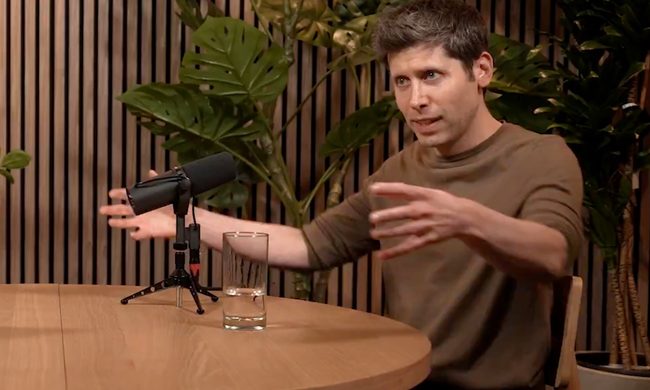
OpenAI CEO Sam Altman during the Uncapped podcast in June 2025.

AI can now answer questions so quickly that the search itself can feel optional. That convenience worries the Royal Observatory Greenwich, which has warned that instant AI answers can weaken the curiosity, scrutiny, and source-checking behind real knowledge.

The risk hides inside the usefulness. Chatbots can help people test ideas, move faster, and find new angles, but a finished response can also cut users off from the messy trail that makes learning stick. When that happens, information arrives without the struggle that turns it into judgment.

Read more
Miss the old PC days? This website lets you experience Wikipedia like it’s Windows XP
This XP-style Wikipedia explorer turns online research into a nostalgia trip, while showing how much browsing changes when search takes a back seat
File, Webpage, Person

Wikipedia has an unofficial new front door, and it looks like a desktop from a very specific era of family PCs, school labs, and chunky blue title bars.

Developer Sami Smith has built a browser-based Windows XP Wikipedia explorer that turns categories into folders and articles into documents. It’s playful, slightly inefficient, and more interesting than another AI search box bolted onto the web.

Read more