
Amazon is flooded with cheap knock-offs and junk products, many of which have thousands of five-star reviews. It’s nearly impossible to decipher the good from the bad. This is particularly true of webcams, which everyone happens to need these days.
I found this out first-hand recently when I evaluated five popular webcams sold on Amazon, which ran the gamut of price, quality, and features. Some were downright awful, as you can imagine.
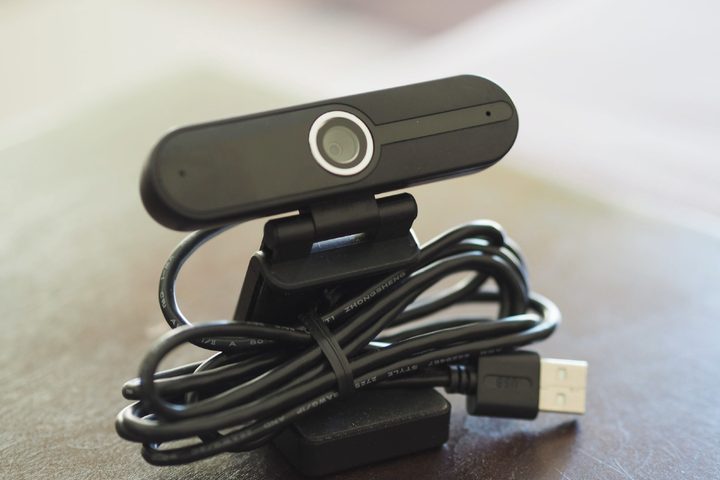
There was one that stood out, though. The GoHZQ W8A. It doesn’t have a catchy name, but this $33 webcam proves that you don’t have to spend $100 to get image quality.
Excellent 4K image quality


The GoHZQ W8A is a no-frills webcam, featuring a simple attachment that works well on either a laptop or desktop monitor. The image quality, though, is what makes it stand out. I’ll admit I was skeptical when I saw that a 4K webcam was selling for just $33. Other 4K options like the Logitech Brio go for as much as $200. And while you’ll get what you pay for, the extra sharpness of the GoHZQ’s 4K resolution really helps in video calls. Individual on-screen elements were nicely detailed, much more so than the competition. For example, it’s more obvious in the GoHZQ’s image that the subject needs a quick shave.
It also handled lighting and color quite well. As seen above, the sensor provided a pleasantly balanced image that managed to maintain color fidelity and avoid too many artifacts in both the light and dark environments. The lighting in the image was coming from the side and rather harsh in the brighter scene, which causes problems for many of the other webcams I tested, blowing out the side of the subject’s face. The GoHZQ, on the other hand, managed to evenly light the face despite the challenging conditions, and it managed to maintain the natural skin color.
Solid reliability
We didn’t have many technical issues with the webcams we tested, which was impressive in and of itself for an assembly of inexpensive products. They were all simply plug and play, and they worked with the apps that I tested — mainly Microsoft Teams and Skype. They could also be used for streaming via apps like OBS and YouTube. The GoHZQ W8A was rock-solid throughout my testing, which included several real-life Teams meetings where the webcam didn’t skip a beat. That included dual noise-canceling microphones that, according to other users polled during the meetings, sounded very good indeed.
Granted, you don’t get any special software with the GoHZQ, or with any of the other inexpensive webcams I tested. There are few special features included in general; just a privacy cover, a cheap tripod, and a handy pause button on top of the webcam. But that’s okay when you’re spending so little money.
You don’t have to spend a lot on a nice webcam

That’s the bottom line, really. Yes, if you need extra lighting, specialized background enhancement software, or the ability to fine-tune your image beyond what’s provided by the app you’re running, then you can spend $100 or more on a high-end webcam.
But you don’t have to do so if your needs are simpler, and the GoHZQ W8A is proof. Just $33 gets you a reliable webcam with better-than-average image quality and reliability you can count on during important meetings.


