
The Surface Laptop Studio 2 has now been officially announced at Microsoft’s September 2023 Surface event, and it has some really exciting specifications and features that may well make it one of our favorite 2-in-1 laptops of this year. But there are lots of options to pick from and a wide range of possible prices for this next-gen laptop. Do you pick the entry-level model with its affordable pricing and more modest hardware? Or go for something more impressive with a higher price tag?
It all depends on what you want to do with it. Let’s take a look at the difference Surface Laptop Studio 2 configurations, and which ones are the best to consider. If you want an overview on if you should buy the laptop at all, make sure to read our Surface Laptop Studio 2 review.

Surface Laptop Studio 2 specs
The Surface Laptop Studio 2, like its predecessor, comes in a few different configurations and models but is divided into Consumer and Commercial sectors. Each branch of the Surface Laptop Studio 2 has its own CPU, but within them, you can select from various memory and storage configurations, and crucially for those wanting to play games or dabble in some 3D rendering, a choice of GPUs.
| Consumer | Commercial | |
| CPU | Intel Core i7-13700H | Intel Core i7-13800H |
| RAM | 16GB, 32GB, or 64GB LPDDR5X | 16GB, 32GB, or 64GB LPDDR5X |
| Storage | 512GB, 1TB, or 2TB | 512GB, 1TB, or 2TB |
| Graphics | Intel Iris Xe, Nvidia RTX 4050, Nvidia RTX 4060, Nvidia RTX 2000 | Intel Iris Xe, Nvidia RTX 4050, Nvidia RTX 4060, Nvidia RTX 2000 |
Every version of the Surface Laptop Studio 2 comes with a 14.4-inch, 2400 x 1600 touchscreen with a 3:2 aspect ratio. They all maintain the same battery size, but the battery life is dependent on which hardware you pick. Models with higher-end graphics and SSDs can expect only up to 16 hours, while the model with Intel Xe graphics and a smaller SSD can expect up to 19 hours of battery life. Each model also comes with Intel’s Gen3 Movidius 3700VC VPU AI Accelerator, for enhancing AI-driven tasks.
One additional difference between consumer and commercial models of this laptop is that the latter has a more robust repair and replace program. Many of the components can be replaced, including the motherboard, charging port, and audio jack, among many others. Microsoft has yet to clarify the extent of the repair program available for general consumers.
Pricing for the entry-level model with the Core i7-13700H, 16GB of RAM, Iris Xe graphics, and 512GB of storage, starts at $1,999.
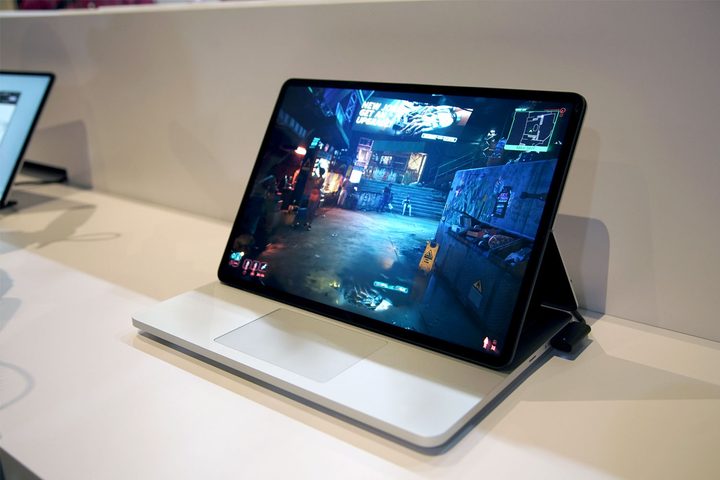
Which Surface Laptop Studio 2 should you buy?
The right Surface Laptop Studio 2 for you is going to be the one that can perform the tasks you need as fast as possible, whilst staying within your budget. If you just need a lightweight, convertible laptop, with great performance, and long battery life for everyday web browsing and emails, then the base configuration Surface Laptop Studio 2 with the 13700H CPU, 16GB of RAM, and Intel Iris Xe graphics is going to be your best bet. It has all the performance you need for casual use and will look great whether you’re working, or relaxing with a movie in the evening.
For power users, however, the additional performance of the higher-end models is well worth considering. Upgrading to 32GB or even 64GB of RAM will open up a lot of additional performance in demanding tasks like video and photo editing, while upgrading the graphics to an RTX 4050 or even RTX 4060 will make the Surface Laptop Studio 2 perform far better in video transcoding, 3D rendering, and gaming.
Additional storage space is always handy, though since these drives can be swapped out, you can always buy the cheaper storage option now, and upgrade to a bigger SSD down the line.
The Core i7-13800H has around 10% extra multi-threaded performance, which won’t make a huge difference to business users, but the additional performance is still useful. The real kicker with the Commercial laptop is the repair program, though, which looks far more expansive than the one for consumers. That should be enough for more enterprises to opt for that model over the consumer version, even at an increased cost.
Don’t want to spend that much? Microsoft’s new Surface Laptop Go 3 is more affordable, even if it’s less so than its predecessor.


