

Following the May 2019 Update, the next major release of Windows 10 is the Windows 10 November 2019 Update. Appropriately code-named for the second half of the year 2019, this update has completed beta testing with Windows Insiders and is now live on Windows Update.
It does not bring a major overall to Windows, as previous versions have, but there are still a few important changes coming in the November 2019 Update. Here’s everything you need to know about the next major update to Windows 10.
Price and release date
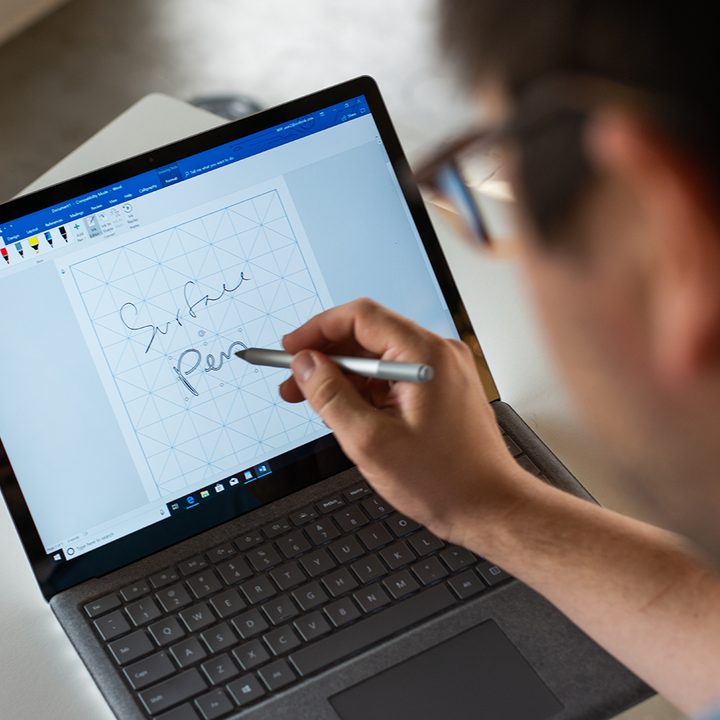
With the Windows 10 November 2019 Update, Microsoft made significant changes to the way that major updates to Windows are delivered and installed. If your PC is running the May 2019 Update, 19H2 will not be delivered through Windows Update as a full-on “new” operating system as it has before.
To ensure a quality Windows experience, the Windows 10 November 2019 update is instead dedicated to “servicing” the existing Windows 10 May 2019 Update. This is akin to the “Service Packs” from the Windows XP and Windows 7 era.
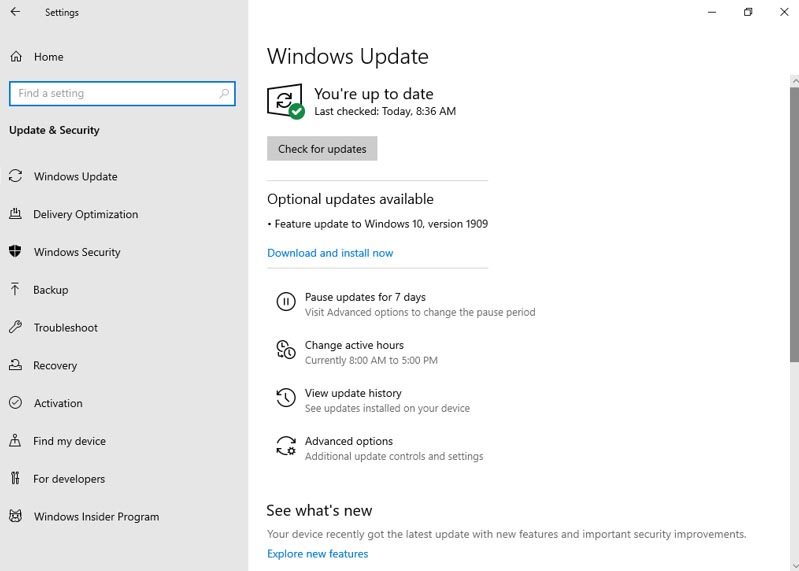
If your PC is running the May 2019 Update, the November 2019 Update will appear in Windows Update as a regular servicing update. When ready, you will see it under an Optional updates available section. You can then install it when you’re ready by clicking download and install now.
In non-technical terms, this update will install on your computer just like a standard Windows 10 security patch. The wait time between installing will be shorter, and so will the download size.
According to Microsoft, only if you’re on an older version of Windows that pre-dates the May 2019 Update will you see and download it as a “new” release through Windows Update — just as it has worked the past.
As always, the update will be free and will be delivered to your PC via Windows Update for no additional cost. You’ll have the choice to download or install it. Only if your PC is on an older version of Windows 10 that is closer to the end of support will it be installed automatically.
Lots of bug fixes
The Windows 10 19H2 update is partially dedicated to fixing the bugs reported with the Windows 10 May 2019 Update. It is also focused on performance improvements and enterprise features.
Some of these current bug fixes and changes include technical fixes for Windows containers hosts and some fixes for laptop makers to reduce inking latency based on hardware. For enterprises, there’s also a fix for key-rolling and key-rotation to enable the secure rolling of recovery passwords on Microsoft Azure Active Directory devices.
As part of the process of beta-testing the Windows 10 May 2019 Update, Microsoft released a total of nine preview builds. Most of the builds did not come with any new features.
Third-party digital assistants on the Lock Screen
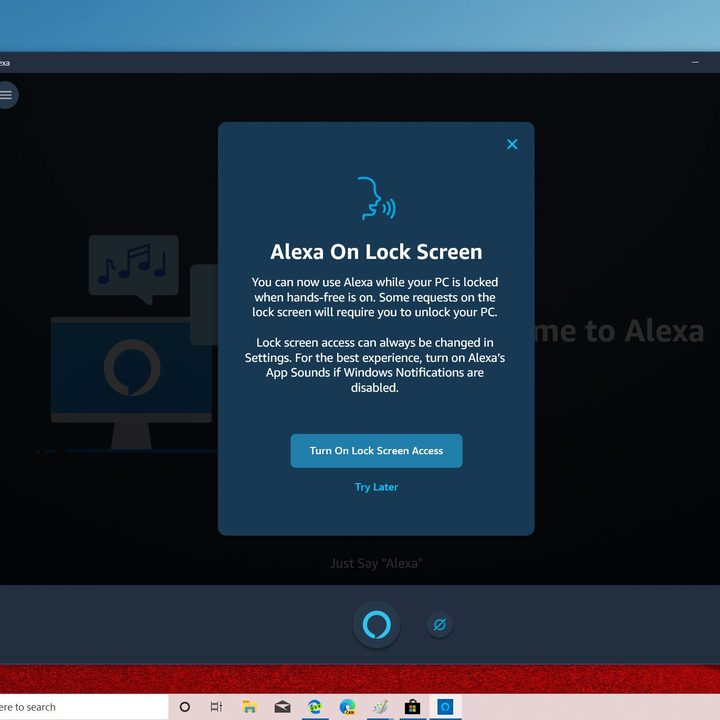
One of the only major changes coming with the Windows 10 November 2019 Update is a new ability to enable third-party digital assistants to be voice-activated on the Lock screen. Cortana has long been available on the lock screen for tasks such as checking the weather or sports and making new reminders, but it will now also be possible to enable third-party assistants like Alexa as well.
Given the demise of Cortana, many PCs now ship with Amazon Alexa as an option. For those who enjoy the convenience of Alexa over Cortana, this will likely speed up their day.
Manage events in the Calendar and improved ways to manage notifications


A second change in the Windows 10 November 2019 Update is an ability to manage and create events from the Calendar in the Windows 10 Taskbar. Now, clicking on a date in the calendar in the taskbar will give you flyout options to select a date and create a new event for that day. A new form will show up, and allow you to include the time, location for such events. You also can click More Details to open the Windows 10 calendar app.
This also ties in with the third major change to the ways to manage notifications. A new Manage Notifications option now shows up in the Action Center in the Windows 10 November 2019 Update. It redirects you to the notification settings option in Windows 10, where you can now see a per-app basis for the visual cues for what the different Windows 10 notification types look like.
Slightly improved Start Menu and File Explorer
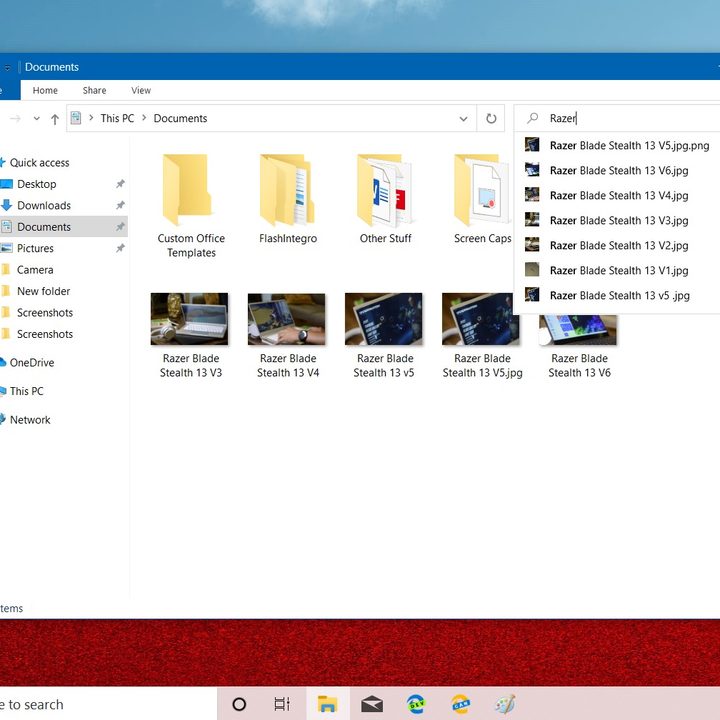
Finally, there are changes to the Start Menu and the File Explorer. Now, hovering over the navigation pane on the left side will cause it to expand out, giving you a more clear view of some of the options available for you there. As for the File Explorer, the search bar from within it will give you web-based suggestions from OneDrive, or the cloud. You’ll also notice that the search bar is a bit larger and square.
Windows 10 20H1 promises bigger changes
While the Windows 10 November 2019 Update doesn’t bring any major changes, the first version of Windows for release in 2020 — currently codenamed 20H1 — will. Windows Insiders enrolled in the Fast Ring are beta testing this release, but it will likely not be released to the public until April of 2020.
Some new features coming in this version include more rounded corners in the user interface across the operating system, a more chat-based Cortana, security changes for Windows Hello, and new features for Virtual Desktops.


