
The Windows 10 May 2019 Update was originally released back in May of 2019 and is the seventh update to Windows 10 since it was first released. Though not a massive overhaul, there are a few changes that were delivered with this update to make the nearly five-year-old operating system to make it fresher. These include a new light theme and changes to the search experience, Cortana, and more. Here’s everything you need to know.
Price and release date

Though you’ll likley be seeing the Windows 10 November 2019 Update now, as it’s newer, the May 2019 Update was originally delivered via Windows Update at no charge once had Microsoft determined it was compatible with your computer.
Microsoft, however, made a big change to the rollout method so that these major Windows 10 updates longer automatically downloaded to your PC. You’ll still receive a notification in Windows Update when such major updates are available for you, but you’ll have the full choice if you want to download or install it.
Only if you are running a version of Windows 10 that is close to end of support will your PC have installed the May 2019 update automatically. Just as with prior releases, rollouts of major Windows 10 updates were gradual to ensure the best quality experience, so regardless, you might not have seen the May 2019 update right away.
As the name of the update suggests, the May 2019 Update was released on May 21, 2019. That falls in line with the previous April 2018 Update was pushed out on April 30.
Light theme and improved Start Menu

Microsoft introduced a dark mode to Windows 10 in 2018, and a new light theme is now coming to add some overall contrast to the operating system. This is the first noticeable change with this update. The theme makes it so that both the taskbar, start menu and Action Center a brighter and lighter white color. Some icons in the system tray and taskbar have also changed to match the new theme — including both OneDrive and File Explorer.
Second on the list of changes is an improved start menu. When installing the May 2019 update from fresh to a new computer, you’ll notice that it has a single column, and fewer preinstalled apps and live tiles. You can also now remove more of the stock Windows 10 apps that you don’t use, including 3D Viewer, Calculator, Calendar, Mail, and Movies & TV, Paint 3D, Snip & Sketch, Sticky Notes, and Voice Recorder.
Cortana and Search
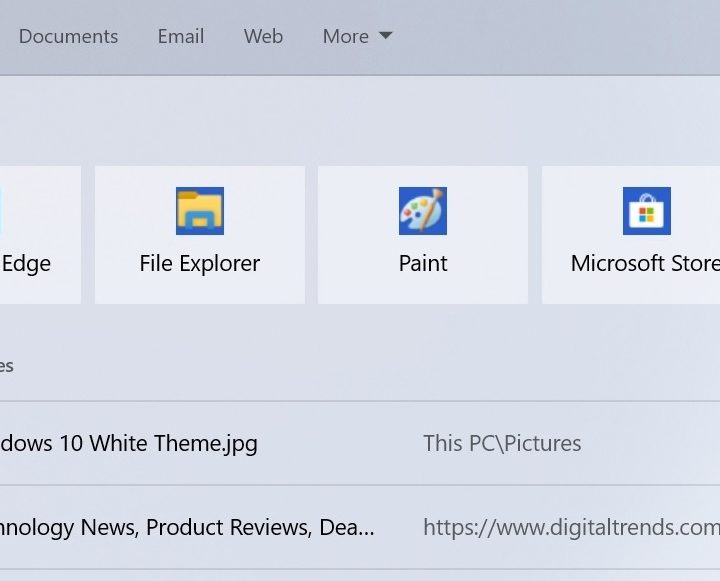
Another big change is the separation of Cortana and Search in the Windows 10 taskbar. In previous releases, both were integrated with each other. Now, the search box in the taskbar will exclusively launch searches for files and documents, and the circular Cortana icon will instead trigger the digital assistant. As separate experiences, it will be able to innovate on each of these features independently, according to Microsoft. It has, of course, caused some to think Cortana might be to the recycling bin.
The May 2019 update is also changing the search experience, so that Windows can index and search all folders and drives, instead of limiting it to the default documents, pictures, and videos folders. Along with a new search interface featuring landing pages for Apps, Documents, Email, Web, you should now see expect accurate and faster searches when looking for your important files.
Reserved space for Windows Update
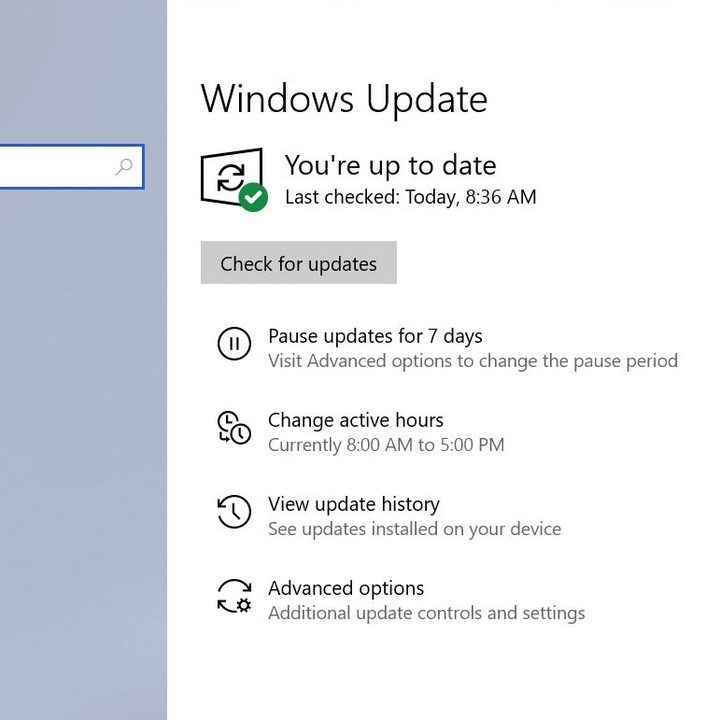
Sometimes, Windows Update can cause bugs, data loss, and failures. With the May 2019 update, Microsoft is enabling all Windows 10 users to pause updates for up 35 days. This option was only previously for Windows 10 Enterprise and Professional users. It should give you more room to read up and decide on when to install Microsoft’s monthly updates and skip out on the headaches.
On the more controversial side, the May 2019 update will also reserve 7GB of disk space for installing general updates. Designed to keep your PC secure, and efficient with the latest Windows Updates, this new space cannot be removed from Windows 10. It also for use by apps, temporary files, and system caches as your PC sees the need. The size of the reserve depends on your system, so you might want to consider removing some files on your hard drive to prepare.
A secure sandbox for sketchy apps
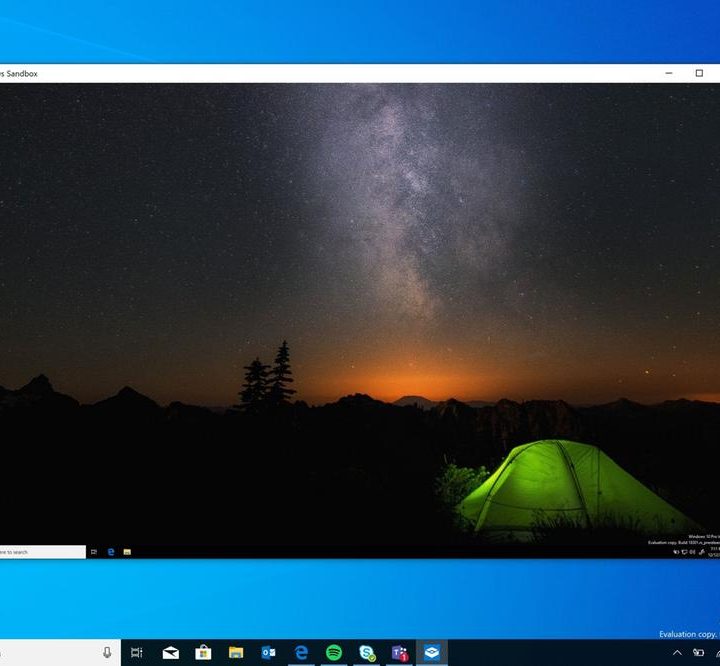
Finally, there is Windows Sandbox. This integrated feature for Windows 10 Pro and Enterprise allows you to create a secure desktop environment that can isolate and run untrusted and sketchy apps separately from the rest of your system. Once a Windows Sandbox is closed, all the software with all its files and state are permanently deleted. It might not be the most exciting feature for average people, but developers are sure to appreciate it.
Other changes
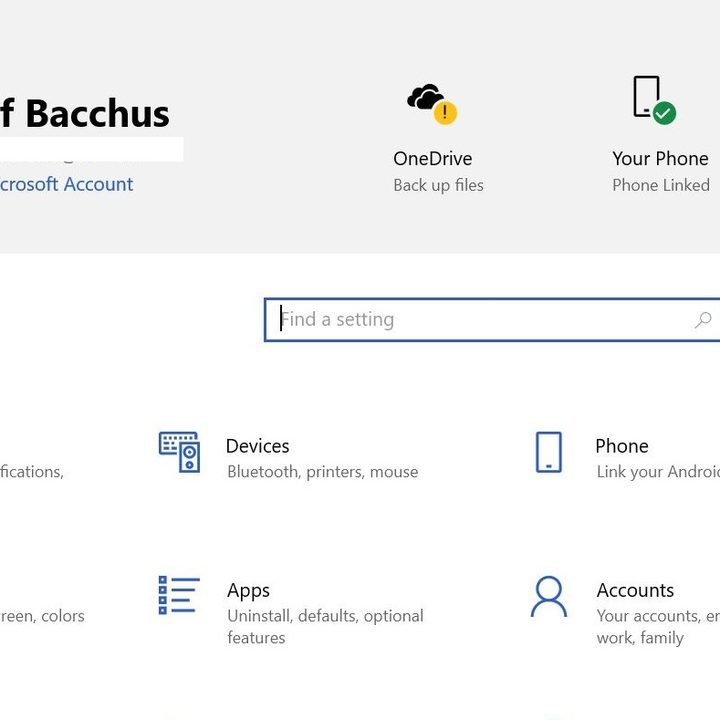
Every Windows 10 release brings smaller changes under the hood and in other areas of the operating system. There are quite a few of these in the May 2019 update. These include a new icon in the system tray for when your microphone is in use, an updated slider for screen brightness in the Action Center, and a simplified settings app with quick actions.
Microsoft is even updating the emoji panel so that you can find that shrug kaomoji more easily. You’ll also likley appreciate easier to understand error messages whenever you come across a problem in the operating system. And, if you have Andriod phone, you’ll be able to mirror it over to your PC.


