
Windows 10 X, Microsoft’s upcoming operating system, is set to power a future wave of foldable PCs coming for holiday 2020. However, despite a quick demo during an October 2 event in New York City, Microsoft has since guarded it under much secrecy.
Recently, though, some documentation obtained by Microsoft leaker Walking Cat provided the details of the operating system. While now pulled, screenshots obtained by another Twitter user has since provided a closer look at five key aspects of Windows 10X.
An iPad-like Taskbar
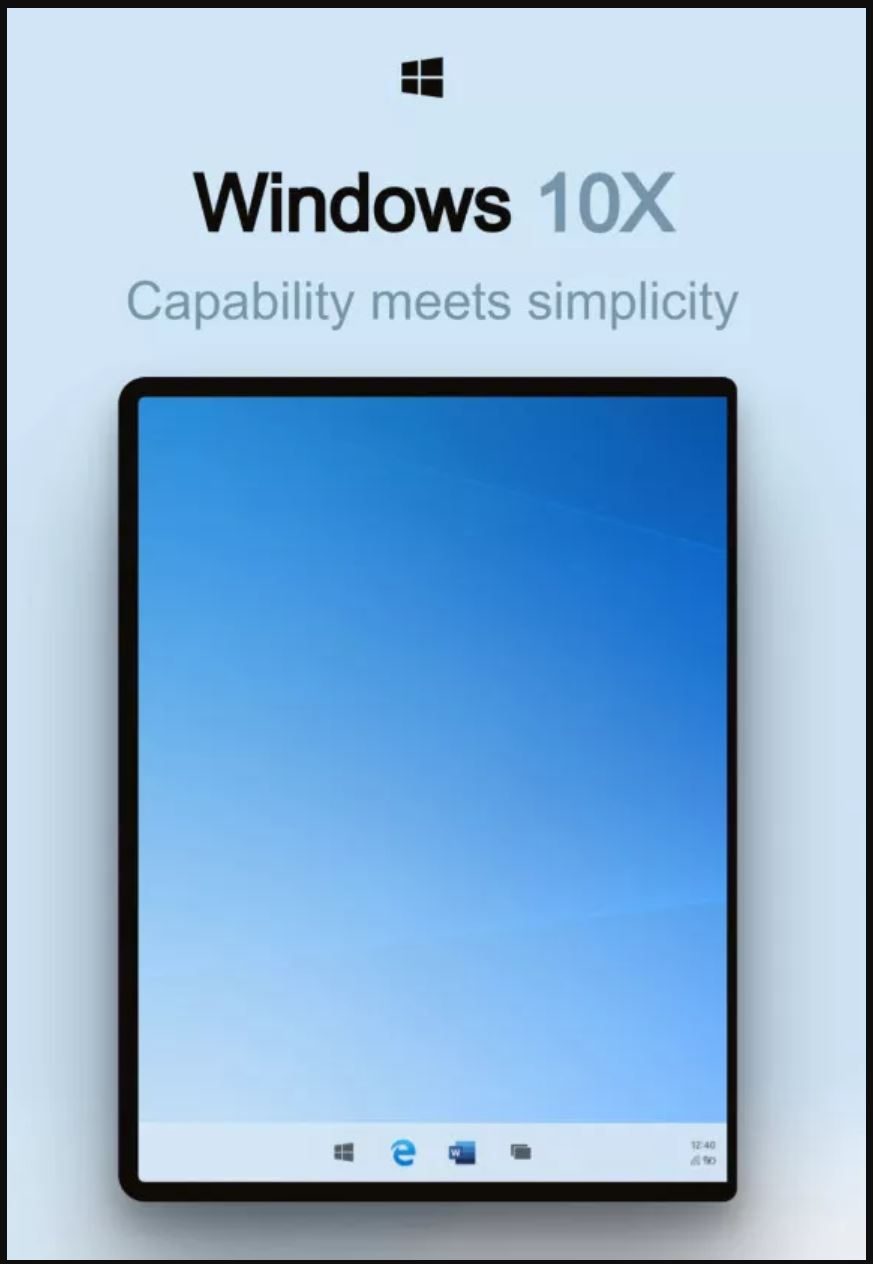
One of the biggest areas revealed in the leaks is the Taskbar. Obviously, it’s now centered, a move that emphasizes the focus on touch with these new dual-screen devices.
Beyond that, according to the documentation, Microsoft is working on a new feature in Windows 10X known as “levers.” Similar to the ability to pull up the dock in Apple’s iPadOS, these new pull-up “levers” appear to summon features of the older Windows 10 taskbar, like the list of open apps.
It could come to clamshell laptops too
Windows 10X was sold as a version of Windows made exclusively for dual-screen devices like the Surface Neo. But according to the leak, it can also function on a standard clamshell laptop as well. In reference to the “levers” feature, Microsoft explicitly mentions that Windows 10X may appear on both clamshells and foldables.
“For both clamshells and foldables, the taskbar will be the same base model with a series of “levers” which can be pulled to create some alternatives in the model. We want to build these levers to address the deltas between the two experiences, while still building off the same initial model,” Microsoft explains in the documentation.
How the new app launcher works
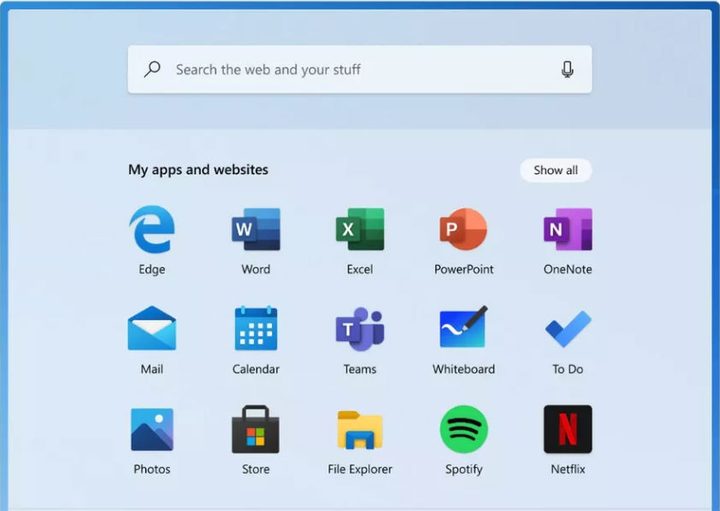
Windows 10X doesn’t appear to have a traditional Start Menu. In place of it is what Microsoft is calls the “launcher.” The launcher doesn’t feature any Live Tiles as in the current versions of Windows 10 and instead has a list of static icons. It also has a search bar on the top and a list of most frequent apps and recommendations on the bottom.
Per the documentation, the list of apps can be customized, and the frequent apps and recommendations are “dynamically updated.”
The lock screen will be faster
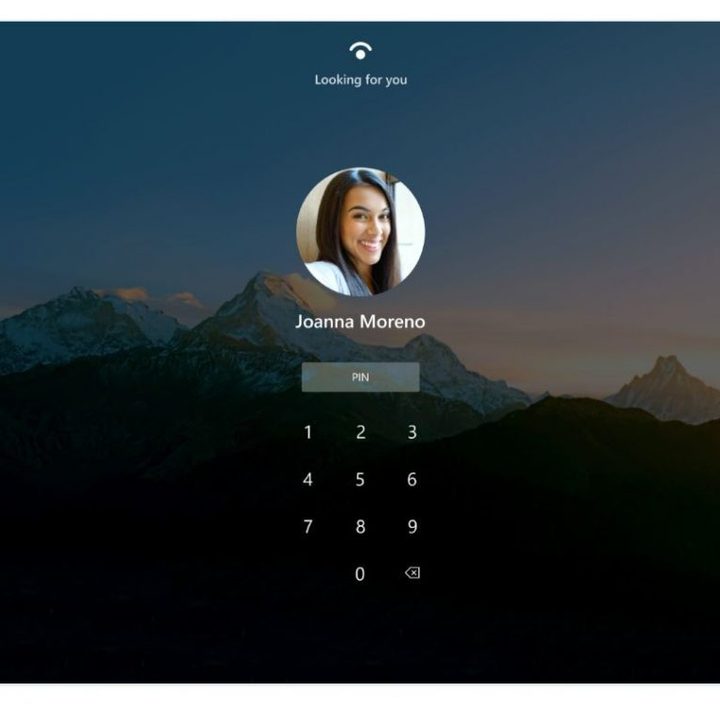
In addition to the Taskbar, and the launcher, Microsoft’s leaked internal documentation also detailed the login and lock screens of Windows 10X. Again, compared to current Windows 10, this area is dramatically different. Microsoft has instead put an emphasis on quick and easy logins with what it calls a new “Restrained Lock” model.
Once you turn on a Windows 10X device, you’ll automatically be presented with Windows Hello authentication, or a login screen and an on-screen pin pad. There won’t be a need to dismiss a lock screen or summon a keyboard.
Redesigned settings and a new file explorer
The other key areas revealed in the leaks include what would appear to be a redesigned settings app. With Windows 10X, Microsoft wants to make it easier to accomplish typical Windows 10 settings. Judging from the documentation, it could feature “waves” of commonly accessed settings, that cut down on what the company calls “multiple surfaces” of the settings app.
Along with the new settings app, reports indicate that Action Center will be simplified for quicker access to notifications and settings.
Finally, according to The Verge, Microsoft could also be working on a “Modern File Explorer” for the new operating system. This new application will be optimized for touch screen devices, plug in directly to OneDrive, and also a more modern look. This has been in the works for a while now, but it appears the app will finally debut on Windows 10X.


