  1. Home
  2. Computing
  3. News

Google just gave Workspace a 24/7 AI agent that sends emails and books meetings while you sleep

Google announcing five Workspace features at once is either confidence or chaos, but Gemini Spark acting on your behalf while you sleep is the one that actually changes what a productivity suite is supposed to do.

Add as a preferred source on Google
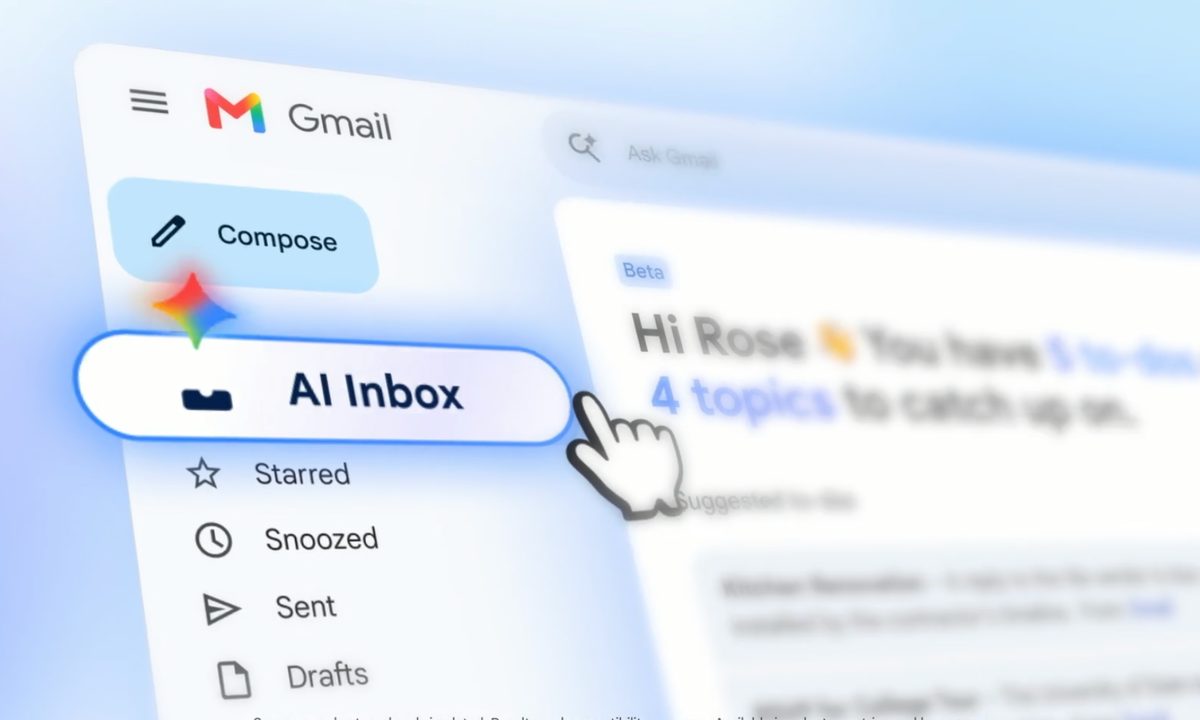
Google AI Inbox for Gmail users.
Google
Sundar Pichai stands in front of a Google logo at Google I/O 2021.
This story is part of our complete Google I/O coverage

At the I/O 2026, Google announced several AI-powered updates for its Workspace apps. The main highlight of the announcement is Gemini Spark, a 24/7 personal AI agent that doesn’t just answer questions but takes actions on your behalf. 

It can send emails, add calendar events, and complete tasks across Workspace apps. And before you even ask, it asks before doing a high-stakes task, and you can choose whether you want to enable it or not. It’s coming soon in preview for Workspace business customers in the Gemini app.

Introducing Gemini Spark ✨

It’s your 24/7 personal AI agent that helps you navigate your digital life, taking action on your behalf, and under your direction.

🧠 It runs on Gemini 3.5 and is built on @Antigravity, so it can perform long-running tasks easily in the background.… pic.twitter.com/NX9CCMBGPT

— Google (@Google) May 19, 2026

What else is new in Google workspace?

Quite a lot, actually. Three of Google’s most-used Workspace apps are getting voice-based features this summer. Gmail Live lets you search your inbox with your voice, by asking “What’s my flight’s gate number?” and it finds the answer instantly, going through the booking details in your inbox.  

Recommended Videos

Docs Live goes even further, acting as an assistant that organizes your spoken rambles into structured documents. It can also pull the required context from Gmail, Drive, and the web (with your permission). Keep gets a meaningful update: talk, and it converts the transcript into organized notes and lists. 

We’re bringing conversational AI to more products 💬

With Docs Live, you’ll be able to create a new doc and edit it — all with your voice. Just speak what’s on your mind, and let Gemini do the rest.

These new conversational features in @Gmail, @GoogleDocs and Keep are rolling… pic.twitter.com/x5owR0U78s

— Google (@Google) May 19, 2026

All the three features are coming this summer to Google AI Pro and Ultra subscribers in full, and to Workspace business customers in preview.

What about Google Pics and AI Inbox?

Google Pics is a new image creation/editing tool, built on the Gemini Nano Banana model. Its key feature is object differentiation. Select any element in an image and move, resize, or transform it without touching the rest. It also handles in-photo text editing and translation, collaborative canvases, along with Slides and Drive integration. 

Introducing Google Pics, our new image generation and editing tool 🖼️

Built on our latest Nano Banana model 🍌 Pics takes the hassle out of complex image generation.

Rolling out to trusted testers today, and in preview to business customers this summer.

Learn more about Pics… pic.twitter.com/E4wPMz0y3G

— Google Workspace (@GoogleWorkspace) May 19, 2026

It’s live today for Trusted Testers, while Google AI Pro and Ultra subscribers get it this summer. AI Inbox, previously available to Ultra subscribers, is now expanding to all Google AI Plus and Pro subscribers in the United States, gaining personalized draft replies, file access, and one-click task management.

Shikhar Mehrotra
For more than five years, Shikhar has consistently simplified developments in the field of consumer tech and presented them…
What makes a laptop good for both work and entertainment?
Computer, Electronics, Laptop

This post is brought to you in paid partnership with HP.

The HP OmniBook X Flip is designed as an all‑day AI PC that adapts seamlessly from productivity to entertainment without switching devices.

Read more
Your Windows 11 PC can now natively run AI workloads, even if it lacks the Copilot+ badge
Windows 11 laptop on a table

For the better part of a year, Microsoft has been telling us that the future of AI on Windows belongs to Copilot+ PCs. If you wanted Microsoft’s most advanced local AI features, you needed a machine with a dedicated Neural Processing Unit (NPU). That was the deal. Now, Microsoft appears to be rewriting the rules.

According to updated documentation, Windows 11’s local Language Model APIs can now run on non-Copilot+ PCs, provided they have an Nvidia GeForce RTX 30-series GPU (or newer) with at least 6GB of VRAM. On the surface, this sounds like a developer-focused update. In reality, it could be one of the most significant shifts in Microsoft’s AI PC strategy since Copilot+ PCs launched last year. More importantly, it raises a question that has been lingering ever since the AI PC era began: Did we really need NPUs for all of this in the first place?

Read more
The Windows 11 June update makes your Start menu and Search feel much more snappier
Low Latency Profile is the first targeted fix Microsoft has shipped for shell responsiveness, and the June update brings it to every eligible PC rather than just Insider preview testers.
Windows 11 Laptop

If you’ve ever clicked on the Start button and watched the menu appear after a second or two, you already understand the problem Microsoft is trying to solve with its June 2026 Windows 11 update. 

The update (KB5094126) rolled out on June 9, 2026, for WIndows 11 24H2 and 25H2, and targets the shell responsiveness issues that have quietly frustrated users since its launch in 2021. The headline change is the broad rollout of the Low Latency Profile.

Read more