
If you’re ready to take the plunge and purchase an upgraded version of Windows, then the biggest question you have is “which one – Windows 11 Pro or Windows 11 Home?” Both versions of Windows 11 are powerful operating systems with robust feature sets at affordable prices.
To help you make an informed decision, we’ll walk you through a feature comparison along with the differences in security, power, and price.
Windows 11 Pro or Windows 11 Home?
Microsoft tries to introduce the intent behind the Windows 11 versions in the naming of the systems.
Windows 11 Pro is intended for more active (Pro) users, including businesses, enterprises, and teams that need added security and management features.
Windows 11 Home is intended for average (Home) users, students, and those who mainly email, play games, browse the web, and use everyday applications.
But as we all know, when deciding between two options, it’s not always the name that makes our decision for us. When it comes to an operating system, it starts with the features, moves onto security and power, and finishes with cost.
Feature comparison
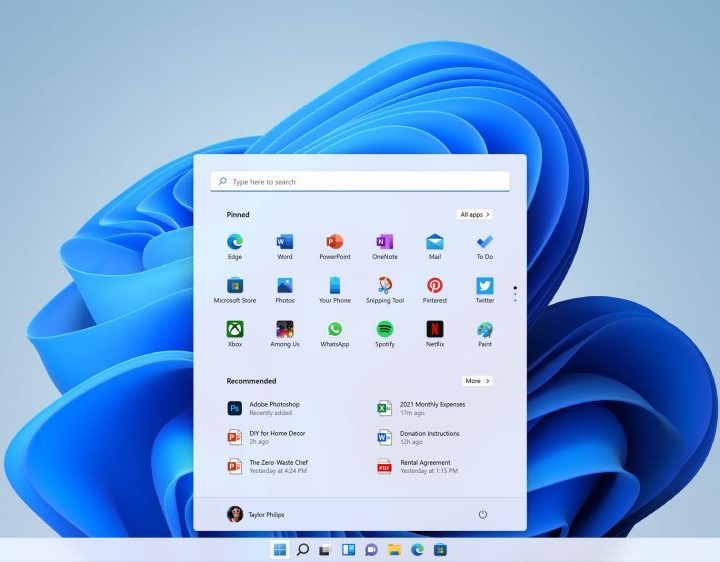
For a good overview, especially if you’re interested in a specific tool, here’s a side-by-side comparison of the features of Windows 11 Pro versus Windows 11 Home in alphabetical order.
| Feature | Windows 11 Pro | Windows 11 Home |
| Active Directory / Azure AD | X | |
| Assigned Access | X | |
| Biometrics | X | X |
| BitLocker Drive Encryption | X | |
| Device encryption | X | X |
| Dynamic Provisioning | X | |
| Find My Device | X | X |
| Firewall and network protection | X | X |
| Group Policy | X | |
| Hyper-V | X | |
| Integrated with Microsoft Information Protection | X | |
| Internet protection | X | X |
| Kiosk mode | X | |
| Mobile device management (MDM) | X | |
| Multifactor Authentication | X | X |
| Parental controls and protection | X | X |
| Remote deployment and compliance | X | |
| Resilient File System (ReFS) | X | |
| Secure boot | X | X |
| Windows Autopilot | X | |
| Windows Defender Application Guard | X | |
| Windows Hello | X | X |
| Windows Hello for Business | X | |
| Windows Information Protection (WIP) | X | |
| Windows Remote Desktop | X | With client |
| Windows Sandbox | X | |
| Windows Security (Microsoft Defender) | X | X |
Our Windows 11 review explores the operating system’s features in more detail.
Business-geared features
You may notice that many of the features above that come with Windows 11 Pro and not Windows 11 Home are more geared toward businesses. Even though there may be a couple that you would like to see on Windows 11 Home, they do make sense for the Pro version.
Take Windows Information Protection (previously, Enterprise Data Protection) for example. This feature protects enterprise apps and data against accidental leaks on both company-owned and personal devices that employees use and bring to the office.
Additionally, things like Windows Sandbox, which is a controlled environment for running untrusted applications, and Windows Autopilot, which helps IT departments set up and configure devices, are features that the most common computer users wouldn’t need.
Consider each of these enterprise features when deciding between these two Windows versions.
Security tools
Both Windows 11 Pro and Windows 11 Home come with some of the same security features including device encryption, firewall, network, and internet protection, Windows Defender, multifactor authentication, and Find My Device.
For added security, Windows 11 Pro offers the above-mentioned features like Windows Information Protection and Windows Sandbox, but also provides BitLocker Drive Encryption. This bonus tool allows you to lock down a device if it’s lost or stolen. While this sounds like a feature everyone could use these days, it’s more intended for businesses to protect company data should a device go missing.
The bottom line is that both versions of Windows have built-in security features for keeping you and your data safe. Windows 11 Pro goes beyond the basics to protect businesses in additional ways and for different reasons.
CPU and RAM support
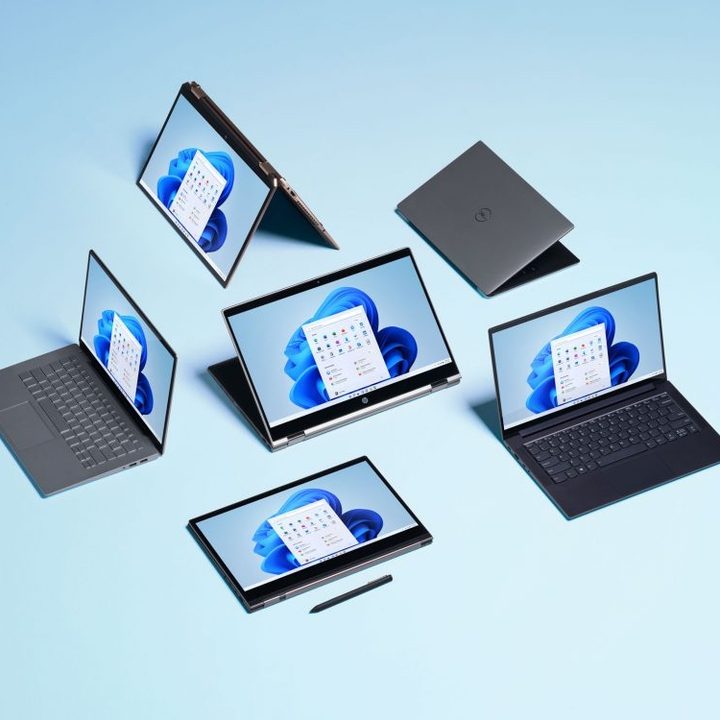
Another consideration when making your decision is what RAM and CPU support is offered by Windows 11 Pro and Windows 11 Home.
- Windows 11 Pro supports 2TB of RAM, a maximum of two CPUs, and a maximum of 128 CPU cores.
- Windows 11 Home supports 128GB of RAM, a maximum of one CPU, and a maximum of 64 CPU cores.
While there’s nothing wrong with 128GB of RAM, Windows 11 Pro supports 2TB so that it can accommodate things like creating virtual machines and assigning plenty of RAM to each. Whatever you plan to do, it’s useful to know how much RAM Windows 11 uses.
As far as the CPU, dual-CPU systems like Windows 11 Pro can boost performance immensely. It increases the number of ports, shares memory resources, and can divide the workload. But for the average user, a single CPU machine can handle common everyday tasks, applications, and games just fine.
And for the CPU cores, the more cores a CPU has, the more efficient it is for handling tasks. With support for 128 CPU cores, Windows 11 Pro is a powerhouse for multitasking. However, typical computer users can do just about anything they need, from emailing to web browsing, with just two or four CPU cores.
Price difference
With the additional features, RAM and CPU support, and other system specifications, you can obviously expect to pay more for Windows 11 Pro. Currently, you can pick up Windows 11 Pro for $199 and Windows 11 Home for $139.
If you only grab Windows 11 Home for now, you do have the option to upgrade to Windows 11 Pro later. However, it’ll cost you $99 for the upgrade.
So, if you can afford the additional $60 upfront, it’s definitely more cost effective in the end for those features you need in Windows 11 Pro.
Which Windows 11 version should you pick?
As mentioned at the beginning of this piece, Windows 11 Pro is more for business users while Windows 11 Home is for the average individual. But there are exceptions to every “rule.”
Just because you’re a small-business owner doesn’t mean you need the advanced security features in Windows 11 Pro. On the other hand, you may be a power user outside of your day job and need more robust features than Windows 11 Home offers.
Review the features in relation to your needs. Think about the amount of security you require. Consider the upfront and upgrade costs.
Whichever you decide to buy — Windows 11 Pro or Windows 11 Home — you’ll still end up with a solid and dependable operating system. Windows 11 might even end up being one of the best versions of Windows yet.


