  1. Home
  2. Computing
  3. Legacy Archives

There is hope! Windows 8.1 may bring back the Start button

Add as a preferred source on Google
dell-windows-8_dt
Image used with permission by copyright holder

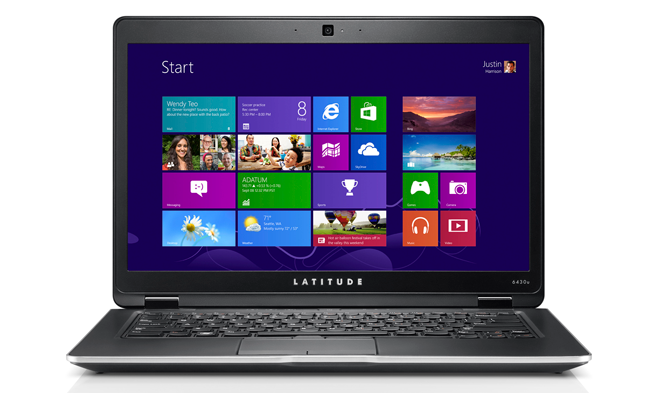
There’s been a lot of mounting evidence that Microsoft will be making many more adjustments to Windows 8 in its forthcoming Windows Blue (aka Windows 8.1) update, and the din is getting even louder today. When a few lines of beta code surfaced on a Russian tech site yesterday, we saw evidence that Microsoft would begin letting users boot directly to the desktop. Today, Mary Jo Foley of ZDNet, who’s often right on the money in terms of Microsoft rumors, is reporting that Microsoft is not only seriously considering letting users boot directly to the desktop (instead of booting to the Metro interface and clicking to the desktop from there, as it is now), but it’s also considering bringing back the Start button that’s been a part of the OS since Windows 95.

The lack of a Start button and immediate access to the desktop have been two of the biggest and most constant complaints Microsoft has received since Windows 8 debuted last fall, so it’s possible the company may change its course on these two interface features. Why the sudden change of heart? Though Microsoft has officially said that users aren’t confused by Windows 8’s interface, the recent drop in PC sales blamed, in part, on Windows 8, seems to be telling a different story.

Recommended Videos

ZDNet’s sources are saying Microsoft is currently planning on giving users the option to boot to the new Metro start up screen or to the traditional desktop when the Windows 8.1 update is released around August 2013. Those same sources say the company is considering making the Start button optional for users who want their old, familiar Windows interface back, though that doesn’t seem as concrete as the desktop boot option at this point. While we won’t know for sure what will be included in the final version of Windows 8.1, we should have a good indication when the preview version, called Blue Preview, is released this June.

On non-touchscreen computers, we’ve found the Metro interface a pain to navigate. Perhaps, in the future, Microsoft will differentiate versions of Windows 8 for touchscreen and non-touchscreen devices. While that would fragment Windows 8 a bit more, it would also provide non-touchscreen users with a better experience overall. 

Meghan McDonough
Former Contributor
Meghan J. McDonough is a Chicago-based purveyor of consumer technology and music. She previously wrote for LAPTOP Magazine…
Intel may bring back older desktop CPUs because DDR5 is getting too expensive
Older Intel Core CPUs from 10th to 14th Gen may get a second life
Intel Core i5-12400F box sitting in front of a gaming PC.

Intel may be preparing an unusual response to the ongoing memory crunch. According to Chinese outlet ITHome, citing ChannelGate, the company’s latest production plan includes restarting production of 13th-gen and 14th-gen Core processors.

The move is expected to increase supply across Intel’s 10th, 12th, 13th, and 14th Gen CPU families, especially in mainland China. For DIY PC builders, the timing is important. DDR5 memory prices have climbed sharply, making newer platforms harder to justify for anyone trying to build an affordable gaming PC.

Read more
Amazon wants to design in-house chips for Kindles, Fire TV, and Echo speakers
Apple did it first. Amazon is doing it now, starting with 40 million chips a year and a partner most people have never heard of.
Amazon Kindle Scribe dark mode featured image.

Apple's decision to design its own chips reshaped the consumer electronics industry. Amazon may be about to make the same call, just about two decades later.

Supply chain analyst Ming-Chi Kuo reports that Amazon is preparing to shift away from externally sourced processors for its consumer electronics lineup, marking what he describes as the company's first major processor procurement change in 20 years. The transition is expected to begin in 2027.

Read more
AI wants to summarize it all. TripAdvisor’s misleading reviews show AI will also ruin your travel plans
Spotless, friendly, and totally wrong. AI summaries are hiding the reviews that actually matter.
Tripadvisor logo on MacBook

Planning a trip is stressful enough without wondering if the glowing hotel summary you just read was written by an AI that skipped the scary parts. As it turns out, that might be exactly what's happening on TripAdvisor.

According to an investigation by consumer group Which?, reported by the Guardian, TripAdvisor's AI-generated review summaries are smoothing over serious guest complaints, and in some cases, downright dangerous ones.

Read more