1. Home
  2. Gaming
  3. News

Android 17 brings system-level remapping for controllers and its such a relief

Add as a preferred source on Google
Electronics, Mobile Phone, Phone
Android 17 Remapping Reddit, Mishaal Rahman

If you’ve ever plugged in a controller to your Android phone, jumped into a game, and immediately fumbled a button because the layout felt off, you’re not alone. Android has supported a wide range of gamepads for years now, which is great for flexibility, but not always great for consistency. Muscle memory is a stubborn thing. With Android 17, Google is finally fixing this.

Finally, your thumb gets a say in the matter

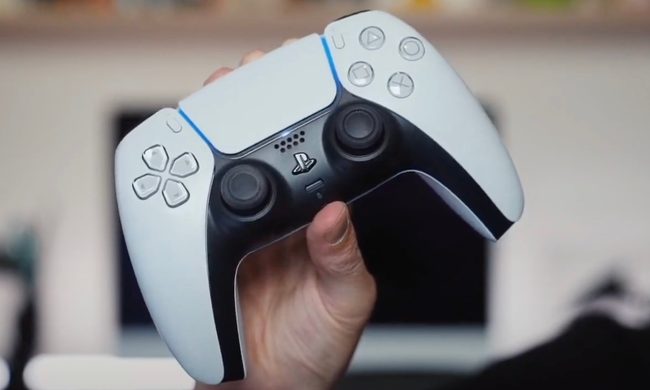
Android 17 introduces system-level controller remapping, and it’s exactly what it sounds like. It can now tweak your controller layout at the system level. That means your preferences stick, no matter what game you’re playing. Using the new Game Controller settings menu, you can reassign buttons, triggers, and even thumbsticks. So if pressing down on a thumbstick feels awkward (because it usually does), you can move that action to a face button that’s easier to reach. And the best part is that your settings are saved on the device. 

This isn’t just about convenience; it’s also a big step forward for accessibility. Not everyone interacts with a controller the same way, and having the ability to remap inputs can make games far more comfortable, and in some cases, actually playable. It also solves the classic cross-platform confusion. Switching between consoles, PC, and mobile often means retraining your fingers to adapt to different layouts. With remapping, you can bring a sense of familiarity wherever you play.

Where to find it (and who gets it)

Before you rush to try it, there’s a small catch. This feature is currently available only in the Android 17 Beta, specifically Beta 2 and later. So you’ll need a supported device enrolled in the beta program to access it. Once you’re in, here’s how to find it:

  • For wired controllers:
    Head to Settings > System > Game Controller, then select your connected device
  • For Bluetooth controllers:
    Go to Settings > Connected devices, tap the menu next to your controller, and open Game Controller settings.

Inside, you’ll see two main sections. One for button inputs like face buttons and triggers, and another for directional controls like sticks and the D-pad. You can swap functions around however you like, whether it’s reassigning a jump button in a platformer or tweaking camera controls in a 3D game. Since this is still in beta, there are a few rough edges. For instance, the on-screen button icons (glyphs) might not always match your controller. Thankfully, the remapping itself still works as intended, even if the visuals are a bit confused. And of course, things could change before the final release.

Recommended Videos

This might not be the flashiest Android feature, but it’s one of those updates that makes a real difference the moment you use it. It removes friction, gives you control, and makes mobile gaming feel just a bit more polished. It’s definitely the kind of feature that makes you wonder why it wasn’t here all along.

Shimul Sood
Shimul is a contributor at Digital Trends, with over five years of experience in the tech space.
Epic is improving its game launcher with a long overdue speed boost and plenty of new features
Epic Games Store Launcher V2 could finally address years of user complaints
epic games logo

Epic Games has spent years trying to make the Epic Games Store a serious rival to Steam. It has given away free games, signed exclusivity deals, and kept major PC releases such as Borderlands 3, Assassin’s Creed Mirage, and The Lord of the Rings: Return to Moria away from Valve’s storefront at launch. Those moves have helped Epic build an audience, but they have not been enough to seriously threaten Steam’s position as the default PC gaming platform.

One problem has been the launcher itself. Earlier this year, an Epic executive admitted to Eurogamer that the launcher “sucks,” and the company now appears to be working on a much bigger fix. According to slides from an Unreal Fest presentation shared by LuKaOnIndeed on X, Epic is developing Launcher V2, a ground-up rebuild of the Epic Games Store launcher that is supposed to be much faster and easier to use.

Read more
Forget RTX filters. BenQ’s gaming monitor does the pretty stuff itself
BenQ’s AI game filters are what I wanted RTX filters to be
BenQ AI Gaming Monitor Filters

I’ve spent years messing with in-game brightness sliders, GPU filters, HDR modes, and monitor presets to tinker with my experience on my favorite games. Of course, I'd always go with the original artists' intent first, but replaying these titles with new filters does freshen up the atmosphere.

This is why I was particularly impressed by BenQ’s new MOBIUZ gaming monitors. During a recent visit to BenQ’s Taiwan HQ, I got a hands-on look at the company’s latest AI-powered game filter tech, and it immediately made more sense than I expected. The company isn't just slapping on the "AI" sticker onto a gaming display. What you are getting here is custom touches to change up your experience by pulling from BenQ’s game art database that automatically tunes brightness, contrast, and color balance to match the game’s visual style. The fun part is that your performance doesn't take a hit.

Read more
Sony’s wild PSN login patent could turn the DualSense into a security gatekeeper
A newly published filing outlines controller-based sign-ins for PlayStation users, aiming to make stolen accounts harder to exploit.
Geoff Keighley holding DualSense.

Sony has filed a PSN login patent, first spotted by RespawnFirst, that would pull the DualSense controller into the sign-in process. A PlayStation console would start the request, then the controller would help confirm that the account holder is close enough to approve access.

For players, the appeal is easy to see. PSN account abuse can lead to unauthorized purchases, lost access, and attempts to resell established accounts. Sony already offers 2-step verification and passkeys, but this idea adds a hardware check to the login chain.

Read more