When the PlayStation 5 first came out, it was a pretty big leap from the PS4, but, the original storage size was around 825GB, although it felt a lot smaller than that in practice. Because the operating system took out a good chunk out of the storage, it brought it down to 667GB. Combine that with modern games often being between 50-100GB, and the reality is that you’re going to quickly run into the limit of what it can store. That’s where expanding the internal storage with an SSD makes sense, and even if you aren’t that tech-savvy, it’s not too difficult. The only thing that’s important to know is that you need to have SSDs with the latest PCIe Gen 4×4 tech since that is what the PS5 uses to work games at the speeds it can. Luckily, we’ve done a lot of the footwork and collected some of our favorite deals for you below, including some of the best SSDs for the PS5.
That said, if you haven’t picked up a PS5 yet, be sure to check out these excellent PS5 deals, and if you already own one, maybe check out these PS5 game deals to expand your library.
Our favorite PS5 SSD deal
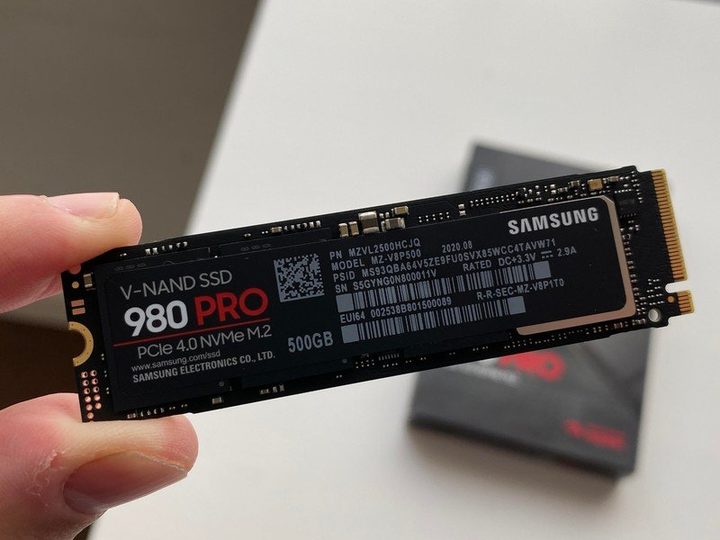
It wasn’t that long ago that you’d have to pay well over $100 to get an SSD for your PS5, and often, it’d be slower than the pricier alternatives. These days, you can buy a Samsung 980 Pro 2TB SSD with heatsink for $187 from Amazon, thereby saving $43 off the regular price of $230. The SSD offers speedy performance while also having its own nickel-coated high-end controller to help deliver effective thermal control. It means it won’t overheat and performance won’t be compromised. Being a PCIe Gen 4 SSD, you get twice the data transfer speed of PCIe Gen 3 which is useful. Offering maximum read speeds of 7,000 megabytes per second, it’s a good upgrade to go alongside your existing hard drive with 1TB offering plenty of extra space at a shrewd price.
More PS5 SSD deals we like

There are a lot of different PS5 SSDs that you can use to upgrade your console’s storage space. When upgrading your PlayStation 5, look for a heatsink that has already been installed on the SSD for added ease, and check whether the SSD is compatible. Many are, and we’ve featured a bunch of them below. Different sizes are available with 1TB to 4TB most common. Not everyone needs 4TB, even though it’s tempting, so we’ve listed smaller ones, too, depending on your plans. Different brands are also available so we’ve focused on the most popular options.
-
Seagate Game Drive 2TB
— $185
$26029% off -
WD Black SN850P 2TB
— $185
$26029% off -
Corsair MP600 Pro 2TB
— $150
$21029% off -
Crucial T500 1TB
— $90
$12025% off -
Samsung 990 Pro 4TB
— $350
$41015% off
Why you need a specific PS5 SSD
Unlike your average laptop or computer, the PS5 can’t really accept any sort of SSD you want to put into it. While it’s true that, at the very least, you need to use an M.2 SSD, what’s even more important is that the SSD has a PCIe 4.0 specification, which is much faster than the older PCIe 3.0. While you could, in theory, put an older SSD into the PS5, it won’t be used to run games actively but will instead act as a storage to load games onto the internal storage, so it’s not much of an upgrade.
Also, Sony recommends that any SSD that goes into a PS5 come with a heatshield to help with heat dissipation. Without one, the SSD’s internal controller might thermal throttle it so that it doesn’t melt itself, which can impact the game’s performance and introduce lag and other issues. That’s why all the suggestions above come with some form of heatshield already pre-installed on the SSD.