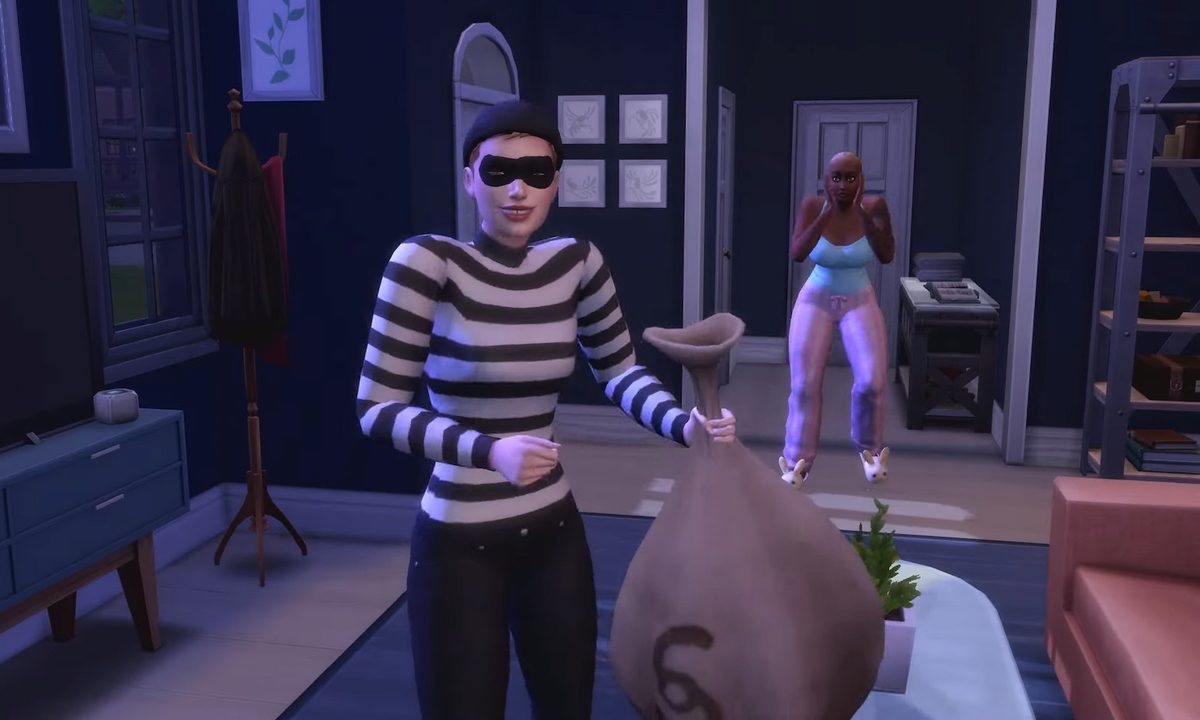
After years of waiting for the infamous burglars to return, The Sims 4 has finally brought them back in a free base game update! These thieves have been a thorn at Simmers' sides ever since The Sims 1, and they've been a notable absence in the franchise's latest installment.
Now you can finally confront burglars Robin Banks face-to-face in a fistfight, or you can hide in fear and hope that the cops save you. There are many different ways to goade burglars into coming to your property and to stop them entirely, so here's how to handle burglars in The Sims 4.
How to find a burglar in The Sims 4
Before you can even try stopping the burglar, you may want to find one on your property first. Whether it's because of your dangerous curiosity or your eagerness for confrontation, there are a few different ways to increase your chances of finding a burglar.
Step 1: The first option for better chances at getting a burglar is to give yourself the Lot Challenge Heist Havoc. This is a new challenge you can add in Build/Buy mode by selecting the house icon in the top left-hand corner of your screen. Then select the tab with the question mark and you can find Lot Traits and Challenges.
Heist Havoc is a challenge that makes burglars appear a lot more often at your lot than normal. Also, it makes your burglar alarms not work 100% of the time, so if Robin Banks does come sneaking to your door you may have to deal with the problem yourself.

Step 2: If you don't want that Lot Challenge but you also don't want to just wait around for one, you can actually use cheats to summon a burglar to your property. First, turn on cheats by holding Shift + Ctrl + C, then type in 'testingcheats true'.
Now that you have cheats enabled, hold the Shift key and left-click on your mailbox. One of the options available is 'Schedule Burglar Visit (Debug).' Select this option, and whenever it's night time you will get a burglar at your door.

How to stop the burglar in The Sims 4
If a burglar actually appears at your home and you want to know how to fend it off, there are a few different options available to you. There is also a way to stop the chances of burglars appearing entirely if you're not a fan of Robin Banks.
Step 1: The easiest and cheapest way to stop a burglar from stealing your valuables is to install an alarm. You can find the Alertz Burglar Alarm in Build/Buy Mode in the same section you find the fire alarm and thermostat. It only costs 85 Simoleans, and when placed near your front door, it will blare the alarm if a burglar breaks in.
The alarm will wake up your household and it will scare off the burglar so none of your items are stolen. As a reminder, if you have a front and a back door you'll need an alarm for both of those entrances.

Step 2: Without the alarm to help you, a typical Sim only has three options when confronting a burglar. You can fight them, which will sour your relationship with Robin Banks. You can do a simple confrontation, but this will typically do nothing to stop them. Finally, you can call the police station and a cop will show up to your lot. They don't appear as fast as I'd like them to, so if you don't want the burglar getting away with stolen goods, I recommend fighting them off.

Step 3: Luckily, there are other ways you can fend off burglars depending on which DLCs you own. Certain Game and Expansion Packs offer new ways to play, and now with burglars there are different options when tackling a burglar break in. Here's every special Sim interaction listed by the official news post depending on which pack you own:
- Have a dog? They’ll chase the Burglar right out. (Requires: The Sims 4 Cats & Dogs Expansion Pack)
- Werewolves can intimidate the Burglar into leaving. (Requires: The Sims 4 Werewolves Game Pack)
- Spellcasters? They’ve got everything from confusion spells to full-on transformations. (Requires: The Sims 4 Realm of Magic Game Pack)
- Servos can zap the Burglar into place with their defense matrix. (Requires: The Sims 4 Discover University Expansion Pack)
- Scientists can use the Freeze Ray to immobilize them. (Requires: The Sims 4 Get to Work Expansion Pack)
- Vampires, of course, might take advantage of the situation for a quick warm-blooded snack before commanding the Burglar to leave. (Requires: The Sims 4 Vampires Game Pack)
Step 4: If you're not a fan of burglars in the slightest and don't want to deal with them in your game ever, there is an option to turn them off. Go to Game Options, and under Gameplay will be the toggle 'Allow Burglar Visits.' After choosing to keep them or leave them, apply the changes and you're good to go.