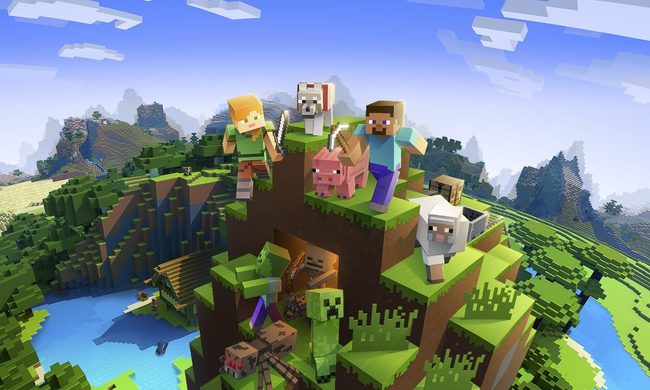
Minecraft has changed significantly since its inception, with various biomes to explore and new animals to tame and breed, but one thing certainly hasn’t: Crafting worlds with friends and family is just plain fun. Thanks to the game having full cross-platform support, you can play with anyone no matter what console they areon.
Whether you’re hosting a server for a few friends or launching a massive effort to recreate your favorite TV show’s world, there are several different options for hosting a Minecraft server. Here are a few ways you can create your own private Minecraft multiplayer oasis. And if you don’t already have the game, here’s how to get Minecraft for free.

Minecraft Realms explained
Minecraft Realms is the latest version of the server subscription plan that is devided up into three versions: Bedrock Realms, Bedrock Realms Plus, and Java Realms. If you need to know the difference between these two so you know which one you have, check out our guide here.
Here is a full breakdown of each version, how much they cost, and what they include:
| FEATURE | Bedrock Realms | Bedrock Realms Plus | Java Realms |
|---|---|---|---|
| Monthly subscription rate | $4 | $8 | $8 |
| Server Capacity | You + 2 others | You + 10 others | You + 10 others |
| Numbers of invited friends | 100+ | 100+ | 100+ |
| Server availability | 24/7 | 24/7 | 24/7 |
| Friends play for free | Yes | Yes | Yes |
| Free Backups | Yes | Yes | Yes |
| Minecraft Marketplace support | Yes | Yes | No |
| Includes 3 world slots | Yes | Yes | Yes |
| Supports user-created content | Yes | Yes | Includes free community content |
| Cross-platform support | Yes | Yes | No |
| Access to Realms Stories | Yes | Yes | No |

How to create a Minecraft Bedrock world
If you have either of the Bedrock Realms subscriptions, here's how to make a world.
Step 1: Select Play.
Step 2: Select Create New.
Step 3: Select Create New World.
Step 4: Configure the world.
Step 5: Select Create on Realms.
Step 6: Select a 10-player or two-player Realm.
Step 7: Optional: Set up the Realms Plus subscription.
You can also modify the Realm by selecting the Pencil icon next to the realm to change things like the mode, add friends, access backups, and more.

How to make a dedicated server on Java
If you’d rather create a dedicated server, there are three options provided by Mojang:
- Minecraft: Java Edition Server
- Windows Server Software for Windows
- Ubuntu Server Software for Ubuntu
For our purposes, we will walk through making a Java server on Windows.
Step 1: Download the Server.jar file from Mojang to a dedicated folder, as you’ll be required to extract files.
Step 2: Right-click on the Server.jar file and select Open to extract a few files.

Step 3: Open the EULA file, change the eula=false line to eula=true, and then save the file. The server won’t run without agreeing to the terms.
Step 4: Right-click on the Server.jar file and select Open on the pop-up menu. Additional files will extract to your folder as the Minecraft Server window appears on the screen.
Step 5: To modify the world’s properties, right-click on the server.properties file and select Open With on the pop-up menu, followed by Notepad.
With this file open, you can change the maximum number of players, the game mode, enable player-versus-player, set the maximum world size, and more. Restart the server if you made any changes while it’s running.
With the server portion configured, you need to create a direct path.
Step 6: To launch the server, instead of right-clicking on the sever.jar file we can create a BAT file and insert a modified command to help the server run more smoothly.

Step 7: Right-click within the folder and select New followed by Text Document on the pop-up menus.
Step 8: Rename the file so you can recognize it later.
Step 9: Open the file and enter the following command: java -Xmx1024M -Xms1024M -jar server.jar pause
The first two numbers allocate memory to the server, while “pause” keeps the server window open.
Step 10: Save the file and then rename its extension to “.bat” (short for batch file).
Step 11: Double-click the new BAT file to launch the server.