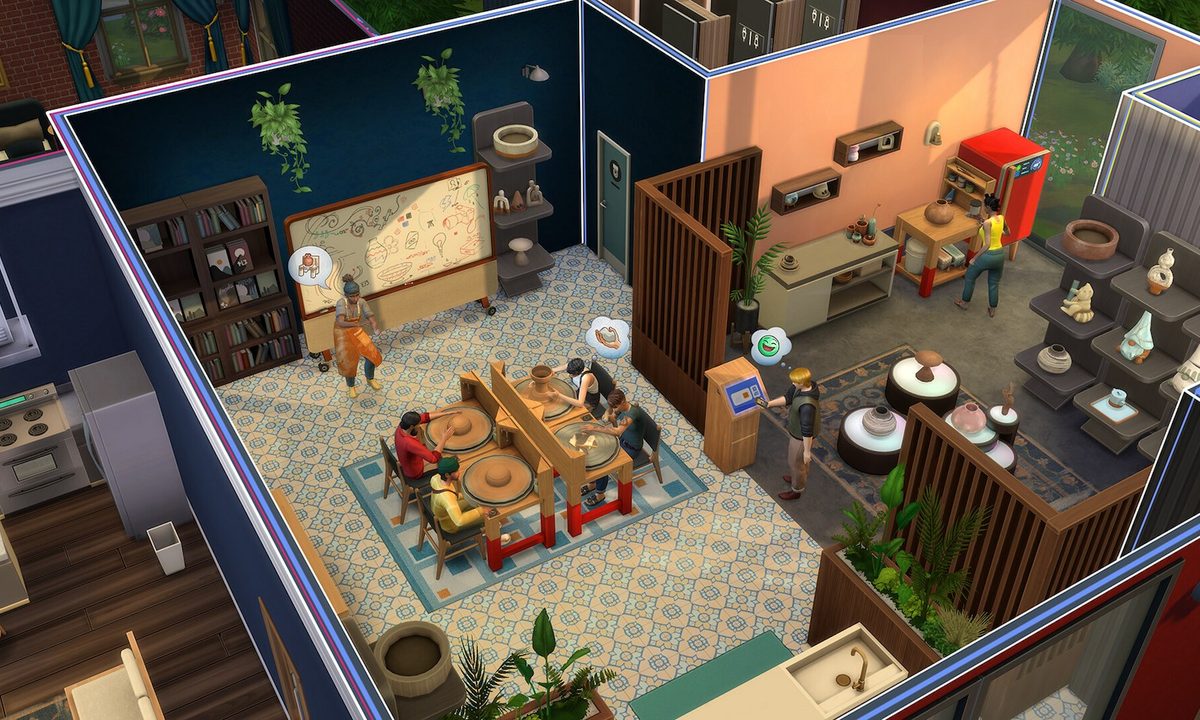
One of the more exciting features to come with The Sims 4 Businesses and Hobbies Expansion Pack is the ability to lead a lecture or a class. While you can leisurely run a lecture for Sims to boost their skills, running a class can earn you some money if you have a small business.
Running a class or a lecture isn't as simple as you'd think, and there are some prerequisites to complete before you can teach other Sims certain skills. While the latest burglar update was nice, this new Expansion Pack has a lot to offer when it comes to learning new hobbies. We'll give you the run down on how to run a class and a lecture in The Sims 4 Businesses and Hobbies.
How to run a lecture in The Sims 4 Businesses and Hobbies
First thing to note with lectures is that they don't require you to have a small business, only classes do. Lectures are also free, so you're not earning money from them. Despite that, they're good for teaching other Sims your best skills.
Step 1: Purchase the Sharing is Caring Hobby Whiteboard for 630 Simoleons. You'll find it in the Small Business category of Buy Mode.

Step 2: When you place it down, you'll notice a grey square marking the area in front of it. If your lecture requires you to use objects, this is the area in which you have to place them. If you're lecturing a Sim on the pottery skill and you've placed the pottery wheel outside of that square, it won't work.
According to our research, here are all the skill lectures that require objects for them to work:
- Acting: x3 mirrors or microphones
- Baking: x1 fridge, x3 ovens, x3 counters
- Bowling: x1 bowling lane
- Charisma: x3 mirrors
- Comedy: x3 microphones
- Cooking: x1 fridge, 3 counters
- Cross-stitch: x1 cross-stitch kit
- Dancing: x1 stereo or dance floor
- DJ Mixing: x3 DJ booths
- Fabrication: x3 fabricators or candle-making stations
- Fishing: x1 pond that allows fishing
- Fitness: x3 workout machines/objects
- Flower Arranging: x3 flower arranging tables
- Gardening: x3 garden plants
- Gemology: x3 gemology tables
- Gourmet Cooking: x1 fridge, x3 counters
- Guitar: x3 guitars
- Handiness: x3 woodworking benches
- Herbalism: x3 stoves/grills
- Knitting: x3 yarn baskets
- Logic: x3 chess tables, microscopes, telescopes, or children's science tables
- Media Production: x3 mix master music stations
- Medium: x3 séance tables
- Mischief: x3 computers
- Mixology: x3 bars
- Nectar Making: 3 nectar makers
- Painting: x3 easels or digital sketchpads
- Piano: x3 pianos
- Pipe Organ: x3 pipe organs
- Pottery: x3 pottery wheels
- Programming: x3 computers
- Research & Debate: x3 debate podiums or research archive machines
- Robotics: x3 robotics workstations
- Rocket Science: x1 unfinished rocketship
- Singing: x3 microphones
- Tattooing: x3 tattoo tables or digital sketchpads
- Video Gaming: x3 computers, video game consoles, or arcade machines
- Violin: x3 violins
- Wellness: x3 massages tables/chairs, meditation stools, or yoga mats
- Writing: x3 computers
Step 3: Once you have the right objects set up for your lecture (if they require any), you now have to ensure that your Sim is at the correct skill level to teach. Each lecture will require your Sim to be at skill level three or five. If you check each option when interacting with the whiteboard, it'll tell you which skill level it requires.

Step 4: Finally, you can start your lecture, and other Sims can interact with the whiteboard to listen to the lecture. As they participate, that specific skill level will grow.
If you do own a small business, an easy way to have your employees automatically give lectures is to give them the lecture task.

How to run a class in The Sims 4 Businesses and Hobbies
To preface this, you can only run classes if you own a small business. It also has to be done on your small business lot when your shop is open as has customers.
Step 1: Purchase the Sharing is Caring Hobby Whiteboard for 630 Simoleons. You'll find it in the Small Business category of Buy Mode.

Step 2: After placing it down and interacting with it, you'll notice many different class options. Depending on how high your skill is, you can charge a lot more per attendee. At the earliest levels you can teach a class, it'll be 120 Simoleons, but at max skill it should be around 360.
As a reminder, to teach certain classes you'll need objects in the nearby area. In Buy Mode, you should see the white board's area boxed out, telling you where those objects need to be to work. Check the list above in the previous section to find out which classes require specific objects.

Step 3: You can only start your class once you've opened up shop. Select the white board and start up your class. As customers walk inside, some of them should be interested in your class.
During a class, a timed event will begin where you can engage in various activities during the class. Mainly, you'll want to lecture for 45 minutes, but there are others like mentoring students or discussing skill techniques. Fulfilling these tasks will make your classes successful and more appealing to your customers.