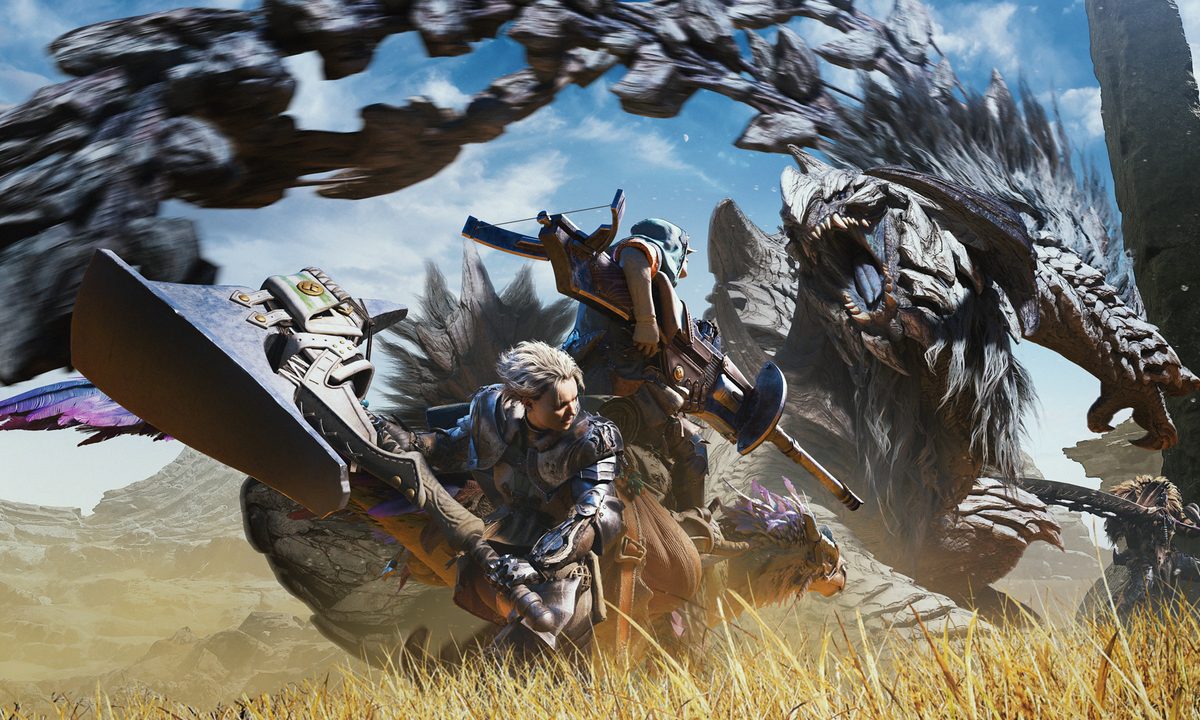
Monster Hunter Wildsis is packed with more content than any previous game at launch. There are more weapons, armors to upgrade, and, of course, monsters to hunt. It will take a new player more than a few hours to learn all the tips and tricks, but experienced hunters can rush through the campaign and into the High Ranks fairly quickly. Either way, eventually, there will be some rough edges or aspects of the game that feel like they could be improved. Or, it might just be time for some fun additions. Modders provide nearly endless amounts of options to polish, add, and enhance the core experience. With such a popular title, there are hundreds of mods to look through. These are the best Monster Hunter Wilds mods you should try.
Shop Tweaks
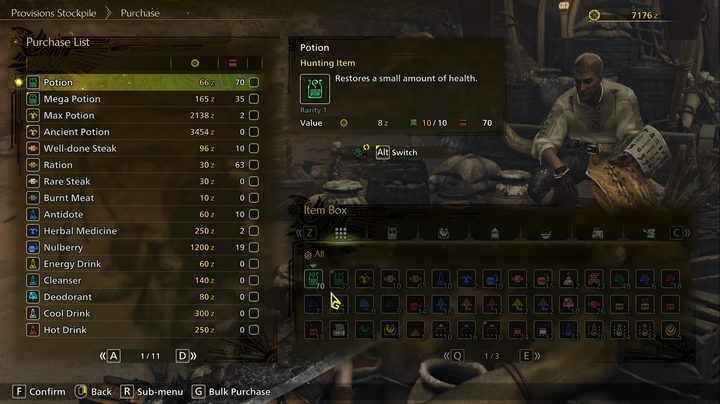
Odds are most players never visit the item shop in Monster Hunter Wilds. For those who have, they know how woefully barebones the selection is. Shop Tweaks is a simple mod that gives you three options to add a much wider stock to purchase, including everything, consumables, or materials. The only things not included are tools, specific gatherables that reward you with points, and gems. This doesn’t make all these items free, so you will still need cash on hand, but it will make preparing for a hunt much easier.
MHWilds Overlay
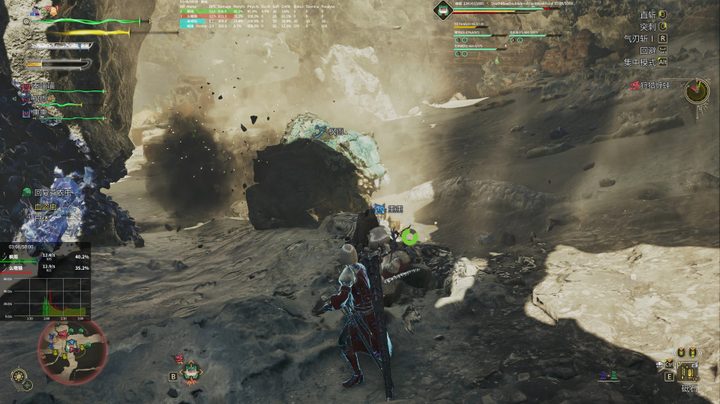
One thing new players might not be too comfortable with in Monster Hunter Wilds is the lack of information on the UI. The only way to know how close you are to beating a monster or how much damage you’re doing is to look for subtle tells. The MHWilds Overlay mod takes all the guesswork out of knowing how close you are to victory and how effective your attacks are. It shows you the monster’s HP, DPS, and more helpful data. It is integrated fairly well into the UI so it doesn’t clutter up the screen too much.
No Crafting Requirements

The entire gameplay loop of Monster Hunter Wilds revolves around hunting monsters, gathering their parts, and using them to craft better gear to hunt stronger monsters. Well, if you wanted to skip the most fun part and craft whatever you want for free, the No Crafting Requirements mod is here for you. While you could use it to bypass most of the game, it is also handy if you just want to get an armor set because you like how it looks and don’t feel like grinding hunts all day. You still need to spend cash and can choose whether you need to unlock items via story progression before you can craft them or not.
Unlimited Character and Palico Edits

One of the most annoying aspects of Monster Hunter Wilds is the fact that it charges you for character edit vouchers to edit your appearance after starting the game. Many players, including the creator of Unlimited Character and Palico Edits, thought this was a bit exploitative and made a mod that allows you to bypass this requirement. If you already have vouchers, they will still be used first, but the mod will simply let you use the function even with 0 vouchers.
Damage Adjuster
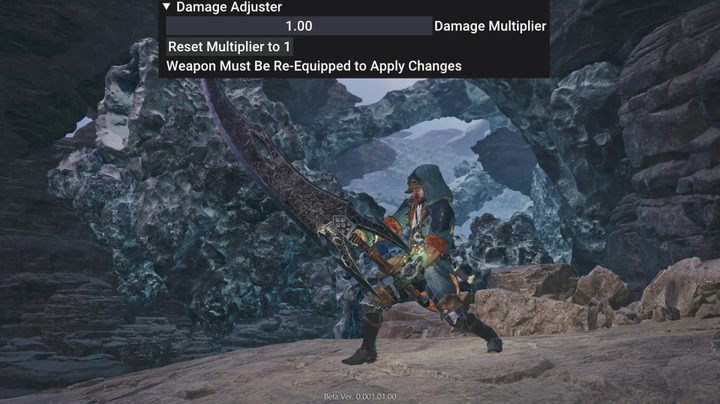
Even though Monster Hunter Wilds is likely the easiest game in the series, especially early on, newcomers might struggle with how long some hunts take. That’s the intended experience, but that doesn’t mean you can’t use the Damage Adjuster mod to make the game a bit more comfortable. As the name implies, this mod lets you edit how much damage your weapons do. You are free to buff them to the point where every fight is trivial or even nerf yourself to give yourself an extra challenge if you think the game is too easy.
Wilds Rehydrated
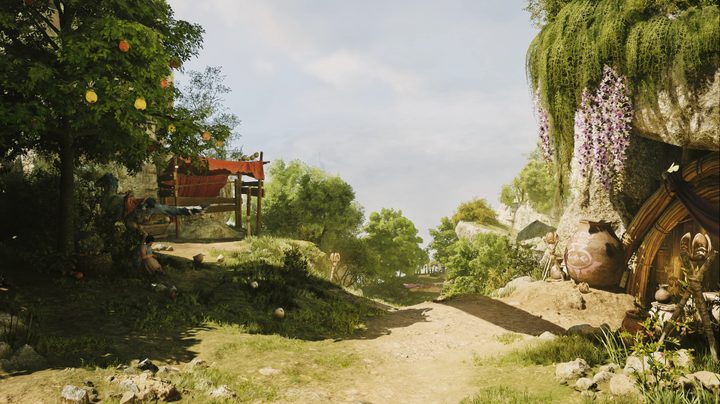
Even on powerful PCs, Monster Hunter Wilds can look rather drab. The desert landscapes in particular can look particularly poor. The Wilds Rehydrated mod is a reshade that adds clarity, depth, and reworks the color balance without tanking your FPS even more than the game does. It really shows how beautiful this game can be without all those blurry textures. It doesn’t completely change the game, but it is a great improvement.
Wilds Optimizer FPS Boost Low CPU Cleaner Visuals and Better Stability
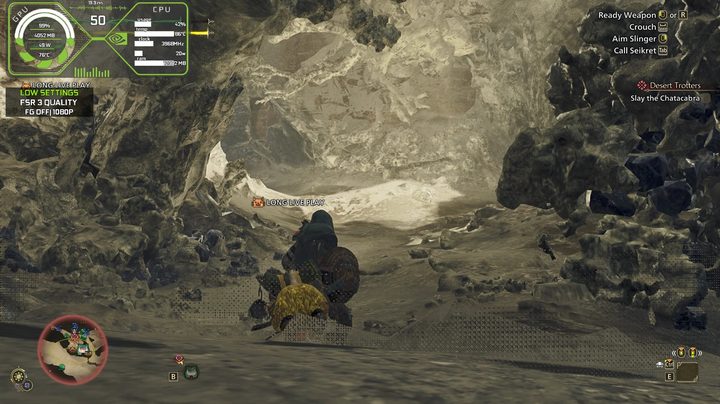
A name like Wilds Optiomizer FPS Boost Low CPU Cleaner Visuals and Better Stability says everything you need to know right there. We already mentioned how the performance of this game leaves quite a bit to be desired, so a mod like this was bound to come around sooner rather than later. Depending on your GPU, this mod claims to increase your FPS by at least 10 and lower your CPU usage by 10-15%. It achieves this by removing some post-processing effects, optimizing the CPU load, and tweaking some GPU settings. Considering how poor this game runs on some rigs out there, a mod like this might be the thing that makes the game even playable for you.