  1. Home
  2. Gaming
  3. How tos

How customize your radial menu in Monster Hunter Wilds

Add as a preferred source on Google
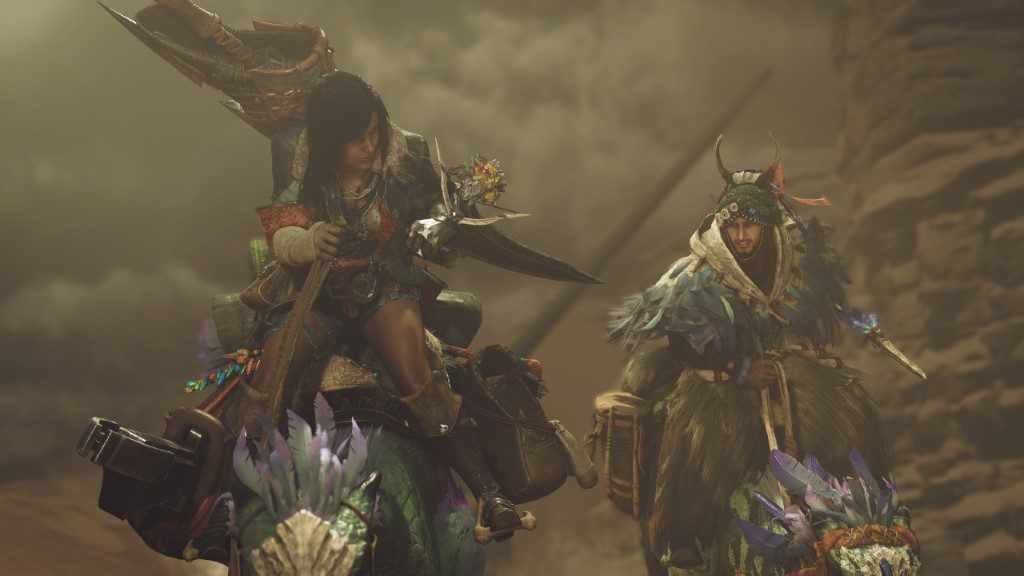
A still from the cinematic trailer for Monster Hunter Wilds at Summer Game Fest 2024.
Capcom

You won't get far in Monster Hunter Wilds without items. It is a basic tip to learn, but having easy access to your most needed items is just as important as mastering your weapons or calling in your friends to join in on the hunt. Your radial menu allows you to quickly select and use all your equipment on the fly, but may not be set up how you want it by default. Thankfully you can easily customize this menu so all the items you want are in the places that feel most natural.

Recommended Videos

Difficulty

Easy

Duration

5 minutes

What You Need

  • Go to your tent

Customizing the radial menu Monster Hunter Wilds.
Capcom

How to customize the radial menu

The radial menu is your shortcut menu that you can pop open by holding L1 on consoles. Once open, you can easily select an item by pointing your stick in any of the four directions plus change categories with the D-pad.

Step 1: Once you have access to your base camp, visit your tent or pause the game and go under the Items & Equipment menu.

Step 2: Select the Customize Radial Menu option

Step 3: You will have 36 total loadouts you can customize. Choose any blank one to begin customizing it.

Step 4: You can now choose from all your items set them to one of 12 slots. If you place something in the wrong place and want to swap it, press Sort Radial Menus and you can swap the locations of two items without removing and readding them to the loadout.

Step 5: Once you have all your items set how you like, press the Manage Loadouts button.

Step 6: Choose an empty loadout slot and press Register Loadout to add your new radial menu to that slot.

Step 7: Once set, make sure to highlight and press Use Loadout to make it active.

You can also use the sub menu to rename a loadout, set an emblem, or delete it to make room for a new one.

You can also press the sub menu button to share your loadout with friends to let them easily use the same loadout you created.

Jesse Lennox
Former Digital Trends Contributor
Jesse Lennox covers all things gaming but has a specific interest in all things PlayStation, JRPGs, and experimental indies…
Smash hit Hades 2 is finally coming to PlayStation and Xbox
Video Game, Hades

After making console players for far too long, Hades 2 is finally making its way to PlayStation 5 and Xbox Series X|S. Supergiant Games has just confirmed that the acclaimed roguelike sequel will launch on April 14, with the Xbox version also arriving on Game Pass the same day.

This is a pretty big moment for fans of the franchise with consoles as their main gaming platform. Supergiant's first-ever sequel debuted back in September 2025, going on to become the best-reviewed game of 2025 on both Metacritic and OpenCritic.

Read more
Samsung is fixing a long-standing OLED monitor problem, and even rival brands are on board
Samsung's new QuantumBlack film reduces reflections and preserves deep blacks on QD-OLED monitors.
Samsung QuantumBlack featured.

QD-OLED monitors are known for delivering deep blacks by turning off individual pixels completely. In real-world use, though, that advantage doesn't always hold up. Ambient light reflecting off the screen can wash out those blacks, but Samsung now has a solution.

How is Samsung fixing reflections and washed-out blacks on QD-OLED monitors?

Read more
Sony announces price hikes for PS5, PS5 Pro, and PlayStation Portal
Your PS5 dreams just got more expensive
Sony PS5 Pro Shot with Blue Light

Sony has officially announced new price increases across its PlayStation hardware lineup, including the PlayStation 5, PlayStation 5 Pro, and the PlayStation Portal remote player. The changes mark another significant shift in pricing strategy for the company, as rising global costs continue to impact the gaming industry.

A Costly Update Across The PlayStation Ecosystem

Read more