
If you have a fancy home theater system with a soundbar and surround sound speakers, then how you connect it to your TV is an important consideration. There are legacy options you may be more familiar with, like a digital optical or TosLink cable, but the same HDMI cable that you use to connect your OLED, QLED, or LED-powered screen to your games console or set top box can also be used for fancy AV systems too.
Using a technology known as ARC (or eARC, depending on your HDMI version) you can simplify cabling and unlock much greater support for uncompressed, lossless audio. That’s not the best solution for everyone, but it’s an intriguing option for anyone. Here’s how to decide whether optical or HDMI’s ARC technology is best for your home theater setup.
A war of audio capabilities

Fundamentally, both HDMI ARC/eARC and optical let you send digital audio from one piece of hardware to another. The idea behind this is to be able to send whatever digital content you plan on enjoying — from your TV to Blu-ray players and game systems — into a larger, better audio system without losing any quality along the way. Without a digital pathway, we’d need to convert all of those ones and zeroes into an analog signal first, and that’s a job best left to our AV receivers or soundbars.
Whether you’re watching movies and TV shows through your TV directly or using a streaming device, you can think of your TV as being the main hub — everything connects (or is built into) your TV, with a separate sound system as the device you’re sending audio into.
In terms of how that signal gets from your TV to the audio peripheral, there are two options — HDMI ARC (or ARC for short) and digital optical.
Digital optical: The old hat still fits
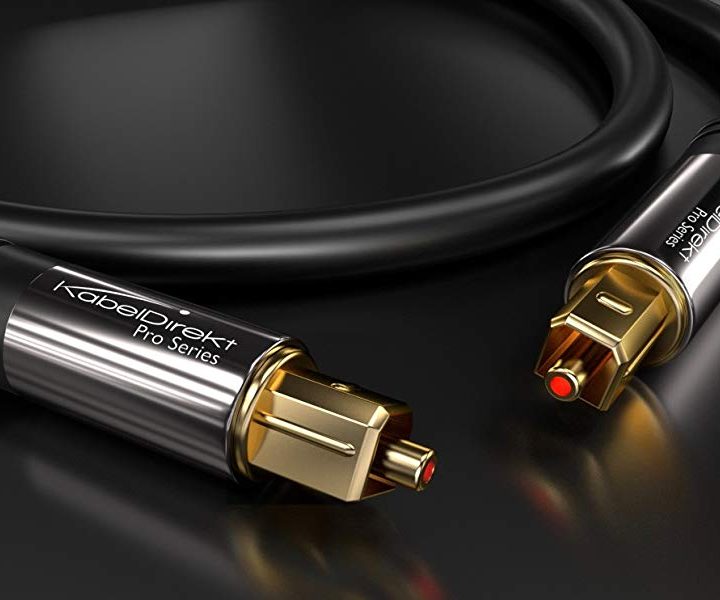
Developed by Toshiba in 1983, the digital optical cable was invented so consumers could transmit digital audio signals from CD and Laserdisc players to an AV receiver or stereo system. Thanks to the optical cable and its unique connector — known as a TosLink (a shortening of Toshiba Link) connector — we could send a digital audio signal between two components for the first time.
That digital signal is known as SPDIF (Sony/Philips Digital Interface), and it can be sent along an optical cable as a beam of red light, or it can be passed from A to B over coaxial copper RCA cables if your equipment supports it.
SPDIF can deliver uncompressed stereo two-channel sound, also known as PCM, as well as compressed bitstream surround sound formats like Dolby Digital or DTS Surround System. But SPDIF was never intended to carry more information than these digital formats required, and there’s no way to upgrade it. Thus, your optical (or coaxial) digital connection is similarly limited as to what it can do.
Optical can’t pass along higher-bandwidth formats such as Dolby Digital Plus, Dolby TruHD, or DTS:X, because the signal simply cannot support them. This means that if you want Dolby Atmos or DTS:X object-based surround sound, an optical cable simply won’t work.
That being said, you can still get non-object-based surround sound with an optical connection — up to 7.1 channels of Dolby Digital or basic DTS — but if you want to experience enhanced formats like Dolby Atmos, Dolby Digital Plus, Dolby True HD, or DTS:X, you need to use HDMI ARC or eARC. And if you happen to be into encodings like DVD-Audio or SACD, you need HDMI ARC for these formats, too.
And while digital optical is limited to these older formats, that doesn’t mean it sounds bad. You can still get really good-quality surround sound out of an optical connection. So if that’s your only option, then use it!
In fact, sound A/V equipment, like the excellent 2023 Sonos Ray soundbar only offers an optical connection, because it doesn’t support Dolby Digital Plus, Dolby True HD, or DTS:X either, so why use HDMI ARC? Yup, optical is still getting used in new products today. But if you want top-quality surround sound with future-proofing built-in, HDMI ARC or eARC is the way to go.
What’s the difference between ARC and eARC?
As great as HDMI ARC is from an improved bandwidth point of view, it too is limited. It can support Dolby Digital Plus, which is what virtually every streaming service today uses to deliver high-quality surround sound with or without Dolby Atmos. But that’s where it ends.
If you want to send very-high-bandwidth digital audio formats like Dolby Atmos, Dolby TrueHD, DTS:X, DTS-HD High Resolution Audio, or DTS-HD Master Audio from your TV to your audio gear, you’ll need the additional capacity of HDMI eARC. And while almost any HDMI cable that can support ARC can also support eARC, that is not true of the components you’ll be connecting. Make sure that both your TV and the device you’ve connected it to, have the HDMI eARC label on their respective ports, or it might not work.
You’ll need a relatively modern TV to take advantage of eARC, though, as it needs the newer HDMI 2.1 ports for that functionality. Interested in an upgrade? Check out the best TVs available today.
HDMI ARC: remote control

Besides the enhanced sound quality, using an HDMI ARC connection lets you take advantage of HDMI CEC — or Consumer Electronics Control — which lets you change the volume of your soundbar or AV receiver with the volume buttons on your TV remote, turn everything in the system on or off at the same time with just one power button, and perform some other clever tricks.
Simply put, if you have the option of using HDMI ARC (or eARC) between your devices, go with this option for the most optimized home theater experience.
Streamlined cabling
One of HDMI’s main strengths is its ability to send both digital audio and picture from a myriad of sources to your TV, projector, or AV receiver. Digital optical, on the other hand, is only capable of sending audio from one component to another.
HDMI has always possessed the ability to send digital video and audio from a component to your TV, but the real magic involved in the addition of ARC/eARC is that the same cable can be used to send digital audio back to the same component from the TV. So, one cable, three potential digital signals. That means you don’t need an HDMI cable for one thing, and an optical for another, you can juse use a single chain of HDMI cables from device to device and it’ll handle everything.
How do you use HDMI and digital optical cables?

Connecting both types of wires couldn’t be easier, although HDMI (and optical, to an extent) are going to require a few tweaks in your TV or receiver’s settings.
With optical, just plug one end of the cable into your TV or the optical output of a standalone component and the other end into the optical input of your AV receiver or soundbar.
With HDMI, simply connect one end of the cable to the HDMI port marked ARC (or eARC) on your AV receiver or soundbar and the other end to the port marked ARC (or eARC) on your TV. From there, though, you need to go into your TV’s audio settings and check a few things.
For those of you using HDMI ARC, you might want to first go make sure that HDMI CEC is turned on, if that’s an option. Some systems won’t turn ARC on until you turn CEC on. Next, go into your audio output settings and choose either HDMI ARC or digital optical.
For those of you using the optical connection, you’ll want to go one step further and choose either PCM or bitstream. Choose PCM if you have a two-channel soundbar, even if it does virtual, fake surround sound. And choose bitstream if you have a surround sound soundbar that decodes Dolby or DTS so that it gets a legit surround sound signal.
All this said, if you do have HDMI ARC or eARC on your TV and your audio device, our advice is to use that over optical. It’s superior, no doubt about it.


