
A number of Ring’s Video Doorbell models are wireless, including the standard 2020 model, as well as Doorbell 4 and Doorbell Battery Plus. These smart doorbells use battery packs that you periodically remove and charge. The advantage is that you don’t have to worry about wiring projects and can easily place the Doorbell in an optimal position to get the best view of your porch in a do-it-yourself (DIY) project.
But since those battery packs require a bit more maintenance (you’ll get alerts when they need recharging), buyers often want to know just how often they’ll be expected to recharge them and if any long-term replacement costs are involved. Here’s what you should know.
How often does a Ring Doorbell need to be charged?
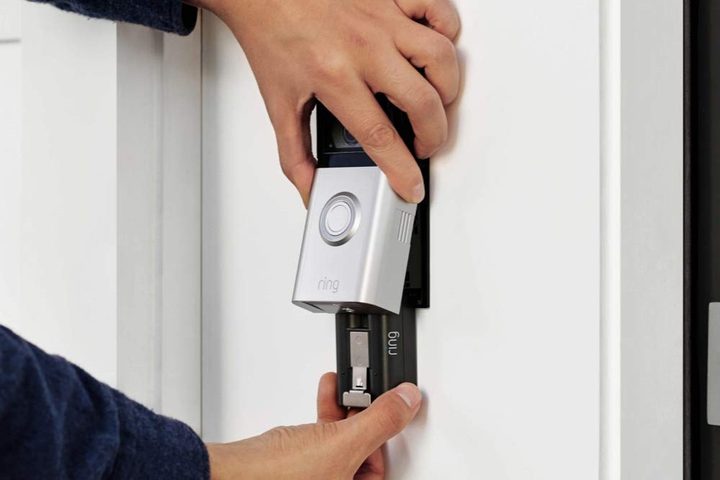
From a full charge, the official rating of Ring Doorbell batteries is anywhere from six to 12 months (ratings vary based on models) before needing a recharge. Newer models tend to have better ratings, such as 10 to 12 months.
This is … optimistic. You see, video doorbells like Ring’s use motion sensors to activate, turning on the video camera and recording the current footage until the motion stops — or generally, for a few seconds. Ring says that its ratings are designed for average use, or around three to four “events” every 24 hours. Their batteries typically need to be recharged after 1,000 activations.
However, video doorbells are typically pointed away from the home, toward streets or sidewalks. That means that they can be triggered by things like people walking their dogs or even cars driving past a house. AI technology can, to an extent, identify things like cars and avoid turning on the camera, but it’s not always reliable and may even vary based on the type of subscription plan you choose.
So, in practice, video doorbells like Ring’s may not last as long as the manual says. A Ring Video Doorbell can often need recharging every three to six months, which is more in line with the other video doorbells we have tested. Others have found that their Ring batteries drain in just a few weeks, which may happen if the doorbell keeps detecting passing cars on a busier street.
For example, the popular new Ring Battery Doorbell Plus is rated for up to eight months of use on a single charge. However, many users are reporting that they need to swap out the batteries after a few months. Keep in mind that there are several ways to improve video doorbell battery life, but if you live in a busy neighborhood, expect to be swapping batteries frequently.
Can I keep my Ring Video Doorbell battery from draining too fast?
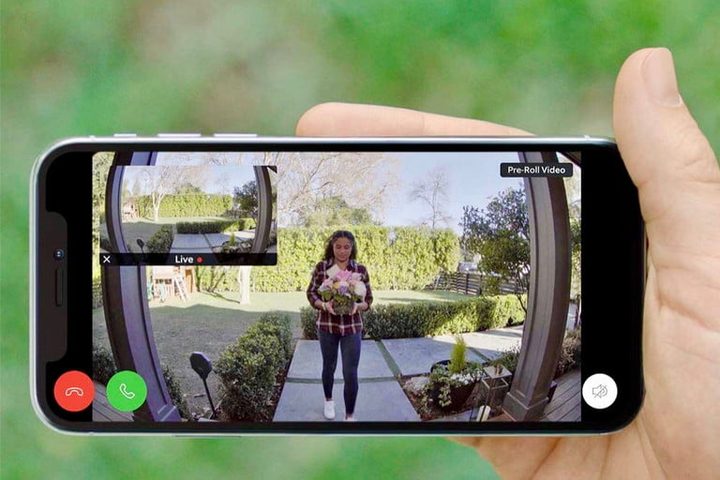
There are a few things you can try to help preserve battery life. If possible, angle the video doorbell so that it doesn’t face a street or sidewalk, or at least faces them as little as possible. This can cut down on things that may trigger events. You may also want to avoid models or settings that capture video preview footage before an event or take periodic photo snapshots for a daily timeline — these things may drain batteries faster. Additionally, Ring suggests taking these steps specific to its devices:
- Some Ring Doorbells have the ability to set Motion Zones. You can adjust Motion Zones to avoid busy streets and other areas so the sensor won’t trigger as easily or to lower the sensitivity overall if it’s becoming a problem. Always check to see if you need a Ring Protect plan to use these features.
- Use your settings to disable the Ring Doorbell at the busiest times of the day. You won’t get notifications, but it will help save on battery life.
- If you use Ring Smart Alerts as part of a Ring Protect plan, look for an option to change these Smart Alerts to Standard or Light mode. This may help the video doorbell use less battery power throughout the day.
- Finally, note that this is an official Solar Charger for certain Ring Video Doorbells. If your doorbell is in a spot that gets a lot of sunlight, you can use this charger to automatically recharge the battery, so you’ll have to worry about it a lot less.
It’s also worth noting that your local weather can impact the battery life of your Ring doorbell. Extreme temperatures are known to reduce battery life — so folks up in Alaska or down in Texas might see numbers much lower than folks living in Los Angeles.
What happens when a Ring Doorbell battery dies?
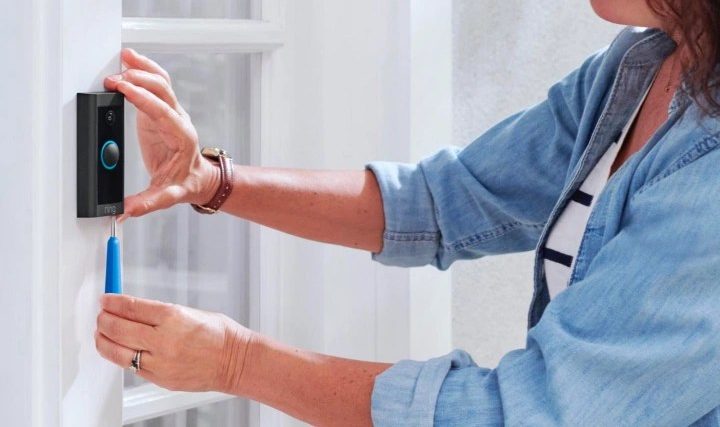
If the battery has run out of charge, you can recharge it with the included charging cable. You’ll need to remove the faceplate to get to the battery, though that only requires the removal of a single screw. Your Ring app should let you know when the battery is about to run out.
What is the lifespan of a Ring Video Doorbell battery?
The battery should last for at least several years without dying entirely or failing to hold a useful charge. If it does die completely, you can find replacement packs on Amazon and similar sites. Just make sure that you get the right battery for your model, as they can vary between video doorbells. If the battery fails within the first year, Ring’s warranty will typically cover a free battery replacement.
Note that exact timings for the lifespan of a Ring Video Doorbell battery are hard to determine. Several factors can affect the total lifespan of your Ring Video Doorbell’s battery:
- Environment conditions including heat and humidity
- How often you charge the battery
- How often the Ring Video Doorbell gets used
In a more general sense, we can estimate that a given video doorbell’s lifespan is for five plus years, and their batteries should have a comparable lifespan, granted that they may need a replacement within the timeframe.
Do I have to fully charge a Ring Video Doorbell battery?
Yes, it’s a good idea. Today’s rechargeable batteries generally don’t suffer from overcharging, so you should wait until the battery is fully recharged before returning it to the doorbell. Sometimes a partially-charged battery can also cause incorrect battery alerts when placed in the doorbell, too.


