
Everyone knows about Alexa — Amazon’s versatile digital assistant that lets you dish out voice commands and connects to hundreds of smart home devices. From smart speakers and smart displays to smart lights and video doorbells, the list of products that work with Alexa is astronomical (and it’s always growing larger). But what exactly is Alexa capable of, and how can it help you with your smart home? Whether it’s setting up complex automation to run your home or just getting a quick look at the day’s weather, here’s everything you need to know about how to use Alexa.
What is Alexa?
Alexa is a virtual assistant created by Amazon. Put simply, Alexa is an artificial intelligence (AI) service that you can interact with by using various devices or through an app on your phone. It’s recieves frequent updates, ensuring it works smoothly and gains new skills over the years.
How can I access Alexa?
Alexa can be found on devices like Amazon’s Echo line of speakers and their video screen version, the Echo Show. Amazon is also constantly expanding its line of devices. For example, Echo Auto brings Alexa to your car, Echo Frames are built into glasses, and there are also Echo Buds earbuds.

There are also non-Amazon devices that work with Alexa. Devices like the Ecobee4 Smart Thermostat, iHome’s AVS16 Alarm Clock, LG’s Smart Instaview Refrigerator, and the Sonos One speaker are all Alexa-enabled. You can also read about the best Alexa-enabled devices here.
Since Alexa is managed using the Alexa app, you can also use your smartphone to interact, meaning even folks using Apple iPhones or Android devices can find a way to access digital butler services. Many smart home devices can also be controlled with Alexa automation.
What kinds of things can you do with Alexa?
If you have an iPhone, you’re probably familiar with Siri, Apple’s A.I. interface. Alexa works similarly in that you can simply ask it questions. To interact with Alexa, you simply say “Alexa” and then follow up with your question or command.
To find out what time it is, you’d simply say, “Alexa, what time is it?” Alexa will respond and tell you the time. You can ask about events in the news, general knowledge questions, what the weather forecast looks like, or which movies are opening this weekend.
Alexa can also find answers to many everyday questions since it uses technology to search the internet and provide you with a verbal response based on what was found.
How to use Alexa
Some people never go further than simple trivia questions with their Alexa-enabled devices, but it’s capable of so much more. Here’s a look at some of our favorite Alexa features:
- Set timers and alarms.
- Do recipe or measurement conversions.
- Create or add to lists.
- Control smart home devices like lights, thermostats, smart locks, and more.
- Watch TV and movies on Amazon Prime.
- Listen to the radio, get news or traffic info, and see clips of current events.
- Make audio or video calls.
Communicating with Alexa
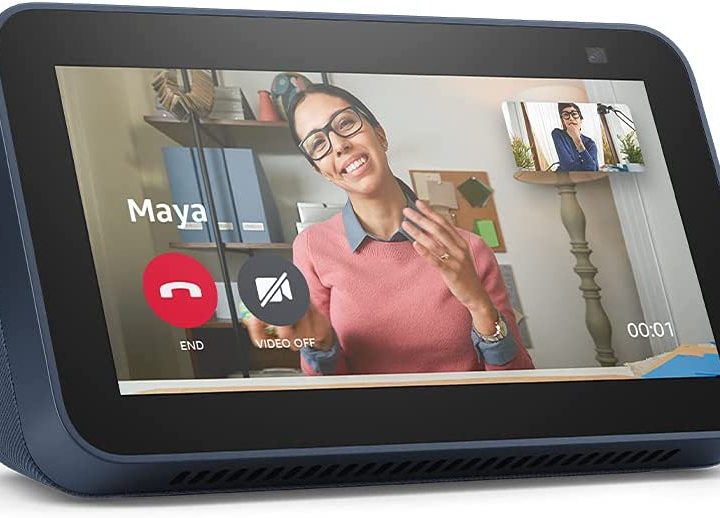
If you have an Echo Show, you can ask Alexa to video-call someone who also has one. Video chat is a wonderful feature, especially for those who have older family members they need to check in on regularly.
Alexa can also help you call the family together for dinner by acting as an intercom within the home.
Taking Alexa functionality to the next level
The next level involves connecting Alexa with your other applications and using a voice command to launch them. You can have Alexa play your current audiobook from your Audible account, play your favorite songs from Spotify, set up a ride with Lyft, or check traffic and arrival times from Waze.
You can also ask Alexa to select workout routines and videos from your health app or view recipes from All Recipes.
So many apps and products work with Alexa that it’s nearly impossible to keep an updated list. Alexa’s functions and interactions with other apps and devices are controlled by commands known as “skills.” A skill is a pre-programmed event or outcome that you can trigger by asking Alexa a question. Linking up Alexa with the iRobot Roomba skill, for example, would allow you to launch your robot vacuum, clean certain rooms, and return to base — all just by asking. Be sure to regularly check for new skills, as you never know when updated abilities will drop.
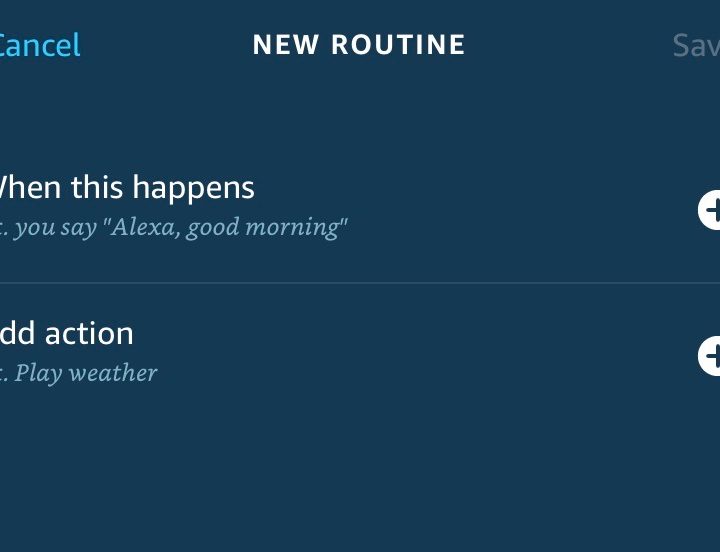
Use Alexa for routines
The next step is using skills to create “routines.” Routines are simply a number of commands and skills grouped together and triggered by a single command.
Let’s say Christmas is approaching, and you want to make the living room cozy without having to walk around to turn lights on and off. Providing your lights are either Alexa-enabled smart lights or plugged into a smart plug, you could create a routine where you say, “Alexa, Merry Christmas!” and then Alexa will:
- Turn off the main overhead light.
- Turn on the plug that controls the Christmas tree lights.
- Turn on a lamp with a color-changing bulb.
- Set that bulb to a soft green color.
- Start your Christmas playlist on your Amazon Echo or another speaker.
- Adjust the thermostat to a warmer temperature.
You can create another routine that turns all of those things off by saying, “Alexa: To all a good night.”
Another great routine idea is to create an emergency routine that turns the lights on or even flashes them and turns on a siren noise. You can activate that by voice command or have it set to go off if a door or window sensor is tripped during certain hours. Tech-savvy parents could set up a routine that will flash a smart light in their bedroom when a window or door is opened after midnight to keep track of when their teenagers arrive home — or sneak out.
What do you need to use Alexa?
To use Alexa, you’ll need a speaker that is Alexa-enabled, like any Echo or Echo Show device, or another manufacturer’s speaker that is Alexa-enabled — they’re usually well-labeled.
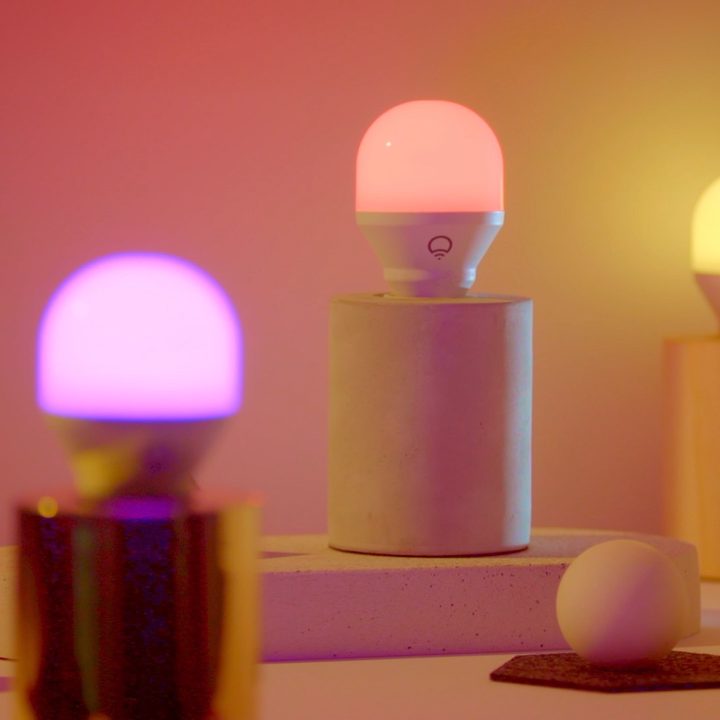
If you want to create routines and add new skills, you’ll need a smartphone or device to run the Alexa app. For home automation, you’ll need smart home gadgets that can be triggered by Alexa — things like smart plugs, light bulbs, or sensors.
Privacy and security concerns
Since Alexa relies on voice commands, the microphone on the Echo device you use is always on. The new Echo Show 10 also has a camera, so understandably, you may be concerned about unknown people or hackers listening to or watching you.
Amazon says they only record audio once the wake word is used until the end of that interaction.
You can turn off the Echo microphones if you want (but then you’d lose the easy functionality of being able to call out commands at any moment), and you can also manage and delete the audio recordings from an Echo by saying, “Alexa, delete everything I said today.” A privacy setting allows you to delete recordings automatically from three months up to 18 months.
The Echo Show has a privacy shutter that you can slide over the camera when you’re not using it, too.
The bottom line here is that you’ll need to feel an element of trust that you’re not being surveilled, and if you’re uncomfortable, there are lots of unconnected speakers out there.
Can I customize Alexa?
While Alexa has a now-iconic voice and mannerisms, it is customizable.
You can use a different wake word to trigger Alexa. Instead of saying, “Alexa, do this,” you can say, “Computer, do this” or “Echo, do that.” You can also change Alexa’s voice from the default setting to make it speak in various languages and accents within a language (English can be set to Canadian English, or Alexa can respond with an Australian or British accent).
It also has a Whisper Mode, so you can talk without waking up anyone else, and a Brief Mode if it’s getting too chatty.
Amazon’s Alexa is a smart digital assistant that’s always learning and improving its AI game. Because it lives in the cloud, that means your Echo device will always have the latest version, so no need to wait for new iterations. If you haven’t yet made the leap to a savvy digital butler, now’s the time.


