

The number of smart home security cameras to choose from today can be overwhelming. Great products are being produced by Ring, Arlo, Wyze, Tapo, and other prominent brands, and they all offer many of the same specs and are well-equipped for protecting your property.
One of the first decisions you’ll need to make when shopping is between wired and wireless security cameras — and it’s not a decision to take lightly.
While there’s a lot of overlap between the two categories, there are some major differences to consider before picking a security camera for your home or business. From the installation process to what they’re able to record, here’s a look at wired and wireless cameras to help find the best option.
Wired and wireless, defined
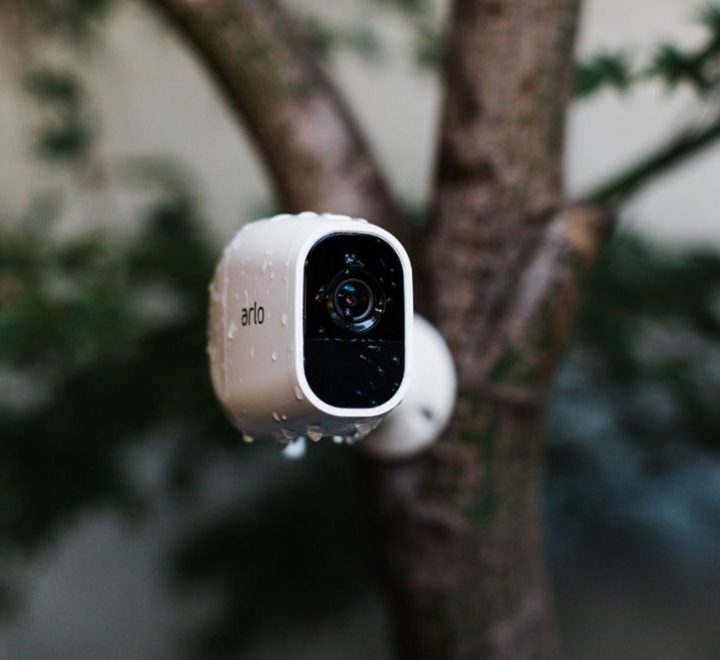
There are actually three types of security cameras to discuss: wired, wireless, and wire-free. Wired means the camera uses cords to connect to power and networking. So you don’t have to rely on Wi-Fi for these models.
Wireless typically contains two different groups. Cameras with internal batteries that don’t have an ethernet connection and solely rely on Wi-Fi are known as wire-free. On the other hand, if the security cameras connect to the internet via Wi-Fi but still have an AC cable, that camera is still considered wireless. So the actual identifier is how the camera handles network connection. Aside from a few features, both types of wireless cameras are very similar, so we’ll be including them in the same group for this comparison.
Hardware comparison

Wired security cameras are typically standard DVR-style security cameras. You’ll see them a lot in a business rather than at residential homes. However, they are a bit more complicated to install due to the extra cables and that it requires a connected base station. Companies will go through the walls to hide the cables and optimally place the cameras, which also prevents cable damage and fray.
Wireless security cameras are more common in residential areas, likely due to the ease of installation and lack of messy cables. They are pretty easy to place where the homeowner wants, especially the wire-free versions. You have to be sure you can reach them pretty easily to charge the batteries with those particular models.
The only other real issue with placing a camera in a place that’s typically easier to reach is that wireless cameras are more prone to tampering.
Verdict: Again, it comes down to the place you want to secure, but as most of our readers are general consumers, wireless cameras come out on top. The ease of installation and the clean aesthetic push them over the top.
Security

The central part of a security camera is the actual security it can provide. Evaluating this category comes down to the audio, video, and unique features that each camera type provides.
Features with both cameras can be similar. While it’s easier to find the latest, greatest, and even gimmicky features in wireless options, most exist in wired options as well. In addition, companies will show off newly updated detection features on wireless setups faster than on wired models. So you get notified of updates more frequently and reliably with wireless options.
The main security advantage of wired setups is consistency. Wired security cameras don’t rely on Wi-Fi, so their connection and video feed are far more stable than wireless setups. Wi-Fi can be unstable even with the fanciest of routers. Also, even if your router doesn’t go out completely, changes in speeds or bandwidth can affect the video quality. Having low resolution is almost as bad as not having a feed at all.
Plus, not necessarily having to connect to Wi-Fi means that wired cameras are generally less susceptible to hacking attempts.
Verdict: For general security and connectivity, wired security cameras are the way to go to maintain the best video quality and feeds. Higher-end models will also have similar features to the new and shiny wireless cameras.
Privacy

Speaking of hacking, let’s talk about security camera system privacy. Inherently, wireless cameras are more susceptible to hacking due to their reliance on Wi-Fi. Wired options can connect to the internet but it isn’t necessary in many systems.
That doesn’t mean you have to worry if you opt for the wireless route. There are plenty of options to help ease any privacy concerns. Just like any internet-enabled product, you should change the default password immediately. With a cloud-based system, if you get access to one device in the cloud, there’s a high chance you can get access to the whole system. Some systems will also allow enabling two-factor authentication, which we definitely recommend doing if it’s an option.
There are also laws to help prevent and give consequences to anyone who tries to hack or record your cameras’ feed.
Verdict: A wired camera system will be more appealing to privacy-first consumers.
Other concerns

There are a few features and drawbacks to note when comparing the two types of security cameras. Many wireless cameras have cloud recording options. Some models only have this option. Not only does this mean you have to pay for a subscription to get meaningful recording choices, but it also means that there isn’t a backup in case something happens to the Wi-Fi.
Wired cameras are also capable of recording continuous footage, whereas wireless cameras often only begin recording if motion is captured. Features such as the continuous video recording offered by Arlo and Pre-Roll offered by Ring often don’t work on battery-powered units and require a connection to a power outlet. Wired cameras almost always offer this feature, whereas it’s hit-or-miss for wireless products.
One extra benefit of wireless cameras is the ability to add new cameras to the setup relatively easily. You can just mount the new camera, add it to your home system, and you’re good to go.
Conclusion
For our primary readers, we recommend wireless security cameras. For homeowners, wireless cams are generally easier to install and maintain and provide a host of continually updated features. They integrate into our smart home more efficiently, and you don’t have to worry about privacy concerns more than usual. A more prominent compound or a small business would be better served with a wired security camera that’s installed by an electrician.



