
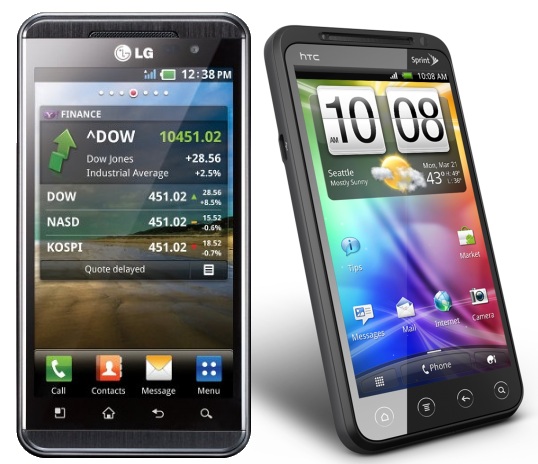
This week, Nintendo launched the first major glasses-free 3D handheld device. If you’re wondering, yes, it has better 3D than either of these two phones. However, HTC and LG aren’t far behind. While I have no love for LG’s implementation of 3D in the Optimus Pad tablet (T-Mobile G-Slate), LG’s first attempt at 3D in the smartphone space is a different story. The LG Optimus 3D does the third dimension justice with glasses-free 3D. And HTC’s new entry, like everything HTC seems to put out lately, is polished and worthy of attention. But which phone is the best and which offers the best 3D experience? I spent some time with both devices at last week’s CTIA trade show. My findings are below.
3D effect
Winner: LG Optimus 3D (aka AT&T Thrill 4G)
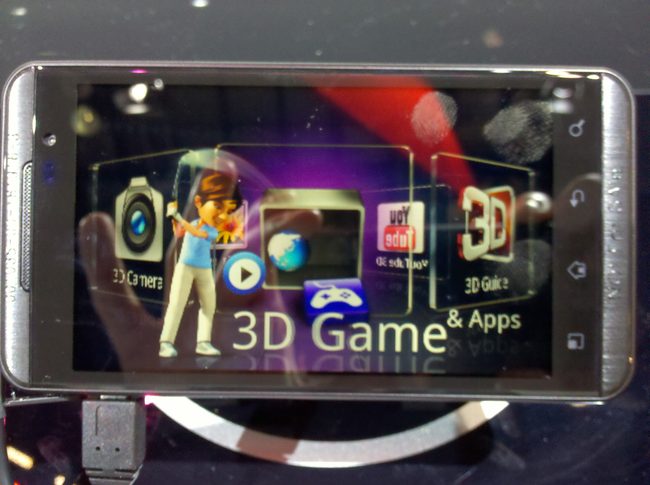
We have to hand this one to LG. We were unable to look at both phones side-by-side, but LG’s 3D demonstrations had a lot more depth to them and the 3D viewing angles were slightly more relaxed on the Optimus. To be more specific though, LG created menus and software that specifically shows off the power of its 3D. HTC hasn’t really done this yet. Its weather app had some fun 3D effects, but to really experience 3D, you had to open the camera. Neither device used 3D in the traditional menus. Representatives said this would drain the battery and strain the eyes. I agree.
On the lower left side of the LG Optimus there is a dedicated “3D” button that opens up a rotating 3D cart with camera, games, apps, YouTube 3D, and other options full of 3D-specific content. We’re giving this category to the Optimus because it attempts to make 3D an experience instead of an underused feature. Several full games were rendered in 3D, something we did not see on HTC’s device.
Horsepower
Winner: HTC EVO 3D
Both the EVO 3D and Optimus are great phones where it relates to specs, but the EVO pulls ahead. While there have been a lot of 1GHz dual-core processors floating around the show, the HTC EVO 3D is the first I’ve seen with a 1.2GHz dual-core Snapdragon processor. The Optimus has a 1GHz TI processor. In addition, though both screens are 4.3 inches, the EVO 3D also has a higher resolution at 540×960; LG’s display is a respectable 480×800. Both devices also have a full 1GB of RAM, but the LG has double the storage of HTC’s device with 8GB. For some reason, HTC chose to only include 4GB of internal storage. However, where it lacks in storage, the EVO 3D makes up for in 4G WiMax support on Sprint. Despite the word “4G” in carrier name (“AT&T Thrill 4G”), AT&T’s HSPA+ high speed network doesn’t hold up to Verizon or Sprint’s LTE and WiMax networks. HTC’s EVO also has dual speakers, though it was too loud to try and figure out the benefit a second speaker brings.
Camera
Winner: HTC EVO 3D
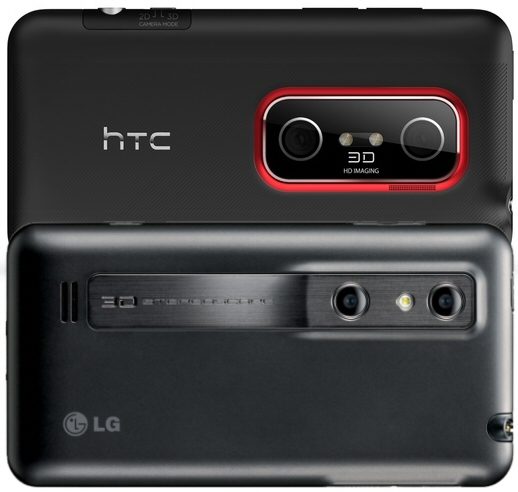
Both devices have dual stereoscopic 5MP 3D rear cameras and 1.3MP front cameras, but HTC’s device simply takes better photographs, overall. The 3D photos from both cameras had decent depth, but HTC’s camera took better 2D pictures, especially in lower light. The HTC EVO pictures were more colorful and higher quality overall during the brief time I spent with the devices. HTC’s camera software was more sophisticated, with more options and a display that showed pictures more naturally in 2D before it shifted to 3D.
Though the LG Optimus has a dedicated 3D button that opens up its 3D menu, HTC has a built in 2D/3D toggle that directly connects to its camera, which has a very nice round button. So for those interested in camera features, HTC appears to have had this in mind first and foremost. Both devices can shoot 1080p video in 2D and 720p in 3D, but I did not get a chance to shoot any moving video on either.
Operating System
Winner: HTC EVO 3D
There isn’t much debate here. HTC is running on a brand new version of Sense built over Google’s new Android 2.3 Gingerbread OS. Not only do users get the performance and battery improvements of Gingerbread, but HTC’s Sense is more complete experience than LG’s custom interface. HTC’s new 3D rotating cart effect (check it out in the video for the HTC EVO View 4G) is also fairly kickass. Still, the new LG interface does boast a few cool features like the ability to group and organize applications in new ways.
Overall
Winner: HTC EVO 3D
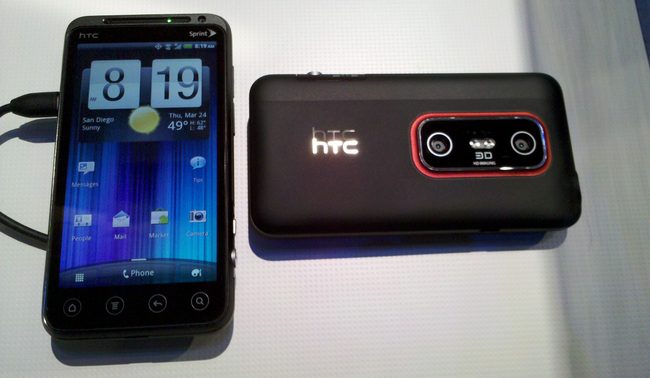
For being the first two phones with glasses-free 3D, I am fairly impressed with both the LG Optimus 3D and HTC EVO 3D. They both pull off 3D well (though neither compare to the Nintendo 3DS) and both companies were smart enough to not try and make the entire menu system 3D. LG’s 3D apps menu also stands out and is a great demonstration of its capabilities. With that said, HTC’s device takes the cake where it relates to 3D cameras, hardware, and operating system. Battery life and price may still be an issue with both of these devices, but as it stands we think HTC delivers a more solid overall experience.



