
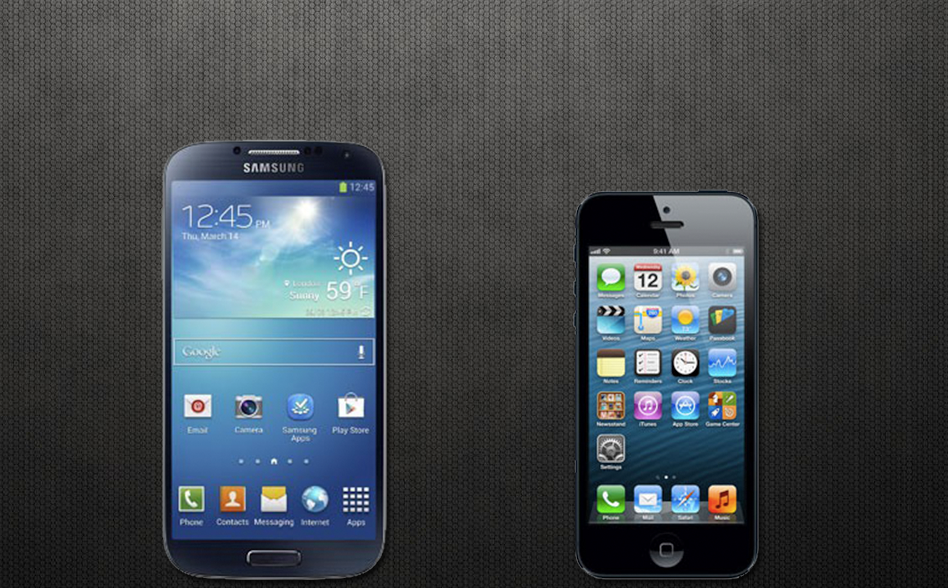
The Galaxy S4 has been announced by Samsung, and with it comes a slimmer and lighter design alongside powerful hardware including an impressive eight-core processor. Samsung is certainly basking in the glory of its highly anticipated launch, and is already probably doing a victory dance against Apple, but the question remains to see just how the Galaxy S4 stacks up to Apple’s own heavyweight, the iPhone 5. The Galaxy S4 is certainly the newest player on the block, and the iPhone 5 is already beginning to seem a tad dusty with six months under its belt, but let’s let the numbers do the talking for this one.
(Be sure to check out our other GS4 spec comparisons including the Galaxy S4 vs. Galaxy S3 and Galaxy S4 vs HTC One. We’ve also got a full Galaxy S4 hands on with videos and pics galore. Finally, if you want a full rundown of features and information, check out our GS4: Everything You Need To Know.)
|
Galaxy S4  |
iPhone 5  |
|
| Price |
TBA | $200 |
| Availability |
TBA |
AT&T, Sprint, Verizon, Cricket |
| OS | Android 4.2.2 Touchwiz UX/US | iSO 6.1.2 |
| Processor | Exynos 5 (Eight-core) | Dual-core A6X |
| RAM | 2GB | 1GB |
| Display | 5-inch Super AMOLED | 4.0-inch Retina Display |
| Resolution | 1920×1080 pixels | 1136×640 pixels |
| Dimensions (WxDxH) | 5.38″ x 2.78″ x 0.34″ | 4.87″ x 2.3″ x 0.3″ |
| Weight | 4.60 oz | 3.95 oz |
| 4G LTE | Yes | Yes |
| NFC | Yes | No |
| Wi-Fi | 802.11 b/g/n | 802.11 b/g/n |
| Rear-facing camera | 13 megapixels | 8 megapixels |
| Front-facing camera | 2 megapixels | 1.2 megapixels |
| Video capabilities | 1080p recording | 1080p recording |
| Internal storage | 16/32/64GB | 16/32/64GB |
| SD card slot | Yes (up to 64GB) | No |
| Max. battery life | 2600 mAh | 1440 mAh |
The bottom line: Let’s face it, unless you’re a really big fan of iOS, or you hate big screens, the iPhone 5 and its hardware just doesn’t hold a candle to the hardware pumped into the new Samsung Galaxy S4. With an eight-core processor, bigger battery, and bigger screen, you almost feel like the Samsung Galaxy S4 is cheating in comparison to the mere 4-inch screen and dual-core processor in the iPhone 5. While Apple may, at the very least, catch up with a quad-core processor come July or August with its iPhone 5S, it’s still not going to cut it for the Apple handheld. While a bit heavier than the iPhone 5 and with a inch more of real estate, the Galaxy S4 just wins in every category, hands down.



