
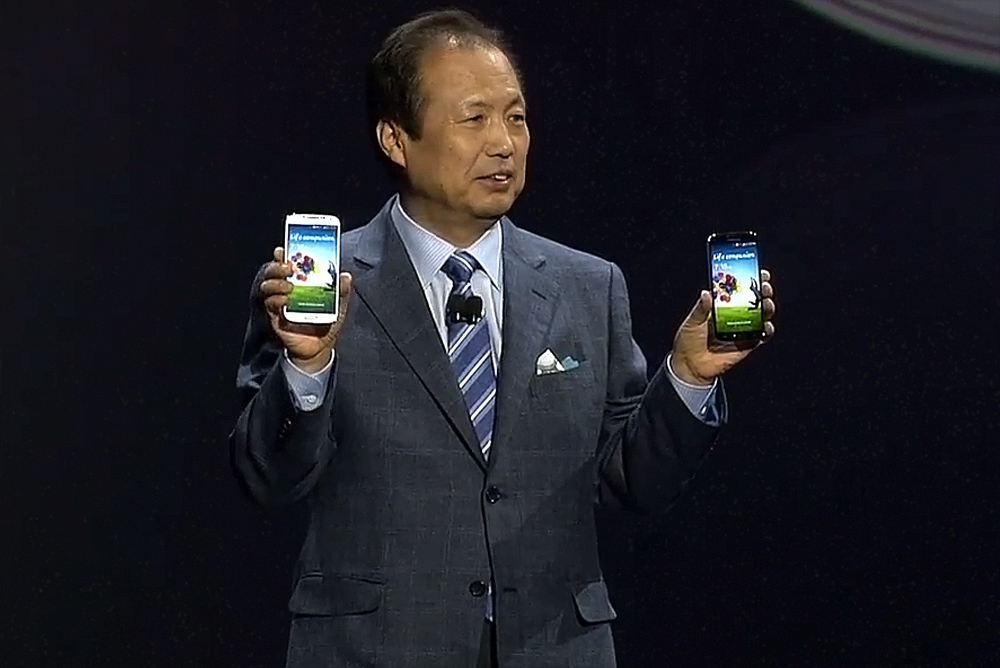
After weeks of build-up – from hints of the screen size and shadowy teaser pictures, to annoying children in Samsung promo ads – we’ve finally been introduced to the real Samsung Galaxy S4. At an event in New York City’s Radio City Music Hall, Samsung officially revealed its highly anticipated smartphone on Thursday night.
So what’s it like? Well, it’s almost exactly what we expected. Samsung has upped the screen size from the Galaxy S3, giving the Galaxy S4 a 5-inch display with a 1080p resolution and a 441ppi pixel density. The camera is equipped with a backside illuminated sensor and has been increased to 13 megapixels, while the front-facing video call cam is 2 megapixels with full HD recording. The design is identical to that seen in the many leaked pictures, and Samsung says it’s slimmer at 7.9mm thick, lighter at 130 grams, and stronger than the Galaxy S3.
As for power, it’s driven by a 1.6GHz Exynos 5 Octa (eight-core) processor, however in the U.S., it’ll use a quad-core 1.9GHz Snapdragon S4 Pro chip. Samsung has stuffed an impressive 2600mAh battery inside the Galaxy S4, along with 3G and 4G LTE global connectivity, Bluetooth 4.0, Wi-Fi, and a mass of sensors including Infrared, temperature, proximity, barometer, a gyroscope, and even one for measuring humidity. Rounding out the spec sheet is NFC, GPS, 2GB of RAM, a microSD card slot and a choice of either 16GB, 32GB, or 64GB of internal storage.


Software features galore
This is a Samsung phone though, so it’s packed with a bewildering array of new software features, which have been integrated into its TouchWiz user interface that obscures the Android 4.2.2 operating system. Even before the phone was unveiled, we were introduced to Dual Camera, Sound & Shot, Smart Scroll, Smart Pause, Air View, S Translator, Group Play, S Health, Samsung Knox, and Samsung HomeSync.
If you’re wondering what the hell they all do, here’s a quick rundown. Dual Camera has previously been seen on LG’s Optimus G Pro, and enables both front and rear cameras to record simultaneously. Slightly more interestingly, it also works with video calls. S Translator understands nine different languages, and supports both text to speech, and speech to text. Samsung Knox separates work and play, much like BlackBerry’s Balance, to keep both areas of your life apart.
There’s also Air View, which is something like the hover feature seen on the Galaxy Note 2, except you use your finger to preview content and media. This is taken to the next level with Air Gesture, where swiping over the top of the screen can change pages or even accept calls. Smart Scroll is the official name of the rumored Eye Scroll feature, but it’s controlled by tilting the phone up or down, and not the eyes. It’s joined by Smart Pause, which pauses video playback when the phone notices you’re not looking at the screen. Samsung will be releasing a series of health-related accessories, including those which monitor blood sugar.
The Galaxy S4 will be released at the end of April, eventually reaching 327 operators in 155 countries, in two colors, Black Mist and White Frost.



