
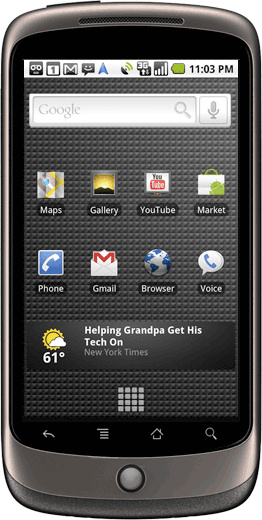
 There is inherent risk in being the first to get a new device. Early adopters often enjoy being the first on the block with a new gadget. However, when things go wrong with a new device, the early adopters are often the ones left frustrated with devices that may or may not work as advertised.
Early adopters of the Nexus One on the T-Mobile network are reporting significant issues with 3G service on the handset. According to hoards of posts to the Google public forums, the Nexus One is switching from 2G to 3G networks on a whim and many are unable to use their data service reliably. Some users report no access to 3G connectivity at all.
InformationWeek quotes one forum poster saying, “I upgraded from a Blackberry Pearl to the Nexus One. I cannot get any 3G service as of yet. Don’t know what the problem is. T-Mobile and HTC support weren’t able to help.”
Some reports are claiming that HTC has acknowledged that there is an issue with the phone. However, Betanews reports that HTC has not officially acknowledged that there is an issue with the handset, which it builds for Google. The confusion seems to stem from a forum posting by HTC workers looking for more information on the issue.
Fingers are being pointed in all directions at this point with some blaming HTC, some blaming Google, and some blaming T-Mobile. It’s too early in the process for anyone to say definitively what is causing the issues at this point.
An HTC spokesperson told Betanews, “While the majority of Nexus One owners have been thrilled with their experience, HTC is aware that some owners have reported having some technical issues with their Nexus One devices. HTC, Google, and T-Mobile take all such reports very seriously, and are working closely together to determine what issues may be behind these reports.”



