  1. Home
  2. Mobile
  3. Legacy Archives

Kobo Arc 7-inch tablet updated to Android 4.1 Jelly Bean

Add as a preferred source on Google
kobo
Image used with permission by copyright holder

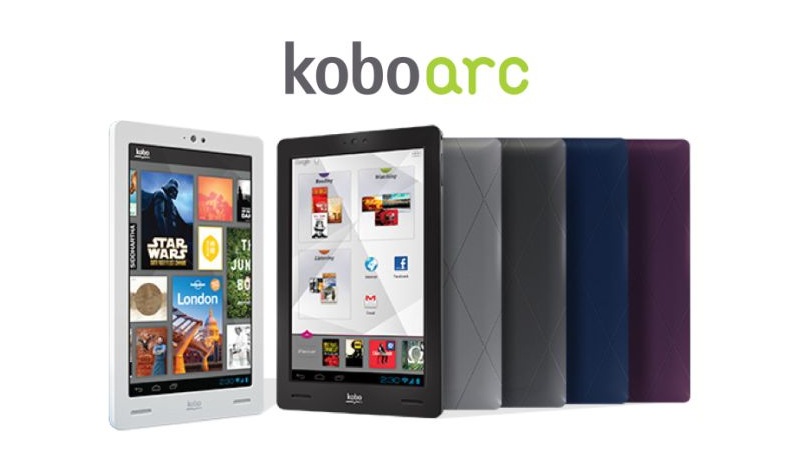
Kobo, an e-reader/tablet manufacturer that is quickly gaining traction in the tech world, just announced that its tablet, the 7-inch Kobo Arc (Read our Kobo Arc review), is finally getting an update to Android 4.1 Jelly Bean.

The update can be downloaded by all users as of now. According to Wayne White, EVP of Devices, “With the latest Jelly Bean update, Kobo Arc becomes the perfect e-reading companion that offers more with intelligent search recommendations, voice-to-text, and a highly responsive touch screen.”

Recommended Videos

With the new update, several key benefits have been highlighted by the company, giving users incentive to download it:

  • Google Now: For those that typically are on the road when using their device, this feature will be quite useful. It organizes schedules, giving traffic updates, train schedules, and restaurant recommendations. (Looking for a nearby spot to kick back and read? This is perfect for that.)
  • Improved Notifications: The update will allow Kobo to send update snippets to the notification area, giving users the option to expand for more details.
  • Updated Search: Users will now be able to access Google Search directly from the lock screen with a simple swipe. Once in the search screen, Voice Search can be activated simply by saying “Google.”
  • Better Voice Recognition and Predictive Typing: Jelly Bean greatly improved its voice recognition technology, allowing for impeccable searching even when not connected to the internet. On top of that, for those who prefer to type out their searches, the software is much better at predicting intended searches.
  • Face Unlock: This is a pretty cool feature. When unlocking the phone, users can opt for the device to require seeing them blink, in order to verify that it’s a real person.

For those unfamiliar with Kobo, its line of e-readers is based on the premise that digital reading availability should be flexible. It offers apps on iOS, Android, BlackBerry, and Windows, so even if you download a file to your e-reader, you can read it on a plethora of other devices.


Joshua Pramis
Spending a childhood engrossed in such technologically inspiring television shows like Voltron, Small Wonder, and Power…
Topics
Snapchat Planets: What’s the order, and what do they mean?
Snapchat Planets turns your best friends list into a solar system, and yes, your orbit says a lot
Snapchat Planets being shown on the Snapchat app on iPhone.

Snapchat is already packed with little symbols that can be weirdly hard to decode. You have streaks, emojis, badges, scores, Best Friends, and if you use Snapchat Plus, a tiny solar system that shows where you sit in someone’s closest-friends list.

The feature is called Friend Solar System, though most people just call it Snapchat Planets. It takes your position in a friend’s Snapchat orbit and turns it into a planet. From Mercury to Neptune, these celestial bodies signify how close a person is to you.

Read more
How to use WhatsApp Web
We'll show you how to use WhatsApp on your desktop or laptop
WhatsApp Web

As one of the most popular messaging services, you’ve already heard of WhatsApp. From its humble beginnings in 2009—two years before Apple introduced iMessage—to its acquisition by Facebook (now Meta) in 2014, WhatsApp has become the dominant messaging platform around the globe.

In recent years, it's grown even more potent with new features like video messages, self-destructing voice messages, the ability to edit sent messages, and more. We even finally got an WhatsApp iPad app in May 2025.

Read more
What is WhatsApp? How to use the app, tips, tricks, and more
From setting it up to mastering hidden features, here is your complete guide to WhatsApp.
Electronics, Phone, Mobile Phone

There's no shortage of messaging apps out there. The past decade has given us more options than we know what to do with, largely because smartphones demanded something better than plain old SMS.

Both the App Store and the Play Store are packed with apps that promise to revolutionize the way we communicate. Most of them didn't make it. The truth is, a messaging app is only as good as the number of people using it, and most apps never cross that threshold.

Read more
