1. Home
  2. Entertainment
  3. Evergreens

March Madness 2025: NCAA Tournament Final Four schedule, time, how to watch

Add as a preferred source on Google
Logo for the final four.
NCAA

After two weeks of competition, the 2025 NCAA Tournament heads to San Antonio for the Final Four. All four No. 1 seeds have reached the Final Four for only the second time in tournament history. The only other time it happened was in 2008. The remaining teams include Florida, Auburn, Duke, and Houston.

Two teams — Florida and Duke — have won multiple championships. Florida won back-to-back titles in 2006 and 2007. Duke has five titles, with their last coming in 2015. Meanwhile, Auburn and Houston are searching for their first championships in school history. Auburn has never reached Monday’s title game, while Houston lost consecutive championships in 1983 and 1984.

Recommended Videos

Two teams will advance to Monday night’s championship game. Find out how to watch the Final Four games below.

March Madness 2025: NCAA Tournament Final Four schedule, times

#MFINALFOUR IS SET 🙌

ALL FOUR 1-SEEDS MAKE IT FOR THE FIRST TIME SINCE 2008 ‼️#MarchMadness pic.twitter.com/Ijq2FAencV

— NCAA March Madness (@MarchMadnessMBB) March 30, 2025

No. 1 Florida vs. No. 1 Auburn start time, channel, and live stream

No. 1 Duke vs. No. 1 Houston start time, channel, and live stream

Stream March Madness on Sling

Sling TV logo on Apple TV.
Phil Nickinson / Digital Trends

Unfortunately, CBS is not on Sling TV . However, you can watch the Final Four with a Sling subscription through the March Madness Live app. If you open the app, you can authenticate a Sling subscription, which provides access to the games, even if they’re on CBS. Watch on your phone and computer.

Sling offers two paid plans: Orange at $46 per month and Blue at $51 per month. You can combine both for a monthly price of $66. New customers will receive 50% off the first month.

Sign up for Sling TV

How to watch March Madness from abroad with a VPN
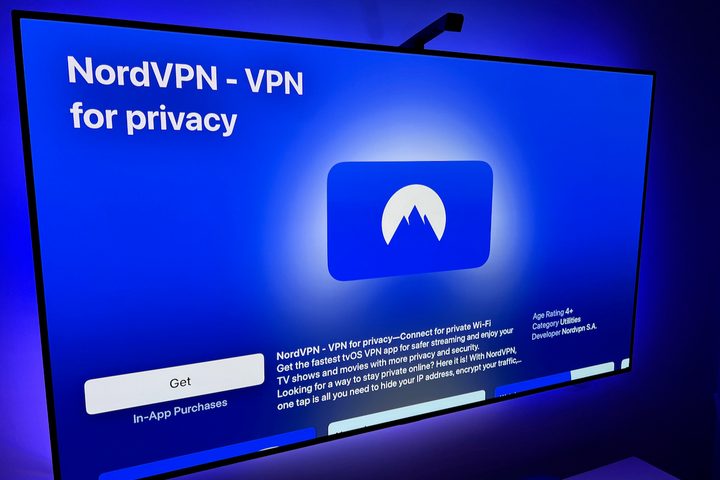
NordVPN for Apple TV.
Derek Malcolm / Digital Trends

Don’t miss out on the Final Four because of streaming issues. If you plan on traveling abroad, make sure to download a VPN service to combat regional broadcast restrictions. The best VPN on the market is NordVPN, which offers a 30-day money-back guarantee. However, you’ll likely want to keep the service once you see how it protects your connection.

Dan Girolamo
Former Entertainment Writer
Dan is a passionate and multitalented content creator with experience in pop culture, entertainment, and sports. Throughout…
Netflix is about to feel more like social media with a vertical feed coming soon
Netflix's mobile app is getting a TikTok-style makeover this month
Vertical video feed on Netflix.

Your Netflix app is about to get a social media makeover. The streaming giant confirmed in its Q1 2026 earnings letter to shareholders that a redesigned mobile app with a vertical video discovery feed is arriving by the end of April. "This redesign will better reflect our expanding entertainment offering and make it easier for members to engage how and when they want," the letter reads.

How is Netflix using vertical video to help you find your next watch?

Read more
How to stop watching YouTube Shorts?
Phone in hand showing YouTube logo

I’ll be honest — I have zero self-control when it comes to YouTube Shorts. It doesn’t matter if I’m working or casually watching TV; the moment one short grabs my attention, I’m pulled straight into an endless scroll I didn’t really sign up for. And that’s the last thing I need when I’m trying to stay focused. Back in October last year, YouTube introduced a timer to help limit how long you spend on Shorts. It was helpful, but it didn’t quite solve the problem. Now, there’s finally a way to remove Shorts from your feed altogether. I had to try it for myself, and safe to say, it makes a real difference. Here’s how you can get rid of Shorts from your feed and keep the distractions at bay.

How to remove it?

Read more
After price hike, YouTube Premium is now half the price if you pay for Google One
YouTube Premium is suddenly half off, but only if you buy into Google One
YouTube Premium on iPhone.

YouTube Premium got harder to justify after its recent price hikes, and YouTube Music Premium also followed soon after. But Google now has a new way to make the bill sting a little less.

The Gemini team just announced a bundle deal that lets users get 50% off YouTube Premium for a whole year. But while this sounds solid on paper, this is not a no-strings-attached promo deal.

Read more