Music-making software doesn’t usually come cheap. In fact, for serious musicians and producers, it may well be worth it to pay for a subscription or a steep one-time fee for audio editing and music creation software. After all, the premium versions tend to have more advanced features. If you’re just starting out in music production or just feel like you’d rather avoid the hefty price tags altogether, there are free options for music-making software worth considering.
In this guide, we’ll take a look at five of those options. Whether you’re a Windows or MacOS user, a musician, or an aspiring DJ, you’re sure to find a software option that fits your music creation needs on our list of the best free music-making software.
Avid Pro Tools First (Windows 10 and MacOS)
Experienced creators and musicians already know that Avid Pro Tools leads the industry in music production software. This premium music editing and creation software can come with a hefty price. If you’re a beginner or just a musician on a budget, you may wonder if Avid Pro Tools is even an option for you. The answer is: Yes. There is a free version (albeit limited in features) that Avid offers. It’s called Avid Pro Tools First. Pro Tools First comes with features such as four maximum inputs, 16 MIDI tracks, 16 instrument tracks, and a maximum supported sample rate of 32-bit, 96 kHz. The free version of Pro Tools also includes nondestructive editing, elastic audio, retrospective MIDI recording, and a MIDI editor. It does not have many of the premium features that the paid versions of Pro Tools have, including Dolby Atmos Music mixing or loop record track comping.
ProTools First is available for Windows 10 and MacOS devices, but it is worth noting that it’s not currently compatible with MacOS Catalina. Avid says support for MacOS Catalina is “coming soon” and that it does support Sierra, High Sierra, and Mojave.
GarageBand (MacOS)
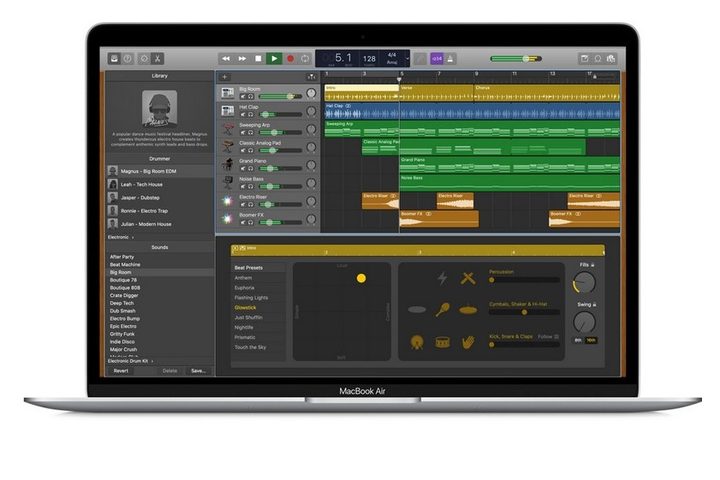
Mac users can easily make use of the free GarageBand download and use this music production app. Apple’s tagline for GarageBand is, “A recording studio on your Mac,” and that actually seems to be the case. GarageBand is crammed full of useful recording studio features such as Drummer (which is the ability to add virtual session drummers or beat producers to a track), Sound Library (a collection of drummer loops, sounds, and instruments), and multi-take recording.
If you want to learn how to play an instrument, GarageBand even has you covered there. The app also offers free, basic music lessons for guitar and piano playing that feature genres such as classical, blues, pop, and rock.
Audacity (Windows, MacOS, and Linux)

Audacity is free, bare-bones audio editing and recording software. When it comes to recording audio, an Audacity download does allow users to record live audio, audio from other recorded media, and streaming audio. You can also make multitrack recordings and record multiple channels simultaneously. You can edit audio in Audacity using simple cut/copy/paste commands, and you have the benefit of unlimited undos and redos to help untangle any mistakes you’ve made and restore your audio file to a version you want. You also have access to a limited number of effects such as Auto Duck (which allows for voice-overs), echo, reverb, the ability to isolate vocals, noise reduction (for background noises), and crossfade, just to name a few.
Audacity also has a detailed online manual that can help show you how to use the software and get the most out of it.
PreSonus Studio One 4 Prime (Windows or MacOS)
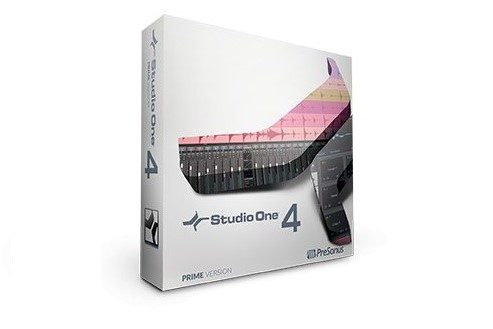
PreSonus’ Studio One 4 Prime is the free-to-use version of Studio One, PreSonus’ primary (and paid) digital workstation offering. While its name might be a tongue-twister, users will be over the roof to use the free version, even if they can’t pronounce it. This software is strong, and simple to use. It also includes a variety of helpful features to get new users started. If you want to take advantage of the experience in its entirety, you’ll have to upgrade. Prime offers you unlimited MIDI and audio tracks, ten effects plugins, a 32-bit audio processing resolution, almost a full 1 GB of sample and loop content, both single and multitrack comping.
Studio One Prime is available for Windows and macOS devices.
Serato Studio (Windows or MacOS)

Serato Studio is an awesome, free introductory program that can help newbie producers and wanna-be DJs get their foot in the door in digital music production. While this app isn’t meant for advanced users, it provides newcomers with plenty of tools to help you start. You’ll have access to free tutorials, Sound Packs (collections of drum kits, loops, and other instruments), up to four Scenes and Decks each (the building blocks of your Serato songs), and the ability to export your tracks in MP3 format. You’ll be missing out on some features included in the paid version, but for what you’re paying, (nothing) you’re getting some pretty great features. If you like the free version, the full version of Serato Studio is worth thinking about.