Alongside new scam protection updates, Google announced a separate set of privacy and theft protection upgrades for Android at the Android Show I/O Edition today. From finer control over which apps can see your location and contacts, to new tools that make stolen phones harder to access and easier to recover, the updates give Android users more say over their own data.
Your location and contacts stay yours
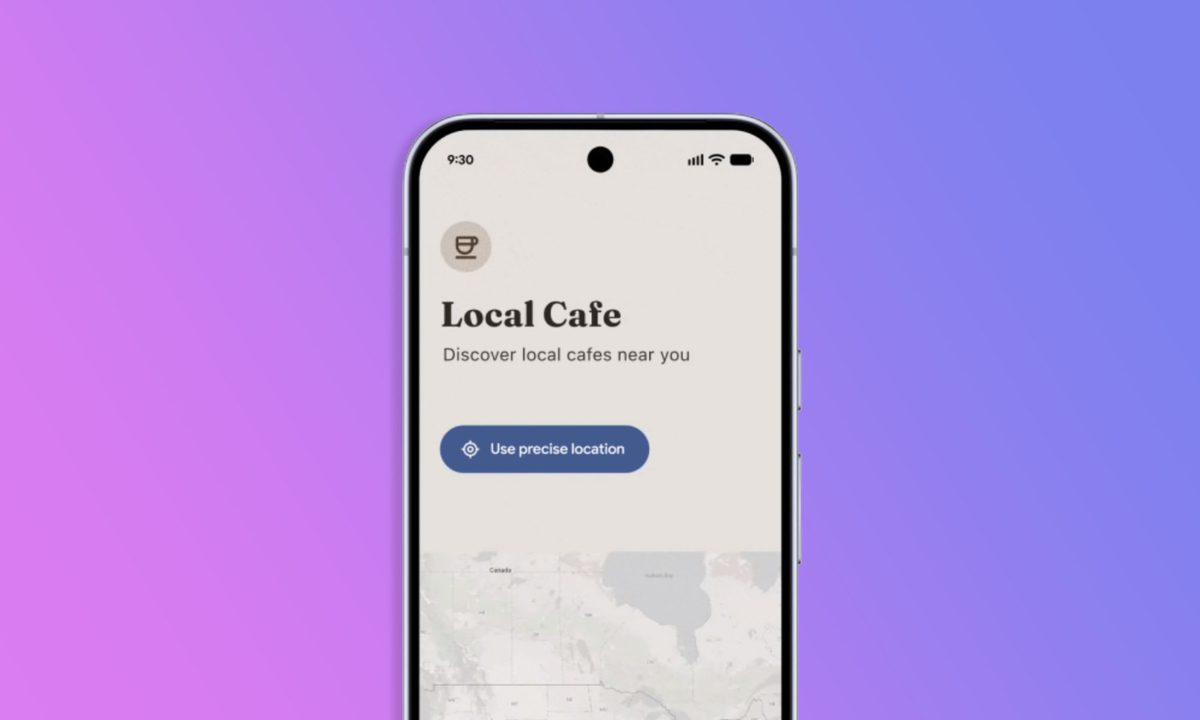
Android 17 will introduce a new location button that lets you grant an app precise location access only while it’s open. Once you close the app, access will be revoked automatically, with no permanent permissions or repeated prompts.
A new on-screen location indicator, first spotted in an Android 16 QPR3 beta release, will also appear at the top of your screen whenever any app accesses your location, similar to the existing camera and microphone indicators. Tapping it will show you which apps have recently used your location and let you adjust permissions on the spot through a “Recent app use” dialog.

A new contact picker will give you finer control over what apps can see in your address book. Instead of granting blanket access to all your contacts, you’ll be able to share access to specific contacts only, for as long as the task requires. Apps will also be able to specify which contact fields they need, so they won’t pull in more data than necessary.
Google says app developers will be encouraged to adopt both the location button and the contact picker to comply with Google Play policy.
Stolen phones will be harder to crack and easier to recover
Google will expand its default-on theft protections globally with Android 17. Remote Lock and Theft Detection Lock will be enabled by default on all new Android 17 devices, as well as those freshly reset or upgraded to the latest OS. In Argentina, Chile, Colombia, Mexico, and the UK, these protections will also extend to devices running Android 10 and later, following a successful pilot run in Brazil.
The Find Hub Mark as Lost tool will also require biometric authentication to unlock a marked device in Android 17, preventing thieves who know your PIN from disabling tracking or gaining access to your phone. Triggering Mark as Lost will also hide Quick Settings and disable new Wi-Fi and Bluetooth connections on the device.

Android 17 will additionally reduce the number of PIN and password guesses allowed before lockout and add longer wait times between failed attempts, making brute-force access significantly harder.
To make recovery easier, your device’s IMEI will be accessible from the lock screen on Android 12 and later. Law enforcement, device manufacturers, or mobile network operators will be able to use the identifier to verify ownership and return the device to you. Users will have the option to disable this feature from settings.
Taken together, these updates close some of the more persistent gaps in Android’s privacy story. Apps will no longer need your entire address book to find a single contact, your location won’t linger with an app after you’ve closed it, and a stolen phone will be significantly harder to crack even if the theif knows your PIN.