While the most discussed features of iOS 11.3 have been the performance management and battery health tools, Apple also released a bevy of new features in the update such as Apple Business Chat. This new addition allows users to hit up partnered companies through the Messages app, instead of waiting on hold to talk to a customer service representative.
Business Chat is currently in beta, and it shows. Only a handful of companies are supporting this feature at the moment, and starting a chat is a little wonky. It’s still a feature that holds a lot of promise, especially since there is a lot of competition in this space from the likes of Facebook’s bots and Google’s Chat program, and it’s likely Apple’s version will become much more robust by the time iOS 12 officially launches in the fall.
What can you do on Business Chat?
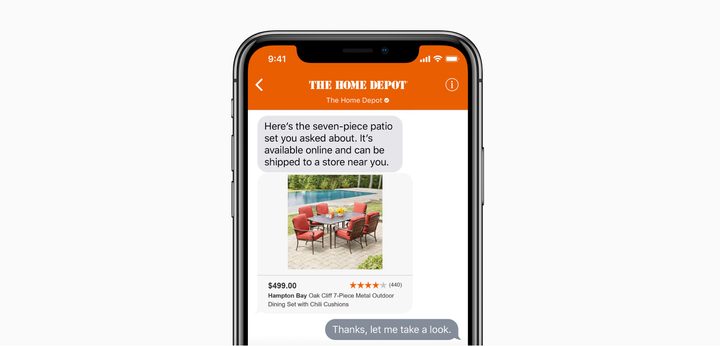
Like Google’s RCS for Business initiative, Apple verifies businesses so you can trust that you’re actually talking to a representative from the business you’re contacting. Here are a few things you can do in Business Chat.
- Contact customer service
- Discuss account information with your bank after authenticating in Business Chat
- Make purchases and pay via Apple Pay
- Make appointments
- Update your mobile plan
In short, functionality depends on the business itself. When you initially contact a business, it doesn’t receive any personal information, but you can opt to provide it to complete certain tasks and transactions. Apple’s Messages app uses end-to-end encryption, which means Business Chat is a very safe option.
How to set up Business Chat


To use Business Chat, you need to do a few things. First, you need to download the latest version of iOS. You can do that by tapping Settings > General > Software Update and follow the prompts. Be warned, this process can take a while so you want to make sure that your phone is charged and that you won’t need it for the next few minutes. It’s also a good idea to backup your iPhone or iPad to save your data.
Once you’re running the latest version of iOS, make sure you have iMessage turned on by going to Settings > Messages and toggling on the iMessage option. You may be prompted to create an Apple ID if you haven’t done so already.
How to start a Business Chat
Starting a Business Chat is not as simple as opening your Messages app and searching for a business, though we’re certainly hoping that functionality will come with iOS 12. Here are a few ways to start a Business Chat:
Spotlight search

Perhaps the easiest way to start a Business Chat is by using Spotlight search. To open Spotlight search, you can either swipe right to the Today View or swipe down on your home screen. When in Spotlight search, type the name of the business you wish to contact. Here, you will see a list of different options. Tap the message icon under the Business or Maps field.
Map search


While Spotlight search may be the easiest way to start a Business Chat, it doesn’t always work. We had better luck finding the chat option in the Maps app. To start a Business Chat in the Maps app, simply tap on the Maps icon and search for the business by name. Once you find a nearby location, tap on it; you will see how long it typically takes the business to respond to messages. Swipe up and click on the Message icon to start a Business Chat.
Siri


While Apple states that you can initiate a Business Chat through Siri, we were unable to get the virtual assistant to help. When we asked Siri to initiate a Business Chat with verified businesses, she would either set up reminders or show nearby locations of a business without providing an option to send a message. Since Business Chat is still in beta, we’re giving it a pass on this option for now. Once this method works properly, we will update this story.
Online/App


The final way to start a Business Chat is either by searching for a business in Safari or tapping the Messages icon in supported apps.
How to end a Business Chat


Business Chats do not end when you stop chatting with the company — the conversation remains open in case you need help again. If you want to end a conversation and remove the thread from your app, go to the main screen of the Messages app, swipe left on the conversation, and tap Delete. Once you successfully delete a thread, you will see a message pop up asking if you want to stop receiving messages from the business.
Supported businesses
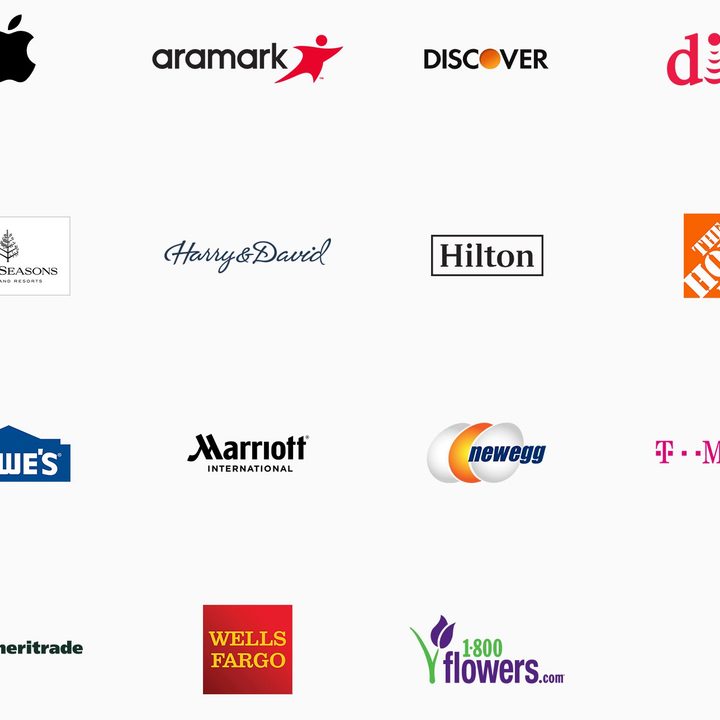
Currently, only a small number of major companies support Business Chat, however, we expect to see that list expand in the coming months. Since Apple requires companies to use certain customer service platforms with the service, it’s unlikely you will see mom and pop businesses with the feature in the near future.
Here is a list of companies that currently support Business Chat:
- Apple
- T-Mobile
- Lowe’s
- Home Depot
- 1-800-Flowers
- Discover
- Hilton
- Marriott International
- Wells Fargo
- TD Ameritrade
- NewEgg
- Four Seasons
- Harry and David
- Dish
- Aramark
For the most up-to-date list of businesses that support Business Chat, you can check out this page.