Curious about which messaging app fits your requirements? WhatsApp, Telegram, and Signal are some of the most secure options, offering end-to-end encryption to protect your conversations. Additionally, there are distinctive apps like Dust, where messages vanish after 24 hours, and Discord, which are tailored for gamers to chat effortlessly while playing. On the other hand, Snapchat and Kik are favorites among younger users, providing entertaining filters and the chance to participate in large group chats.
With many messaging apps offering features such as video calls, file sharing, and self-destructing messages, selecting the right one can be challenging. This is why we have evaluated 10 of the most notable options on Android and iOS. Please take a look at our comprehensive breakdown that includes all the essential details. These apps are compatible with the Galaxy Z Fold 6, iPhone 16, and any devices supporting Android or iOS.

WhatsApp is a free messaging app that allows users to send text messages, make voice and video calls, and share images, documents, and other content. It’s one of the most popular messaging apps in the world, with over 2 billion users in 180 countries.
One of the main reasons for WhatsApp’s popularity is its ease of use. You only need a phone number to sign up, and the app is available on various platforms, including smartphones, tablets, and computers. WhatsApp also offers end-to-end encryption, which ensures privacy. Only the sender and recipient can read or listen to messages and calls. Not even Meta, WhatsApp’s owners, can see messages.
In addition to basic messaging features, WhatsApp offers group chats, voice and video messaging, and the ability to share your location. It is a versatile app that can be used for both personal and business communication.
Facebook Messenger
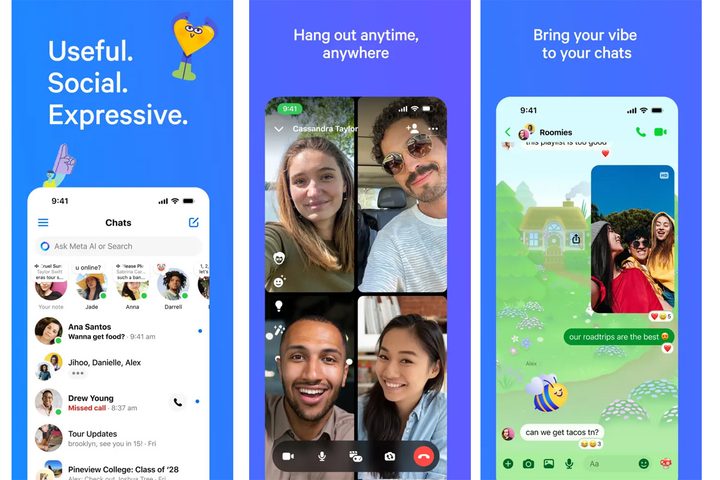
Facebook Messenger is a free instant messaging app and platform developed by Meta Platforms. Initially designed as Facebook Chat in 2008, it was released as a standalone app in 2011 and has since become one of the most popular messaging apps worldwide.
Messenger allows users to send text messages, photos, videos, and voice messages to other Facebook users and even those without a Facebook account using only a phone number. It supports voice and video calling, group chats, and features a variety of interactive elements like stickers, GIFs, and games.
Beyond personal communication, Messenger is increasingly used by businesses for customer service, marketing, and even transactions. It offers features like automated responses, chatbots, and payment processing, making it a versatile tool for businesses of all sizes.
Telegram

Telegram is a cloud-based instant messaging service that emphasizes speed and security. Known for its strong encryption and focus on privacy, Telegram allows users to send text messages, photos, videos, and files of any type and make voice and video calls.
One of Telegram’s key features is its ability to create large group chats with up to 200,000 members, which makes it popular for communities and organizations. Telegram also offers “channels” for broadcasting messages to an unlimited audience, similar to a social media feed.
Telegram is available on various devices, including smartphones, tablets, and computers. All messages are synced across devices in real time. Its focus on privacy, versatility, and broad feature set have made it a popular alternative to other messaging apps.
Signal
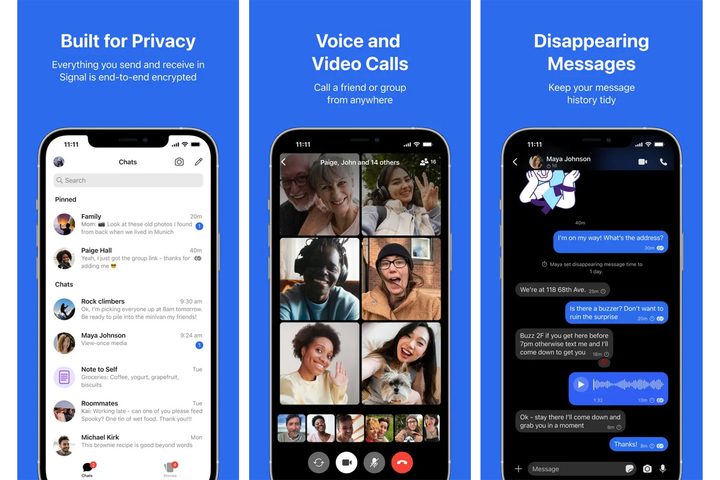
Signal is a free, open-source messaging app that prioritizes privacy and security. It offers end-to-end encryption for all communications, meaning only the sender and recipient can see the content of messages, calls, and shared files. This makes it a popular choice for journalists, activists, and anyone concerned about data protection.
Signal offers a simple, clean interface and features similar to messaging apps. These include text messaging, voice and video calls, group chats, and file sharing. Signal includes disappearing messages, screen security to prevent screenshots, and other privacy-enhancing features.
Despite its strong focus on security, Signal is user-friendly and available on various platforms, including Android, iOS, and desktop. Its commitment to privacy, ease of use, and robust features have contributed to its growing popularity as a secure and reliable communication tool.
Skype

Skype is a telecommunications application that specializes in providing video chat and voice calls between computers, tablets, mobile devices, and smartwatches via the internet. It’s one of the oldest and most recognized names in video calling, known for connecting people across geographical boundaries.
While best known for its video conferencing capabilities, Skype also offers instant messaging, file sharing, and screen sharing. It allows users to make calls to landlines and mobile phones at competitive rates, making it a versatile tool for both personal and business communication.
Over the years, Skype has been integrated with other Microsoft services, allowing users to connect with their contacts across various platforms. While facing competition from newer apps, Skype remains a popular choice for its reliable service, wide range of features, and familiarity among users.
Discord

Discord is a versatile communication platform that goes beyond basic messaging. Initially designed for gamers, it has evolved into a hub for communities of all kinds, from hobbyists and study groups to fan clubs and businesses.
Discord allows users to communicate through text, voice, and video, with features like screen sharing and live streaming. It revolves around “servers,” customizable spaces where users can gather in channels dedicated to specific topics or activities.
Within servers, users can join voice channels for real-time conversations, share files, and even participate in video calls. Discord also supports direct messaging for private discussions. Its flexibility and focus on community building and engagement have made it a popular platform for socializing and collaboration.
Snapchat

Snapchat is a popular social media app focused on visual communication, especially among younger users. Its main feature allows users to send photos and short videos, called Snaps, which disappear after viewing, promoting a casual sharing environment.
The app includes creative tools like filters and augmented reality effects, enabling unique self-expression. Users connect through an intuitive interface, sharing Snaps and viewing friends’ Stories, which last 24 hours and showcase daily moments.
Snapchat also offers text messaging, video calling, and Snap Map, allowing users to share their location and discover local events. Additionally, it features Discover Stories, providing curated content and news from various publishers and creators, enhancing its role as a versatile social platform.
Kik

Kik is a pioneering messaging app, established long ago, and has gained over 300 million registered users, particularly among younger audiences. One unique feature is that it allows users to create a username instead of linking to a phone number, enhancing privacy.
Users can easily connect with friends by scanning custom Kik QR codes, making it simple to build their networks. The app’s fun and intuitive interface enhances navigation, and integrated games offer a way to interact with friends within chat rooms.
Approximately 70% of Kik’s user base is aged 13 to 24, making it a safe platform for teens and young adults to connect and share experiences. Kik fosters a sense of community, allowing users to explore interests, join group chats, and discover new trends, embodying a modern communication tool for the youth.
Rakuten Viber

Rakuten Viber, with over a billion users globally, is a leading communication app that simplifies staying connected. It automatically adds contacts, making it easy to connect with friends and family.
The app offers robust messaging features, including text, stickers, emojis, and secure encrypted messaging with self-destructing chats for added privacy. Users can make free Viber-to-Viber calls and use Viber Out for low-cost international and domestic calls.
Additional features include a dark mode for eye comfort, a Shorts feature for sharing quick stories, and the ability to create personalized GIFs from videos. Viber Communities allows users to create groups around shared interests, supporting group chats of up to 250 participants and group video calls for up to 40, making it ideal for large gatherings.
Overall, Viber provides a versatile suite of communication tools to connect and communicate effectively.
Dust
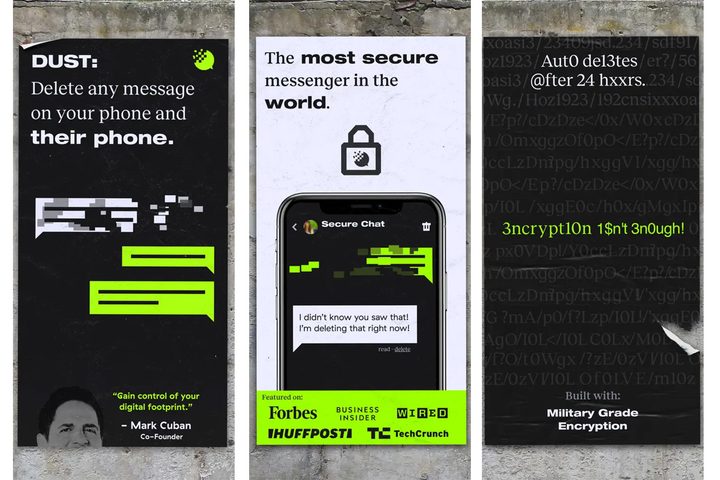
Dust is a privacy-focused messaging app that allows users to send text messages, photos, and videos that disappear after being viewed or after a set period. This self-destructing feature enhances confidentiality, ideal for protecting sensitive information.
The app heavily encrypts messages, ensuring that even its creators cannot access the content. Dust also includes a unique alert system that notifies users if someone tries to take a screenshot, increasing control over shared information.
With a strong emphasis on anonymity, users can communicate without revealing their identities, making it suitable for discussing sensitive topics. However, the disappearing message feature can complicate ongoing conversations, as lost context may hinder communication. Overall, Dust offers a secure and robust platform for privacy-conscious users.