
In the early days of Android, widgets were all the rage, but in recent years they’ve become window dressing. Lots of the best Android apps have great widgets built-in and they serve a multitude of shortcut purposes. Since powerful performance comes as standard in today’s best smartphones, there’s no longer any need to worry about the impact of Android widgets, so why not put some to use? We’ve gathered together a list of some of the best widgets for Android for you right here. Some will probably be familiar, some won’t. If you can’t find the widget you’ve been looking for, you’ll be pleased to find our first entry is a versatile widget maker.
KWGT Kustom Widget Maker
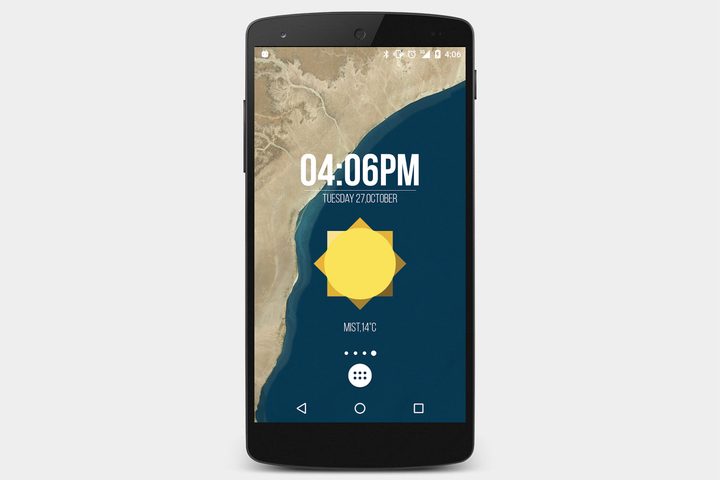
If you have a picture in your head of the exact widget you want, but you just can’t find it, then why not build it yourself with KWGT? This app features a WYSIWYG (what you see is what you get) editor that enables you to put together your own blend of text, shapes, colors, gradients, effects, actions, and more. If you’re willing to put in some time, you can create your ideal Android widgets covering everything including time, weather, music, battery, or whatever else you can think of. The pro version gets rid of ads and offers some extras for $5.
On Time

Home screens can get kind of cluttered, so we love the concept of space-saving Android widgets. On Time is a widget that displays your chosen selection of app icons, but you can set different selections for different times of day. If you always check Twitter and Feedly in the morning, then include them in your morning slot. You can have a different line-up for the afternoon, and another one for the evening. There’s even Tasker integration here, which allows you to do stuff like automatically throw up an entertainment list with music and video apps when you plug your headphones in.
Buzz Widget
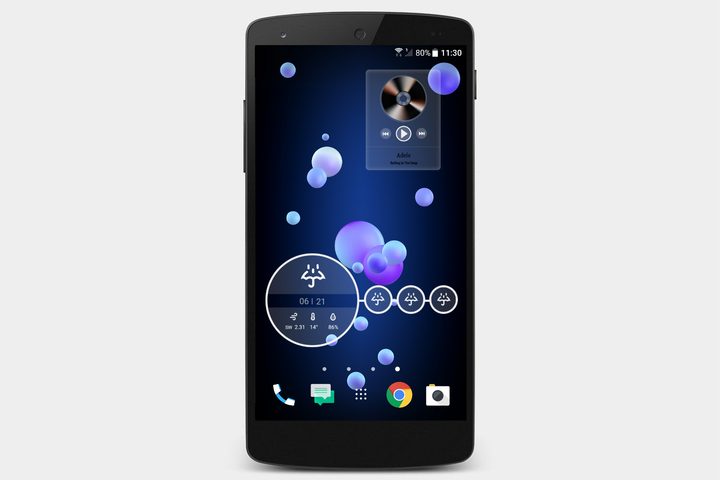
This incredibly customizable widget editor enables you to choose from countless premade widgets or dive into the options and create your own. As usual, you can include the clock, date, weather, and battery, but Buzz Widget also covers music. As long as you use Google Play Music, Poweramp, or another supported service you can put together your ideal music controls widget with album art. The sheer choice, covering everything from opacity and color to font and orientation, may be intimidating at first, but it allows you to create the exact look you want.
1Weather
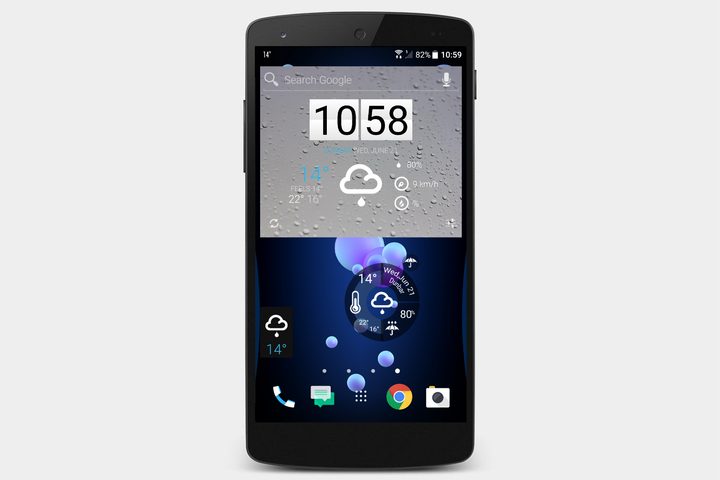
You get a nice range of different weather widgets to choose from with 1Weather. There are big widgets, small widgets, and even a round widget. The larger ones display the time, date, and location alongside the temperature and other weather details. The smallest one is a simple temperature and weather icon combo for your location. You can also get forecasts and other details, and you can track multiple locations.
Google Keep
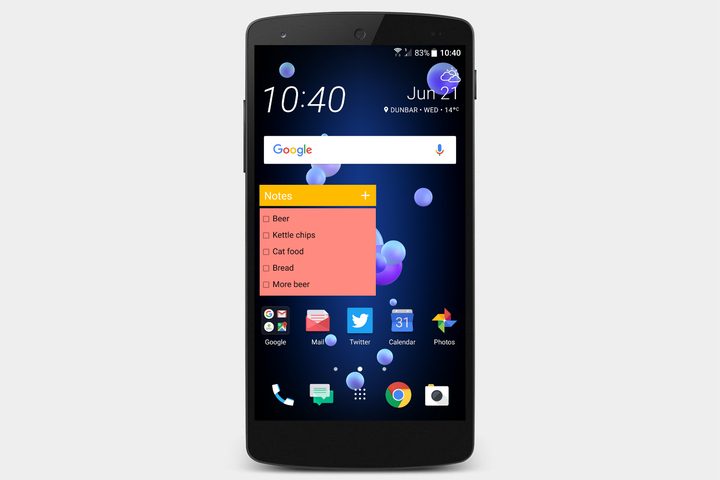
We like to use the Keep widget for shopping lists, as it cuts down on our usual, distracted, aimless shuffling up and down the aisles, but you can also use it for reminders or other kinds of notes. Choose what kinds of notes you want to appear, and there’s a tiny plus icon in the corner, so you can quickly and conveniently make new notes as text, lists, audio, drawings, or photos. Keep syncs all your notes across any devices you’re logged into with your Google account, and the widgets are simple and very handy.
Battery Widget Reborn
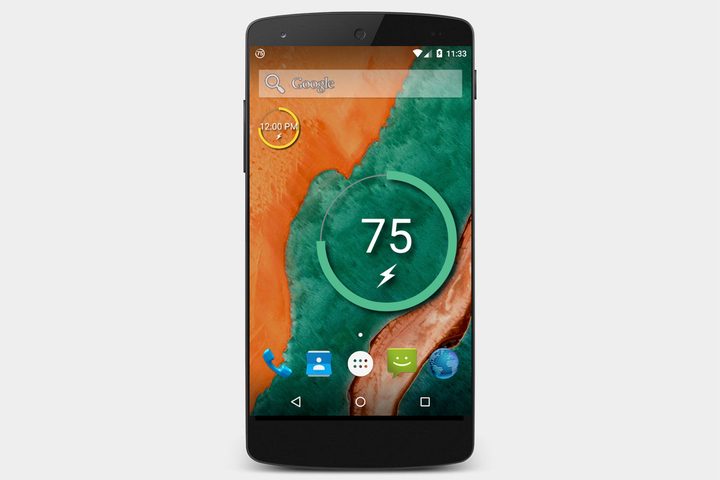
This one is straightforward, showing you at-a-glance how much power you have remaining. It’s a circular design and the outer rim fills to indicate the remaining power percentage, which also appears as a number in the center. You can configure it to display charging status, and tweak the color and size to suit you. Tap on it and you get a closer look at your battery usage and some shortcut toggles to help you save power.
Minimalistic Text: Widgets
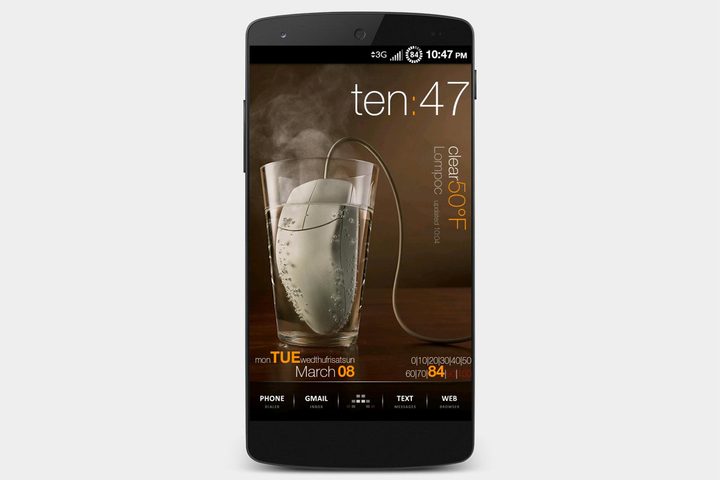
As the name suggests, this simple widget app enables you to display minimalistic text showing you information on the time, date, battery, and weather. There’s a handy layout editor that allows you to fiddle with the font, size, color, orientation, and more. This widget app also plugs into Tasker, if you want to set up an action to trigger, and it supports Buzz Launcher, too, making it easy to share your customized Android home screen.
S.Graph: Calendar Clock Widget
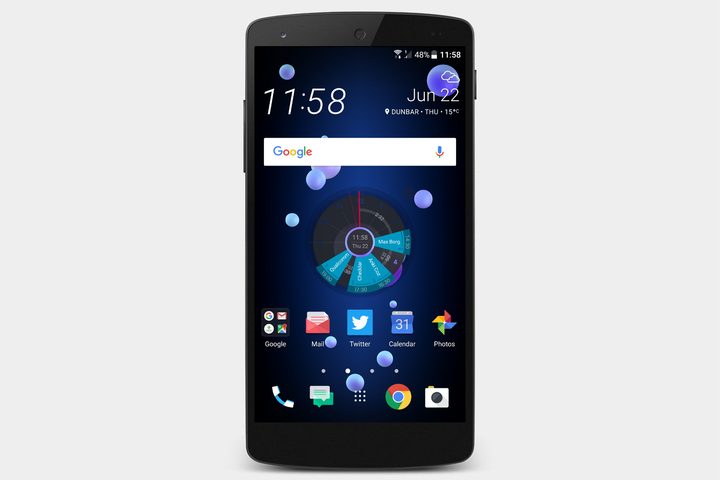
This clever widget is also one of the most stylish Android widgets we’ve ever seen. It plugs into your Google calendar — which already has plenty of neat things you can do — and displays your day’s events on the clock face. You can see the date and time at-a-glance, alongside whatever you’re supposed to be doing. It’s a nice, intuitive way to keep track of your schedule throughout the day, and you can tap on the widget and add events directly. There are quite a few configurable options, but certain things, like the extended color palette, have to be purchased.
HD Widgets ($1)
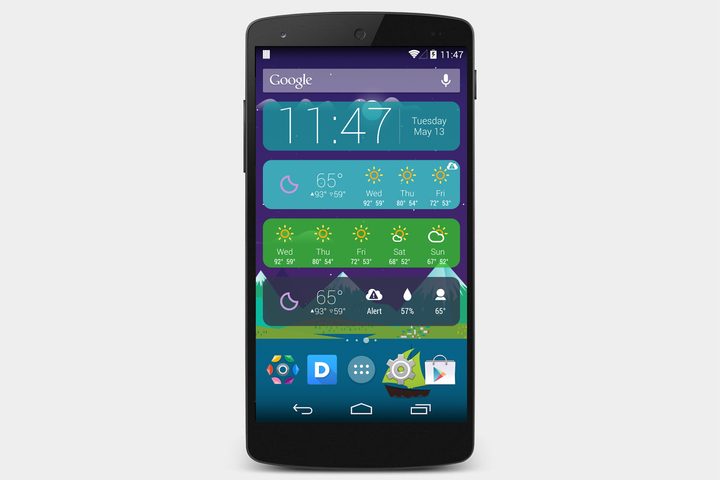
If you want lots of choice to customize the basics of your Android widgets, without drowning in options, then HD Widgets is for you. Put together your ideal blend of clock, date, switches, weather, forecast, and location in the precise size, color, and style you want. There are also a lot of extra theme packs for this app, including Kairo (pictured). It has been around for years, but it’s still one of the best Android widget apps.
Contextual App Folder
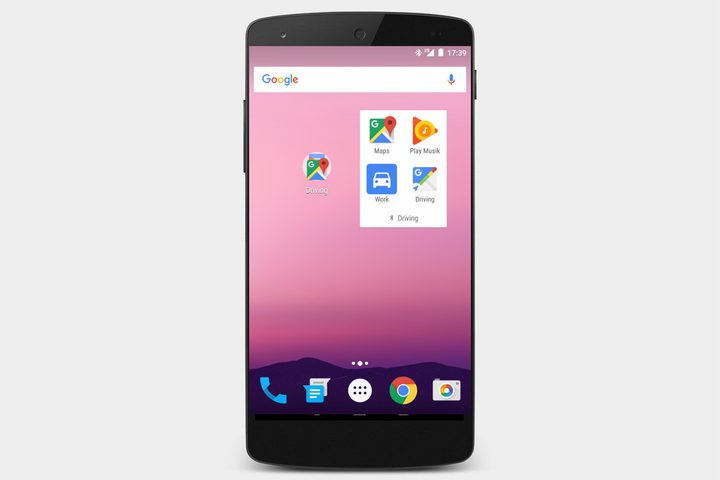
This app is a bit like On Time, but it supports different contextual groupings of apps that are triggered by events. In effect, you can have the apps in the widget on your home screen change based on Geo location, Wi-Fi, Bluetooth, charging, calling, the time, app notifications, plugging your headphones in, or a combination of triggers. So, for example, you could have Sonos, Netflix, and your lighting app pop up when you connect to your home Wi-Fi. You do have to pay $2 to access the combination triggers, but there’s a lot you can do with the free version.


