
I recently wrote about an app called Shortwave and its AI summarizer feature, which turns long, bland emails into short summaries with most of the core details intact. I’ve gotten used to that convenience to such an extent that I now want a summarized version of all the content that I read online, especially verbose news stories. By sheer luck, I came across the listing of a new app called Boring Report.
The app promises to “remove sensationalism” from news and relies on an AI capable of “generating humanlike text” to make them boring to read. Of course, these AI-generated summarized articles are not a substitute for the real stories that require considerable human effort, but if you are running short on time, but want to get a brief overview of everything that’s happened in the past 24 hours across different fields, Boring Report is the app that deserves room on your phone.
I talked to Boring Report’s creator Vasishta Kalinadhabhotla about the inspiration behind the app. He explained that a lot of online articles, even newscentric pieces, tend to gravitate toward sensationalism. With clickbait headlines, users often leave the website with a bad taste in their mouth after having skimmed through multiple paragraphs, only to discover that there are was little to no meat in the story.
Vasishta also pointed out that a healthy bunch of publications have their own biases, which can either result from an institutional direction or an individual’s discretion. In either case, the news articles – right from the headline and nut graph – tend to lose that aura of objectivity and unbiased flavor many expect from journalism.
An answer to many prayers

With that in mind, Kalinadhabhotla created Boring Report with the goal of negating the exaggeration and saucy overstatements in news stories — and did so using AI. The app’s creator didn’t tell me what exact model Boring Report uses, but only said it relies on one of OpenAI’s language models. Yep, the same OpenAI behind ChatGPT.
Boring Report cherry-picks articles across different topics and publications, passes them through the AI model, and presents news articles that go straight to the point from the very first line. The app curates news articles across eight categories, including politics, sports, science, and entertainment, from both U.S.-based and international outlets.
The interface is extremely easy to use. The UI design, staying true to the app’s core appeal of keeping things straight, is clean and minimalist. It’s almost as if you’re reading on a Kindle or any other e-ink gadget. There are no colorful graphic elements, no fancy design waves, or any other colorful graphical distraction.
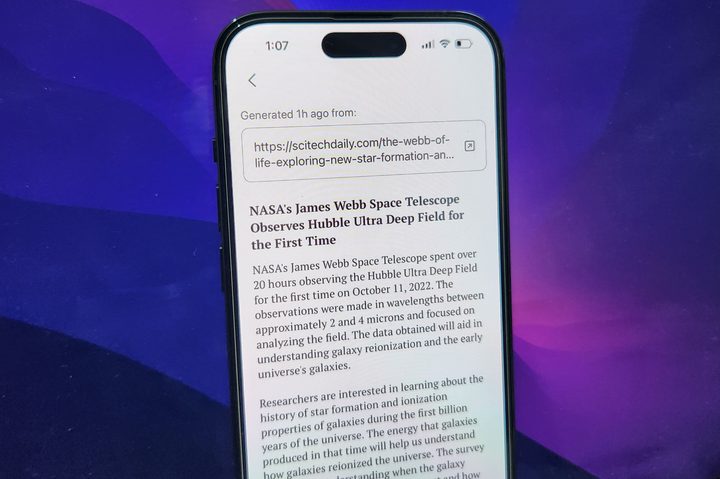
All you get is a choice between dark and light themes, while the news stories are presented in the form of blocks. As you tap on one of the news cards, you land on the story page with the source link is at the top. The AI-generated summarized version takes the rest of the screen real estate.
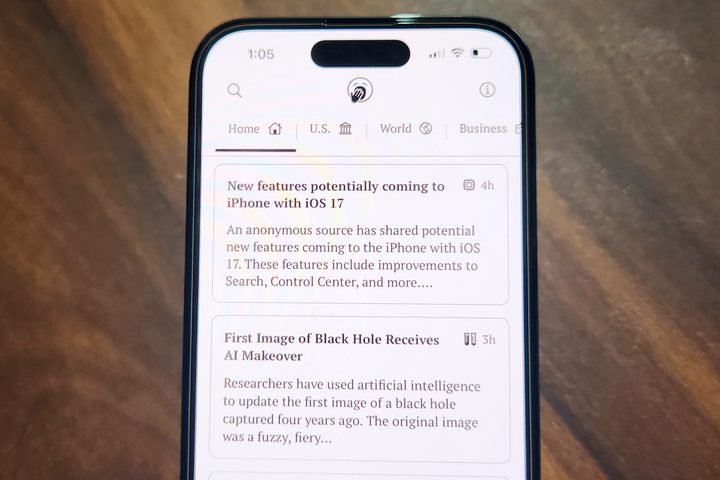
I found myself using the app more often than Feedly or any other news curator as soon as I woke up and got started with work. Not only does it present me with all the crucial information in a straightforward fashion, but it also saves me a lot of time by summarizing it in just around 100to 200 words.
The best part is that if you don’t find your favorite publication in the list of news cards — you can just pull up the outlet’s website in a browser and share the URL with Boring Report. In doing so, the app will launch, and within 10 seconds, you will get a summarized and non-dramatized version of that story on your screen. Another underrated perk is that you no longer have to see ads, autoplaying video embeds, or those pesky cookie permissions on websites while reading articles.

Boring Report works like a charm, and save for a few hiccups, I use it quite frequently. One can also counterargue that you can very well skim through the first couple of paragraphs in the original article within 10 seconds and get an idea of what the story is all about. But hey, you would still have to go through a lot of background building or opinion-driven lines in those introductory sentences.
On occasion, Boring Report’s removal of sensational content comes at the cost of meaty information. For example, there are stories where one of the key findings is what truly stands out and makes it to the headline to “rightfully” grab eyeballs. But Boring Report, despite retaining the crux of the news in the article body, strips the headline of any linguistic aspect that could draw attention and convey the urgency.
A few pitfalls — and some future plans
Not everything is perfect here. One of the most exciting features of the app is its ability to generate a boring version of an article you come across on the web. It works … for the most part. In a handful of cases, what I noticed is that the AI was fed the URL of an article, but it instead presented a tweaked version of an entirely different report from the same publication.
Another pitfall that I came across was decontextualization and diluted accuracy. That’s not really an app problem because even the most advanced products out there — like Google Bard and GPT-4 — often present misleading summarized information.
Kalinadhabhotla tells me that the team is currently planning to add a handful of new features, such as the ability to create custom feeds. Right now, what I see is a list of articles picked up by the app itself, most of which are from publications you might not even read or prefer. The small team is also trying to figure out sign-ins, especially for websites with paywalled content.
I am eagerly awaiting for the app to let users create a list of their favorite news publications across different topics and genres so they can consume their preferred content in a non-sensationalized fashion. Yes, you can still technically do it for any publication out there, but doing it on a per-article basis seems like a chore.


