

It’s an exciting year for Amazon’s Kindle lineup. Not only has the company released faster and brighter versions of its classic monochromatic e-ink readers, but it’s changed the game with a new Kindle Colorsoft Signature Edition — the first-ever Kindle with a color screen.
While the Kindle Colorsoft is tempting, there aren’t many other reasons to upgrade to one of the 2024 monochrome editions if you already have a recent Kindle model — unless you’re passionate about the new Matcha finish.
However, Kindle e-readers have been around for years and tend to have a lot of staying power. That’s long enough that these new models could be an excellent opportunity to upgrade your older Kindle to something more current. If you’re upgrading from a much older model, you may want to think about the headphone jack and whether the new models have one.
Why would a Kindle need a headphone jack?
While a headphone jack on an e-reader may seem odd at first glance, the Kindle also supports audiobooks. Not everyone uses it for this, but it’s the main reason Kindles come with so much storage.
After all, the average size of a Kindle e-book is well under 5MB, which means even the lowest-capacity 16GB model can hold thousands of them. Graphic novels or titles with lots of illustrations will be larger, but you’ll still be able to fit more books on a Kindle than you’ll likely ever need to carry.
Audiobooks require more storage, although even a 16GB model should give you enough room for a few dozen audiobooks. However, you still need a way to listen to those as the Kindle doesn’t have a speaker.
Do the 2024 Kindles have a headphone jack?
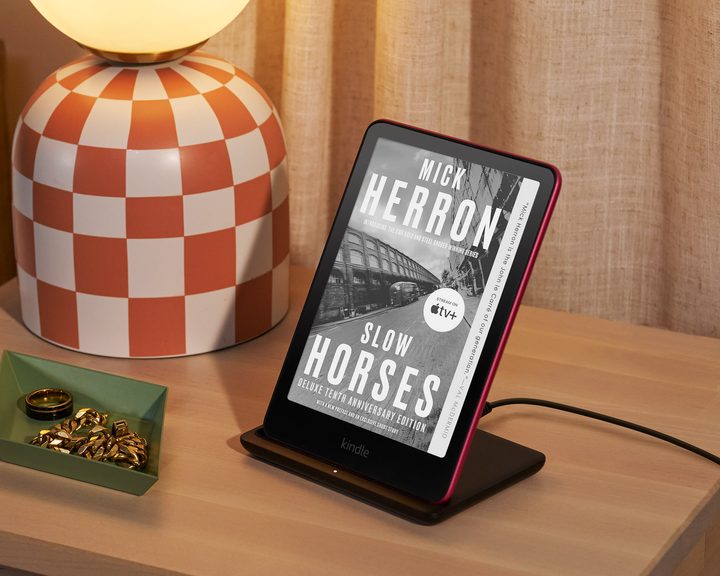
While Apple often gets either praised or vilified (depending on your point of view) for being the first to “courageously” remove the headphone jack from the iPhone 7 in 2016, Amazon got there much earlier. The first few Kindle generations, released from 2007 to 2010, all had headphone jacks and even speakers. That changed in 2011 when the Kindle 4 came along. That year’s premium Kindle Touch retained the headphone jack, but it would be the last Kindle ever to get one.
Other than a brief and unusual dalliance with USB Audio on the 2014-2015 Kindle Voyage and Kindle Paperwhite 3, Amazon’s e-readers have lacked wired audio output since 2012.
How do I listen to audiobooks on my Kindle?


The lack of wired audio output meant a few generations of Kindle e-readers didn’t support audiobooks. In 2016, Amazon introduced the first Kindles with Bluetooth wireless audio capabilities: the original Kindle Oasis and the Kindle 8. Since then, Bluetooth has become standard on all Kindles — and the 2024 lineup is no exception.
This will let you pair any set of Bluetooth headphones with any of the current Kindle models. Amazon doesn’t say which Bluetooth version or audio codecs it uses, but we can hardly imagine it matters for audiobook listening. It’s likely just the sub-band codec (SBC), the baseline standard for all Bluetooth audio accessories, which provides a more than adequate listening experience for spoken word audio.
This means there shouldn’t be any compatibility problems. Whether you’re using budget wireless headphones or premium cans from Sony or Bose, they’ll pair up seamlessly. You’re also not limited to just headphones; you can pair up any Bluetooth speaker or even a TV to your Kindle if you’d prefer to listen to your audiobooks around the home or office, which is handy since there’s no built-in speaker on any of the current Kindle models (or any others released in the past decade or so).
What else can I use Bluetooth for on my Kindle?

While listening to audiobooks is the most common use of Bluetooth on the Kindle, Amazon’s e-readers also have an accessibility feature called VoiceView, which can read out everything on your screen. Every Kindle that supports Bluetooth also supports VoiceView, but keep in mind that this is designed to help people with low vision, so it’s not just about narrating your books — it will read out everything on the screen, including menu options, which you’ll have to double-tap to activate.
Beyond VoiceView, Bluetooth support is solely for listening to audiobooks — and only those from Amazon’s Audible service. While early Kindle models allowed you to sideload music and other audio files and even included an “experimental” MP3 player, those days are long gone, and these features never existed on any Bluetooth-capable Kindles.
Bluetooth is so Audible-specific that you won’t even see an option to turn it on or pair an audio device in countries and regions where Audible isn’t available. However, you can still use Bluetooth for VoiceView in those places; your headphones or speaker will be paired when you turn on VoiceView, and they’ll be connected only while VoiceView is enabled.


