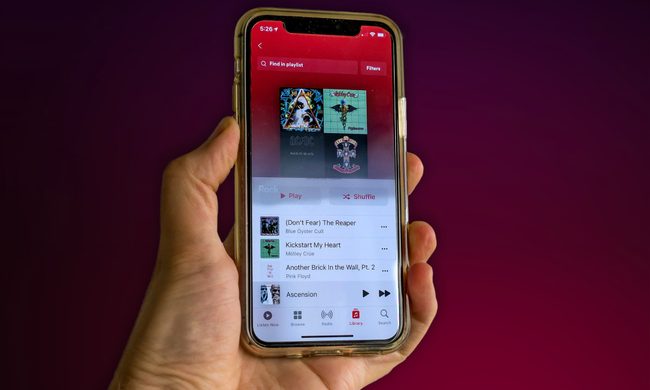
As a photographer who owns plenty of high-end camera gear, from pro-grade cameras to drones, a surprising number of my photos are captured using my phone. Most people these days snap pictures using the cameras integrated into their phones, and the quality of these cameras has increased by leaps and bounds. Now, the latest and greatest smartphones include the kind of features that not only appeal to amateur photographers, but to professionals as well.
Among these features are Apple ProRAW and Samsung’s Expert RAW, which allow you to capture and edit photos with a significantly higher degree of control over the process. Unlike a DSLR or mirrorless camera, these camera apps shoot using multi-frame RAW, in which multiple images are captured and combined together to give you an image more akin to what you would capture in a single RAW photo with a dedicated camera.
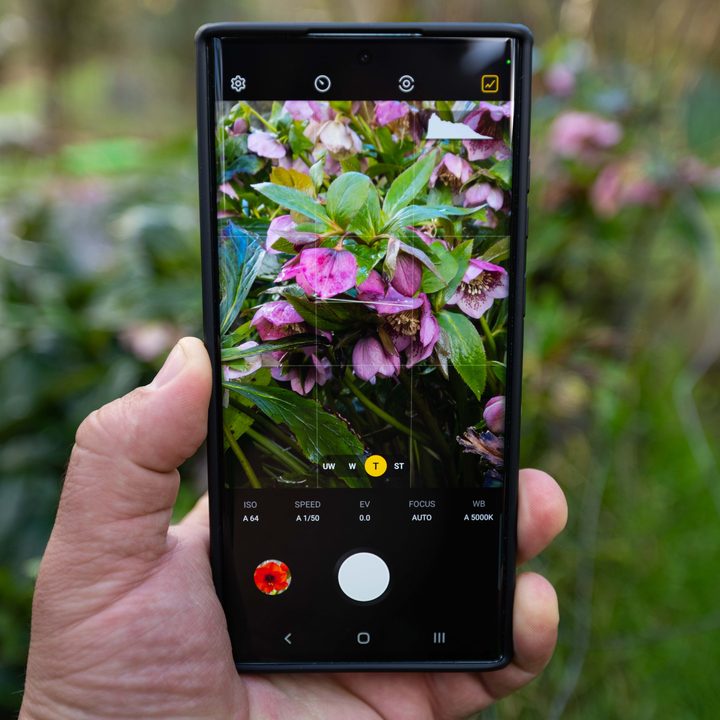
This isn’t a perfect solution, as to capture an Expert RAW or Apple ProRAW image, it’s necessary to briefly hold the phone still as it captures a series of images. As a result, it’s not great for moving subjects. Also, keep in mind that both Expert RAW and Apple ProRAW images take up a ton of extra storage space — more than 10 times what you would normally expect from a still image.
If you shoot frequently in either multi-frame RAW format, the storage on your phone is going to fill up fast. I’m certainly glad I opted for the 512GB Galaxy S22 Ultra, which has plenty of storage space. Also, be aware that, while you do get some features from the normal camera app like subject tracking, there’s no portrait mode nor any other of the flashier automated features in multi-shot RAW. These modes are aimed at people who would rather apply such effects after the fact in post-processing.

It’s in post-processing where multi-shot modes really shine. Rather than being stuck with what the camera thinks looks best, you get to make precise adjustments so that your photo comes out exactly right.
The question is, who does it better, Apple or Samsung? Let the battle commence!
Availability
Apple has been in the multi-shot RAW photo game for a couple of years now, beginning with the iPhone 12 Pro and 12 Pro Max. It’s also now available on the iPhone 13 Pro and 13 Pro Max.
Samsung debuted Expert RAW in their latest and greatest Samsung Galaxy S22 Ultra, with the feature also available on the older S21 Ultra 5G. In the future, Samsung intends to expand compatibility to the Z Fold 3, and to other high-end phones going back to the S20 Ultra, S20 Note, and Z fold 2.
Winner: Apple, for now at least. Expert RAW is currently only available on two Samsung smartphones compared to four Apple devices. Apple has also made it available on less expensive devices, while Samsung only makes it available on their very high-end phones. However, if Samsung follows through and expands Expert RAW to older smartphones, it will be marginally more accessible.

Accessibility
Apple ProRAW is integrated straight into the camera app and is even integrated into third-party apps such as Moment Camera. To turn it on all you have to do is toggle it in the settings.
Expert RAW, however, doesn’t even come pre-installed on the phone and is an entirely separate app from the main camera, available via Samsung’s app store. While installing Expert RAW is easy enough, the issue is that it’s a hassle to switch between the normal camera app and the Expert RAW app.
This matters when you’re capturing a scene in which time is a factor. For example, the other day I took a photo of a rainbow with my S22 Ultra. I only had seconds to take the shot, and by double-clicking the power button, I was able to launch the regular camera app without having to unlock the phone. I got my shot, but there wasn’t time to unlock the phone and launch the Expert RAW app. I could change the shortcut so that Expert RAW would launch instead of the standard camera app, but Expert RAW is situational rather than universal.
Winner: Apple

Feature compatibility
Apple ProRAW works with SmartHDR, Deep Fusion, and Night Mode. The Expert RAW app is fairly spartan; it works with Auto HDR, but not much else.
Winner: Apple
Image quality
Whether Samsung or Apple phones take better photos is a hotly debated topic, and largely comes down to a matter of opinion. In terms of multi-shot RAW, Expert RAW captures 16-bit images, as opposed to Apple ProRAW, which maxes out at 12-bit. In theory, that means Expert RAW gives you more data to work with when post-processing.
Bit depth refers to the tonal information stored in the image. A 1-bit image would be simple black and white, a 2-bit image could have four different tones: white, light grey, dark grey, and black. A JPEG is an 8-bit image with 256 tones, 12-bit ProRAW images have 4,000 tones, and a 16-bit Expert RAW image has an absurd 65,536 tones.
Keep in mind, though, that this drastic increase doesn’t necessarily mean that editing capability scales directly with increased bit-depth on a practical level. The difference between JPEG and any RAW format is significant, but beyond that, we encounter diminishing returns between 10-bit and 12-bit, and 12-bit and 16-bit.
Winner: Samsung

File size
With extra bit-depth comes extra storage requirements. The average JPEG photo from an Apple or Samsung device is roughly 2.5MB, while a 12-bit ProRAW photo takes up 25MB of space. A 16-bit Expert RAW image takes up around 30MB, though if you don’t mind losing some data, you can use high-efficiency RAW format and shave a few megabytes off that number. With ProRAW you also have the option to drop down to 10-bit and cut your photos down to just 8MB, and still have an image that, while not quite as tonally rich as 12-bit or 16-bit images, still offers plenty of wiggle room when editing.
Winner: Apple

Conclusion
While Apple ProRAW beats Expert Raw in most categories, Apple only ever edges out Samsung by a hair in any of them. Both multi-shot RAW modes are very closely matched, and I wouldn’t choose either phone with Expert RAW versus ProRAW as the deciding factor. With that said, Samsung does need to step up its game by integrating Expert RAW into their default camera app, and by offering lower bit-depth modes as a space-saving option. With those minor changes, Samsung would be the victor here.