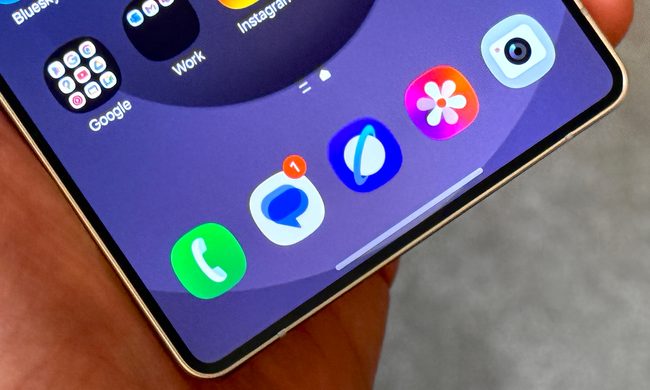
This time last week I was a bit stuck. The Google Pixel 8 was in my hand, and I wanted to take photos with it. After all, it’s the big selling point of this phone, and it was important to see if it continues the great Pixel tradition of housing a fantastic camera. Except I was feeling rather uninspired and creatively blocked.
Pondering what to do, I just went out and took photos, because I wanted to see what all the software behind the new camera could do to make ordinary pictures something special when I got home. What I found is it takes ordinary photos and turns them into something unbelievable, in both good and bad ways, and it barely makes sense that all this is possible on a phone.
Why the Google Pixel 8’s camera is so special

The Google Pixel 8’s ability doesn’t just come from its camera hardware, so let’s take a closer look at all the specifications. On the back is a new 50-megapixel main camera with a 1/1.31-inch sensor and an f/1.68 aperture, which is alongside a 12MP wide-angle camera with autofocus and a 125-8-degree field of view. The camera has both optical and electronic image stabilization (OIS and EIS), a spectral and flicker sensor, and laser autofocus.
But what makes it stand out from the competition, and where my creativity was fired up more after simply going out and taking the photos, is in its software toolkit. In addition to the usual Night Sight lowlight mode, Macro mode, Portrait mode, and Super Res Zoom (up to 8x digital zoom on the Pixel 8), Google Photos contains the new Magic Editor feature, along with Magic Eraser, Ultra HDR, and a comprehensive suite of editing tools.
Now that I’ve had some time to use the Pixel 8 and to see the power of these many AI-driven features firsthand, I remain concerned they could lead us to forget some of what can make a photograph special, but I’m also astonished by what they can do. Photography on the Pixel 8 is way more than simply pointing the camera in the general direction of your subject.
Photography and AI come together


I went out to take some photos, looking for some inspiration in shapes that I may have otherwise ignored. I may not have taken anything that special, but I was pleased with the variety. It was only when I sat down at home and used the Magic Editor, Magic Eraser, and Google Photos’ powerful editing suite that I could really get creative, and truly transform the photos using these incredible tools.
The images in the gallery above show the original photos I took, and the photos then created using Magic Editor. Unlike Magic Eraser, this feature uses generative AI — an action performed in the cloud and requires the image to be backed up first — to change the overall look of the image. With just a tap it gives you multiple choices on how to alter the image, based on your preference, which can be almost endlessly refreshed if you don’t like the options. Objects can be moved and erased too, but unlike Magic Eraser, Magic Editor auto-generates the background instead of concealing it with a smudge.


Change the sky or water using Magic Editor and the results are undeniably striking, and because it’s an AI-driven process it can look more realistic than other versions of these tools if you use them with restraint. I didn’t go for realism, as I wanted to give the photos a hyper-real style. I didn’t care about whether it made sense, I wanted impact. It’s successful, but you can sometimes see where it adds pre-generated backgrounds (such as the “new” sky between the two tree trunks in one of the photos) to fill in the blanks, an approach it also takes when you move objects.
The Pixel 8 takes good photos without all this sorcery at work, but I’m not deep enough into using it to fully assess its ability yet. However, the power and huge creative potential of Magic Editor, along with Google’s existing editing tools, makes the phone a very exciting prospect for anyone wanting to explore how photography and AI can work together. It’s incredible that it’s all possible on a smartphone, and even more so that it’s accessible to everyone regardless of how proficient they are at photo editing. All it takes is a few button taps and a few moments of processing time.
The rest of the Pixel 8 experience

Magic Editor’s changes are performed in the cloud, so there is a pause while you wait for the options to be generated, but it’s not restrictive. Magic Eraser and other photo edits are performed on the device itself, and there’s no waiting around at all. I’ve been using the Pixel 8 for five days as my main phone, and have not noticed any speed problems or any overheating yet either. It looks like the Tensor G3, at least at this early stage, has improved in this area over the Tensor G2.
Battery life has been decent, but I have not put the phone through its paces yet. With a couple of hours of screen time per day without gaming, it lasts two full days, but only just. When I start to use the phone more, I have a feeling it will struggle to last more than a full day with hard use, including games. I’ve been using it connected to the Google Pixel Watch 2, which will add some strain to the battery.

Android 14 doesn’t bring any major new features, so it’s not all that different from Android 13. It has been stable and reliable, and the current battery life indicates the promised efficiency improvements are paying off. I started using the Pixel 8 immediately after using the Google Pixel 7 Pro, and in all honesty, it’s hard to tell much of a difference between the screens. This isn’t meant negatively, as the Pixel 8 looks great, and there’s more than enough brightness to see it on a sunny day.
Worth the extra money?

The Pixel 8’s modest size and weight make it a very comfortable phone to own and use every day, the software and performance haven’t disappointed, and as I’ve explained, the camera and its AI toolkit are genuinely impressive. I still love the design, even in the boring black color seen here.
While I’m feeling very positive towards the Pixel 8 at this stage, the issue of the increased price does cause a few second thoughts. It’s up from $599 to $699, and although I understand it has some new components and additional software features, value has still been eroded, even if it’s only by a little. The Google Pixel 7’s price made it such an easy recommendation (reliability concerns aside) to a lot of people, even those with a relatively modest budget.

The Google Pixel 8’s increase takes it out of reach of anyone looking at the Samsung Galaxy A54, for example, and brings the excellent OnePlus 11 into the conversation, along with the Galaxy S23 too. While I think there’s value in the AI photo tools, not everyone will feel the same, and I also question their long-term appeal.
The trouble is, take all the photo editing and AI magic away, and the Pixel 8 may end up being a solid, but fairly unremarkable smartphone. I’ll reach a conclusion on whether the Pixel 8 is worth the extra over a phone like the Pixel 7a in our full review, which is coming very soon.
Buy at Amazon