You may have noticed that Apple has a lot of digital services right now, having added Apple Fitness+, Apple Music, Apple TV+, and Apple Arcade in recent years. Apple has definitely noticed, because its latest service add-on is called Apple One. Similar to HBO Max and other streaming bundles on the rise, Apple One combines Apple’s streaming services and iCloud features into one package with one monthly fee.
If you’re undecided about an Apple One subscription, you might be wondering what exactly you get for your money, and how much you could save by switching to it. Well, there are three Apple One tiers, and the savings work a little differently in each one, so let’s break each tier down.
Individual: $15 per month
The individual plan is designed for a single user, and notably does not allow you to share Apple Music or iCloud storage with a family member, so it’s best suited for those on their own in the Apple ecosystem. Sign up for this tier, and you get:
- Apple Music ($10 per month)
- Apple TV+ ($5 per month)
- Apple Arcade ($5 per month)
- 50GB of iCloud storage ($1 per month)
Total savings: $6
Adding that up with our remarkable basic math skills, we get a total cost of $21. That means that an Individual plan at $15 saves you $6 per month, or about the cost of a single Apple service. That’s a pretty good deal if you plan on using all of Apple’s services, but much less of a deal if there’s a single service like Arcade or Music that you aren’t really interested in.
Family: $20 per month
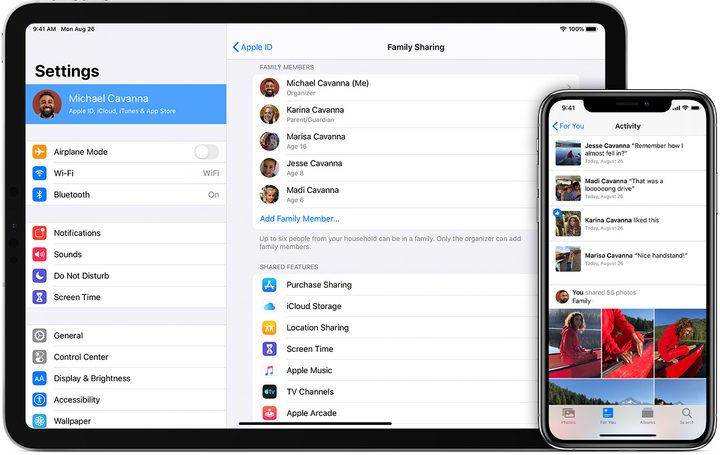
The Family plan boosts your iCloud storage to a more reasonable amount (even individual users may like this aspect) and — perhaps more important to busy families — allows sharing between up to six members for Music. That means only one out of the six needs to buy music, and everyone in the family can download and listen to it. Currently, this sharing also works with movies and games, and we suspect that feature will make its way to Apple One as well. In total, the Family plan gives you:
- Apple Music Family version ($15 per month)
- Apple TV+ ($5 per month)
- Apple Arcade ($5 per month)
- 200GB of iCloud storage ($3 per month)
Total savings: $8
This bumps your savings up by a couple of bucks, with most of the extra cost of the Family plan clearly going to the Apple Music Family service. Keep in mind, Apple Music Family can also be a nice choice for couples, businesses with different areas to play music, and similar situations. It’s also more likely that a family will get use out of Music, TV+, and Arcade with various divergent interests.
Premier: $30 per month

Premier is where things get really interesting. Here Apple adds more services, notably Apple News and Apple Fitness+ (including guided workouts tied into Apple Watch metrics), plus a big bump to iCloud storage. This bundle is best for those already deeply invested in Apple products. If you depend on an iPhone for calls, do your work on a Mac, wear an Apple Watch when working out, and check your iPad for news updates, this plan could be for you. Let’s break it down:
- Apple Music Family version ($15 per month)
- Apple TV+ ($5 per month)
- Apple Arcade ($5 per month)
- 2TB of iCloud Storage ($10 per month)
- Apple News+ ($10 per month)
- Apple Fitness+ ($10 per month)
Total Savings: $25
That leads to some very significant savings, and the biggest bang for your buck if you want to save money while enjoying Apple services. It’s also very family-friendly. Note that News is restricted to certain countries including the United States, Canada, the U.K., and Australia.
Don’t forget free Apple TV+ for new Apple devices
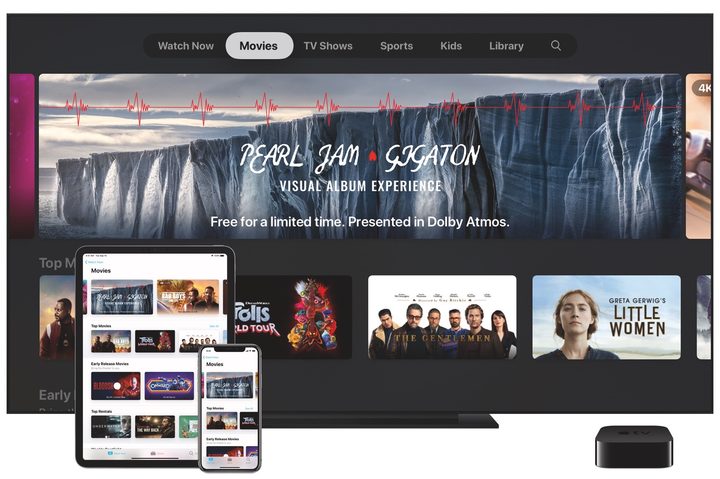
But wait — there’s another complication in the calculations. Apple is offering a free subscription to Apple TV+ for three months whenever you buy a major device like an iPhone, iPad, Mac, etc directly from Apple or from an Apple-authorized reseller.
Let’s assume that you are buying a new Apple device around the time you are considering an Apple One subscription. This essentially gives you an automatic three months credit for TV+, which is worth $15. However, this will also cancel out the cost of Apple TV+ when considering Apple One savings, since you wouldn’t have had to pay for TV+ anyway. In other words, it shaves around $5 off your savings for each tier, and means you aren’t really saving much at all for the Individual plan … at least for the first three months.
This is all contingent on how much you plan on using Apple TV+, and how long you plan on trying out Apple One, but it’s worth remembering. Also, keep in mind that you only have 90 days to redeem the free three months of TV+ before the offer expires.
Bottom line
Apple One Premier offers, by far, the most savings for any Apple One plan. The Individual plan, by contrast, offers little savings, especially if you are using your free three months of Apple TV+. However, the most important consideration is how much use you will get out of the specific services in each bundle.