  1. Home
  2. Phones
  3. Mobile
  4. Social Media
  5. Evergreens

How to go live on Twitter

Add as a preferred source on Google

Going live can connect you with your social media followers in a more personal way than with just text and photo posts. You get to talk to your followers directly, at length, about whatever’s on your mind and watchers can respond in real-time. Many people don’t know that you can go live on Twitter just like you can go live on Instagram and Facebook, even though the feature has been around since 2016. Here’s how to get started.
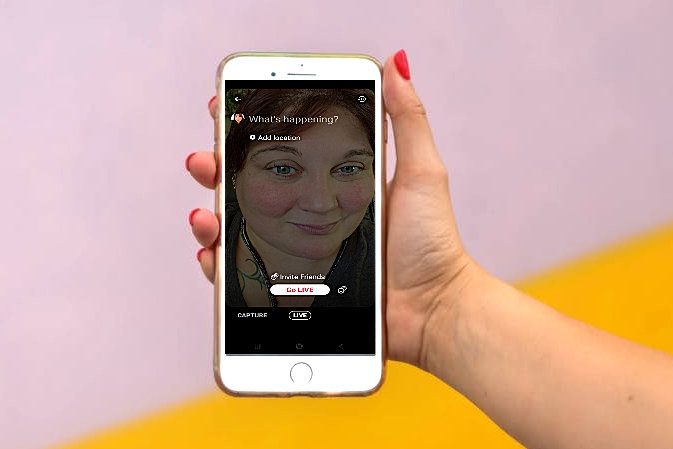
Person livestreaming on Twitter

How to livestream on Twitter

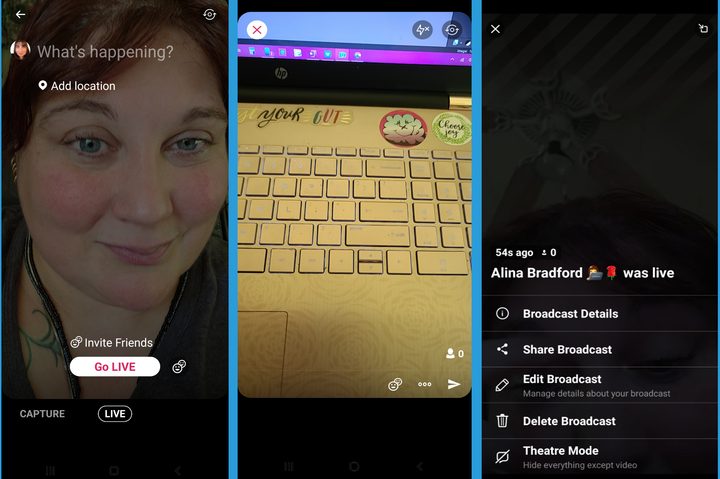
Going live on Twitter is easy. Open the app and tap on the Compose button in the bottom right corner. Then, tap on the Photo icon and on the Live choice beside Video and Capture. You’ll see that some new options will pop up on the screen. You can add your location, invite friends and name your livestream.

Recommended Videos

If you don’t want guests in your livestream, then tap the friend icon by the Go Live button. If you leave the guest option on, don’t worry. You can control who your guests are during the livestream while you’re streaming.

To go live, just tap the Go Live button.
How to go live on Twitter
Image used with permission by copyright holder

What to do while streaming

There are several different features you can use while live. You can add guests to your livestream by tapping on the friend icon at the bottom of the screen, for example. You can add guests throughout the stream and remove them whenever you want through this feature. A tap on the three dots beside the friend icon pops up a menu that gives you the option to hide comments, the ability ask for follows and shares automatically, and the option to look at the guest list.

What to do when you’re done with your live broadcast on Twitter

To end your live, tap the X icon in the upper left corner and tap Stop Broadcast at the bottom of the screen.  You will then have the option of deleting your livestream, sharing it, or editing it by tapping on the three dots at the bottom of the screen. You can also check the live’s stats, including how much of the video was actually watched by viewers and the duration of your livestream.

If you find you want to delete the live later, an easy way to do it is to find the video on your Twitter feed and delete the post. This will also delete it from your media area.

Alina Bradford
Alina Bradford has been a tech, lifestyle and science writer for more than 20 years. Her work is read by millions each month…
Instagram could soon let you watch Reels while offline with automatic downloads
A new leak suggests Instagram is working on automatic downloads for Reels, which could let you continue your binge even without an internet connection.
Instagram and YouTube

Instagram could soon let users continue their Reels binge even when they're offline. A new leak suggests the app is working on automatic downloads for short-form videos, a move that would bring it closer to YouTube, which already allows offline viewing of Shorts.

What is Instagram working on?

Read more
Android 17 will let apps get the best out of your phone’s camera chops
A new vendor-defined extension system could bring advanced camera features like Super Resolution to your favorite third-party apps.
Android 17 logo.

Android 17 is shaping up to be quite an important update, especially if you care about camera quality across apps. Google is introducing a new way for phone makers to extend their custom camera features system-wide, which could finally close the gap between stock camera apps and third-party ones.

How is Android changing camera access for apps?

Read more
Google is preparing a priority charging feature for phones for rush scenarios
A hidden Android 17 feature appears built for quick top-ups, while keeping calls and texts flowing.
Electronics, Mobile Phone, Phone

Google is working on a priority charging feature designed for moments when you need power quickly. The option, uncovered in Android 17 beta code by Android Authority, focuses on boosting usable battery in a short window without shutting down core phone functions.

Instead of pushing higher charging speeds, the system shifts power toward the battery by dialing back background activity. Calls and texts still come through, but less critical processes pause so more energy goes into charging.

Read more