
Google’s Android 9.0 Pie has landed. If you’re curious about trying out a slice, you’ll need to make sure you have the right smartphone (until all the major manufacturers push the update out within the next six months to a year).
You can learn about all the new features in our Android 9.0 Pie guide, but if you are eager to try it out now, follow our step-by-step directions to jump into the new version.
Note: Downloading the Android 9.0 Pie beta is pretty easy for the average user. But if you encounter a lot of bugs or decide you don’t like it, going back to an earlier version is costly. You’ll have to flash your device back to Android Oreo, which means you’ll lose any phone data that isn’t backed up. Please keep this in mind.
Make sure you have the right device
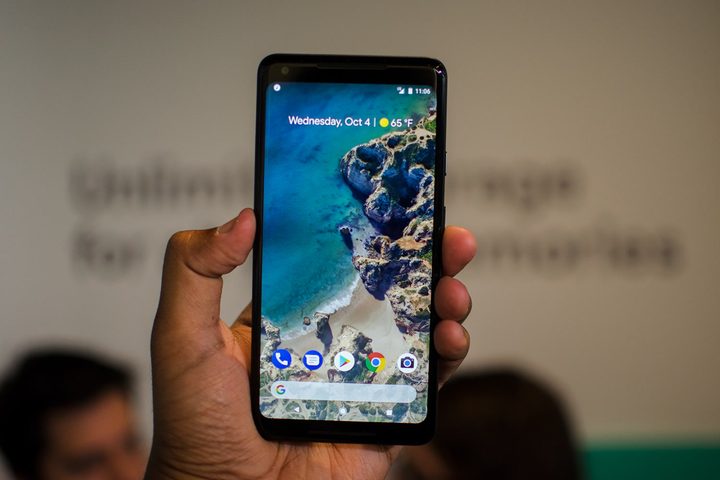
First, the bad news: Android 9.0 Pie is only available right now for certain devices — the Google Pixel and Pixel 2 series. The good news is Google expanded its list of beta partner devices, which means there are quite a few phones that are likely to get the final version quickly. If you have one of these phones, you’re set:
- Pixel 2/Pixel 2 XL
- Pixel/Pixel XL
- Essential Phone
- Sony Xperia XZ2
- Sony Xperia XZ2 Premium
- Xiaomi Mi Mix 2S
- Nokia 7 Plus
- Oppo R15 Pro
- Vivo X21
- OnePlus 6
If you don’t have one of these phones, well, you’ll have to wait until the final version of Android 9.0 Pie is available on your phone. Android One devices will receive the update towards the end of the year.
Back up your data
For the beta, the usual caveats apply: Not everything may work correctly, bugs may crop up, and so on. Even if you plan on keeping Android 9.0 Pie up through the official release, you should still take the time to back up all your important phone data. Make sure your photos, contacts, and documents are available on the cloud or uploaded to another storage device before you begin.
Sign your phone up
Google has made signing up for the public beta very easy. Visit this Android developer page, where you will find a list of all the compatible phones. Locate your phone model, and choose Get the beta at the bottom of the phone description.
Every Get the beta option will take you to a separate page for that phone brand with instructions on how to sign up.
The Pixel version is particularly simple, since Google will automatically detect any compatible phones on your account (you will need to be signed in to your Google account to complete this process). Once you’ve signed up for your Pixel, you should receive an over-the-air notification that says System update available from the Android Beta Program. Agree to download the update and you’ll be playing around with Android 9.0 Pie in no time. You do not need to sign up for the beta to receive the final version — if you have a Pixel, Pixel XL, Pixel 2, Pixel 2 XL, or an Android One device, you should automatically get an update notification.
For other phone brands you’ll need to download the new software and flash your phone with the Android 9.0 Pie beta yourself. They’re all a little different. Sony, for example, wants you to use its Xperia Companion software, whereas Xiaomi suggests the fastboot method and offers the Android 9.0 Pie ROM, as well as the Oreo ROM you need to revert, as a download.
The process shouldn’t be difficult if you follow the instructions carefully, but if you run into problems you’ll also have to flash back to Oreo yourself, so keep that in mind. The manufacturers aren’t making any guarantees about it working perfectly, so always back up everything that matters to you before you start.
Here are the direct links to each manufacturer’s instructions:
- Essential Phone instructions
- Sony Xperia XZ2 instructions
- Xiaomi Mi Mix 2S instructions
- Nokia 7 Plus instructions
- Oppo R15 Pro instructions
- Vivo X21 instructions
- Vivo X21 UD instructions
- OnePlus 6 instructions
These phones should receive the final version of Android 9.0 Pie quickly, and we’ll update this post when they do.


